EasyManua.ls Logo

JVC KD-R491 - User Manual

JVC KD-R491
84 pages
Print Icon
To Next Page IconTo Next Page
Loading...
Data Size: B6L (182 mm x 128 mm)
Book Size: B6L (182 mm x 128 mm)
ENGLISH

B5A-2123-00 [M]
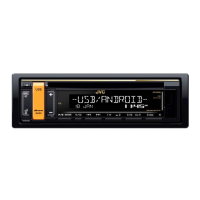
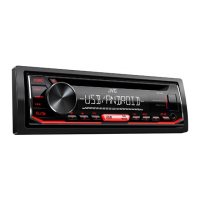
KD-R498 / KD-R496 / KD-R492 / KD-R491
CD RECEIVER
INSTRUCTION MANUAL

CD
คูมือการใชงาน
JS_JVC_KD_R498_M_C.indd 1JS_JVC_KD_R498_M_C.indd 1 7/10/2017 3:19:06 PM7/10/2017 3:19:06 PM

Other manuals for JVC KD-R491

Questions and Answers

  • D
    danamcdonaldAug 6, 2025
    How to fix JVC KD-R491 Car Receiver when sound cannot be heard?
    • S
      scott90Aug 6, 2025
      If you cannot hear any sound from your JVC Car Receiver, first, adjust the volume to the optimum level. If the sound is still not audible, check the cords and connections to ensure they are properly connected.
  • M
    Martin WatsonAug 10, 2025
    What to do if sound cannot be heard during playback on JVC Car Receiver?
    • Z
      zandersonAug 10, 2025
      If you're experiencing a lack of sound during playback on your JVC Car Receiver, try the following steps: * Reconnect your Android device. * If in [AUDIO MODE], launch any media player application. * If still no sound in [AUDIO MODE], relaunch the current media player application or try a different one. * Restart your Android device. If the problem persists, it's possible that the connected Android device is unable to route the audio signal to the unit.
  • S
    Sharon MccoyAug 14, 2025
    Why does my JVC KD-R491 Car Receiver flash “CANNOT PLAY”?
    • S
      shelley98Aug 15, 2025
      If your JVC Car Receiver displays “CANNOT PLAY” or fails to detect your connected device, verify that the connected device is compatible with the unit and that your files are in a supported format. If compatibility is not an issue, try reattaching the device.
  • S
    Samuel RobinsonAug 19, 2025
    What to do if JVC Car Receiver keeps flashing “NO DEVICE” or “READING”?
    • M
      Mary BishopAug 19, 2025
      If your JVC Car Receiver continuously flashes “NO DEVICE” or “READING,” try these solutions: first, switch off the developer options on your Android device. If that doesn't work, reconnect the Android device. If the issue persists, the connected Android device may not support [AUTO MODE].
  • A
    Angelica ContrerasAug 23, 2025
    Why can't I playback at [AUTO MODE] on JVC KD-R491 Car Receiver?
    • J
      Jordan MaloneAug 23, 2025
      If you cannot playback in [AUTO MODE] on your JVC Car Receiver, ensure that the JVC MUSIC PLAY APP is installed on your Android device. If it is, try reconnecting the Android device and selecting the appropriate control mode. If the problem continues, your connected Android device may not support [AUTO MODE].
  • S
    Shawn CrosbyAug 27, 2025
    How to stop JVC Car Receiver playback from being intermittent?
    • C
      codycantuAug 27, 2025
      If you experience intermittent playback or skipping sounds on your JVC Car Receiver, try turning off the power saving mode on your Android device.
  • N
    normamooreAug 31, 2025
    Why are correct characters not displayed on JVC KD-R491?
    • C
      Chase RyanSep 1, 2025
      If your JVC Car Receiver is not displaying the correct characters, note that the unit can only display uppercase letters, numbers, and a limited number of symbols. Also, depending on the display language selected, some characters may not be displayed correctly.

Summary

Instruction Manual

JVC KD-R498; KD-R496; KD-R492; KD-R491

Identifies the JVC CD Receiver models covered by this instruction manual.

Before Use

Important Warnings and Cautions

Provides critical safety information and warnings for proper product usage.

Getting Started

Initial Setup: Demo and Clock

Guides through cancelling the demo mode and setting the clock and date.

CD;USB;ANDROID

Audio Settings

Equalizer and Sound Customization

Guides on setting equalizers and storing custom sound profiles.

Display Settings

Troubleshooting

General and Radio Issues

Addresses common problems like no sound, wiring checks, and poor radio reception.

Device and Connection Troubleshooting

Troubleshoots character display, playback errors, and connectivity issues for Android/USB.

CD;USB;ANDROID;AUX Issues

Covers troubleshooting for media playback errors and device connection problems.

Installation;Connection

Safety and Installation Precautions

Highlights important safety warnings and cautions for installing the unit.

Installation Components and Procedures

Details installation parts, in-dash mounting, basic steps, and removal methods.

Wiring Connection Guide

Provides a detailed guide for connecting the unit's wiring harness and related components.

Specifications

JVC KD-R491 Specifications

General IconGeneral
BrandJVC
ModelKD-R491
CategoryCar Receiver
LanguageEnglish

Related product manuals