EasyManua.ls Logo

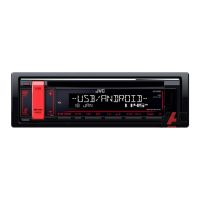
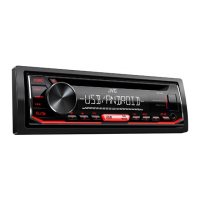
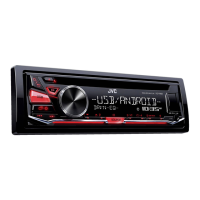
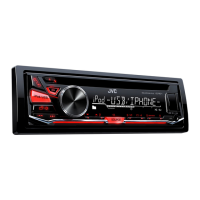
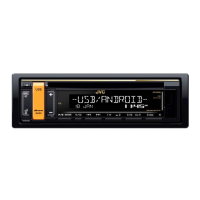
JVC KD-R498 - User Manual

JVC KD-R498
84 pages
Print Icon
To Next Page IconTo Next Page
Loading...
Data Size: B6L (182 mm x 128 mm)
Book Size: B6L (182 mm x 128 mm)
ENGLISH

B5A-2123-00 [M]
KD-R498 / KD-R496 / KD-R492 / KD-R491
CD RECEIVER
INSTRUCTION MANUAL

CD
คูมือการใชงาน
JS_JVC_KD_R498_M_C.indd 1JS_JVC_KD_R498_M_C.indd 1 7/10/2017 3:19:06 PM7/10/2017 3:19:06 PM

Questions and Answers

  • A
    Adam LambSep 3, 2025
    How to stop “NO DEVICE” or “READING” flashing on JVC Car Receiver?
    • C
      Christine FreemanSep 4, 2025
      If “NO DEVICE” or “READING” keeps flashing on your JVC Car Receiver, try switching off the developer options on your Android device. If that doesn't work, reconnect the Android device. If the issue continues, the connected Android device may not support [AUTO MODE].
  • Q
    qdanielSep 18, 2025
    How to stop JVC KD-R498 Car Receiver playback from being intermittent?
    • B
      Brandon DavisSep 18, 2025
      If you experience intermittent playback or skipping sounds on your JVC Car Receiver, try turning off the power saving mode on your Android device.
  • C
    Cristian GatesSep 16, 2025
    Why can't I playback at [AUTO MODE] on JVC KD-R498 Car Receiver?
    • A
      Aaron DavisSep 16, 2025
      If you cannot playback in [AUTO MODE] on your JVC Car Receiver, ensure that the JVC MUSIC PLAY APP is installed on your Android device. If it is, try reconnecting the Android device and selecting the appropriate control mode. If the problem continues, your connected Android device may not support [AUTO MODE].
  • S
    Stacy JacksonSep 14, 2025
    What to do if JVC KD-R498 keeps flashing “NO DEVICE” or “READING”?
    • J
      johnmyersSep 14, 2025
      If your JVC Car Receiver continuously flashes “NO DEVICE” or “READING,” try these solutions: first, switch off the developer options on your Android device. If that doesn't work, reconnect the Android device. If the issue persists, the connected Android device may not support [AUTO MODE].
  • M
    Marcus PriceSep 12, 2025
    How to fix “CODE ERROR” on JVC KD-R498 Car Receiver?
    • S
      Sandra StevensSep 12, 2025
      If the message “CODE ERROR” appears on your JVC Car Receiver, make sure you have entered the correct pass code.
  • A
    Andre AndersonSep 12, 2025
    How to fix source selection on JVC KD-R498 Car Receiver?
    • J
      Jesus EspinozaSep 12, 2025
      If a source cannot be selected on your JVC Car Receiver, check the [SOURCE SELECT] setting.
  • B
    bharrisSep 9, 2025
    Why are correct characters not displayed on JVC KD-R498 Car Receiver?
    • M
      myersashleySep 9, 2025
      The JVC Car Receiver can only display uppercase letters, numbers, and a limited number of symbols. Also, depending on the selected display language, some characters may not be displayed correctly.
  • N
    nicholasdiazSep 7, 2025
    What to do if “CANNOT PLAY” appears on JVC KD-R498?
    • C
      Carlos YoungSep 7, 2025
      If “CANNOT PLAY” appears on your JVC Car Receiver, ensure your Android device contains playable audio files. If it does, try reconnecting the Android device and restarting it.
  • M
    marksvirginiaSep 5, 2025
    Why does the sound skip on Android with JVC Car Receiver?
    • E
      Erica CurrySep 5, 2025
      If the playback is intermittent, or the sound skips when using Android with your JVC Car Receiver, turn off the power saving mode on your Android device.
  • D
    Dale KennedyAug 20, 2025
    How to fix no sound on JVC KD-R498 Car Receiver?
    • J
      Jimmy WilliamsAug 20, 2025
      To resolve the issue of no sound from your JVC Car Receiver, first, adjust the volume to ensure it is at an audible level. If the sound is still not present, examine the cords and connections to confirm they are properly connected.

JVC KD-R498 Specifications

General IconGeneral
Power Output50W x 4
RMS Power22W x 4
TunerFM/AM
BluetoothYes
USB PortYes
Aux InputYes
Display TypeLCD
Pre-Output Voltage2.5V
Speaker Impedance4-8 Ohms
Frequency Response20Hz - 20kHz
Remote ControlYes
Detachable FaceplateYes
Channels4
Steering Wheel ControlYes
Preset EQYes
Built-in MicrophoneYes
Compatible FormatsMP3, WMA
Pre-Output Impedance10k ohms

Related product manuals