13ENGLISH
Continued...
Storing your own sound mode
You can store your own adjustments in
memory.
1
2
] <PRO
EQ> ] <BASS/ MIDDLE/ TREBLE>
[Hold]
3
Adjust the sound elements (see table
below) of the selected tone.
4
Repeat steps 2 and 3 to adjust other
tones.
The adjustments made is automatically
stored and changed to “USER.”
Menu operations
1
If no operation is done
for about 60 seconds, the
operation will be canceled.
2 3
Repeat step 2 if necessary.
• To return to the previous
menu, press BACK.
• To exit from the menu, press
DISP or MENU.
[Hold]
Menu item
Selectable setting, [Initial: Underlined]
DEMO
For settings, see page 4.
CLOCK
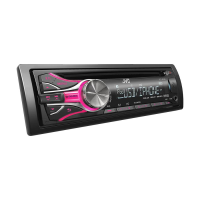
COLOR *
1
BUTTON ZONE
29 preset colors /
USER
/
COLORFLOW 01/02/03
: Selects your preferred color
for buttons illumination (except for
DISP
/
BRIGHTNESS
/
0
) and display color
separately.
• If <ALL ZONE> is selected, the button and display illumination will change to the
current/selected <BUTTON ZONE> color.
• Initial color :
BUTTON ZONE
[
06
],
DISP ZONE
[
01
],
ALL ZONE
[
06
]
DISP ZONE
ALL ZONE
*
1
For KD-R526/KD-R525.
All zone
Display zone
Button zone
Frequency / Level / Q [Initial: Underlined]
BASS
60/ 80/ 100/ 200 Hz –06 to +06 [ 00 ] Q1.0/ 1.25/ 1.5/ 2.0
MIDDLE
0.5/ 1.0/ 1.5/ 2.5 kHz –06 to +06 [ 00 ] Q0.75/ 1.0/ 1.25
TREBLE
10.0/ 12.5/ 15.0/ 17.5 kHz –06 to +06 [ 00 ] Q FIX
EN02-19_KD-R526_001A_4.indd 13EN02-19_KD-R526_001A_4.indd 13 9/27/10 4:36:22 PM9/27/10 4:36:22 PM



 To Next Page
 Loading...