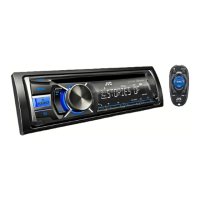
Why is there no sound coming from my JVC KD-R756?
- LLori HoganAug 20, 2025
If you can't hear any sound, first, ensure that the volume is adjusted to an audible level. Also, check all cords and connections to make sure they are properly connected.

Why is there no sound coming from my JVC KD-R756?
If you can't hear any sound, first, ensure that the volume is adjusted to an audible level. Also, check all cords and connections to make sure they are properly connected.
Why does “MISWIRING CHK WIRING THEN RESET UNIT” / “WARNING CHK WIRING THEN RESET UNIT” appear on my JVC KD-R756?
This message appears because the terminals of the speaker wires may not be insulated properly. Make sure the speaker wires are correctly insulated, and then reset the unit.
What to do if a disc cannot be ejected from my JVC KD-R756?
If a disc cannot be ejected, press and hold to forcibly eject the disc.
What to do if my iPod/iPhone does not turn on or work with my JVC Car Receiver?
If your iPod/iPhone isn't working, check the connection between it and the car receiver. If the connection is correct, try detaching and resetting your iPod/iPhone using a hard reset.
Why is the radio reception poor or has static noise while listening to the radio on my JVC KD-R756?
Poor radio reception or static noise can often be resolved by ensuring the antenna is firmly connected. Additionally, make sure the antenna is pulled out completely.
What to do if my JVC Car Receiver displays 'CANNOT PLAY' and/or doesn't detect the connected device?
If you see 'CANNOT PLAY' or the device isn't detected, avoid using too many folders. Try reloading the disc or reattaching the USB device.
What to do if I can't select a source on my JVC KD-R756 Car Receiver?
If you are unable to select a source, check the [SRC SELECT] setting.
Why does my JVC KD-R756 display incorrect characters?
The unit can only display uppercase letters, numbers, and a limited number of symbols.
Why does 'NOT SUPPORT' appear and track skips on my JVC KD-R756 Car Receiver?
If 'NOT SUPPORT' appears and the track skips, verify that the track is in a playable format.
Why is the playback order not as intended on my JVC KD-R756?
The playback order depends on the file name (if using USB) or the order in which files were recorded (if using a disc).
| Brand | JVC |
|---|---|
| Model | KD-R756 |
| Category | Car Receiver |
| Language | English |
Guide to setting the current time on the JVC car audio unit.
Instructions for configuring fundamental initial settings for the JVC car receiver.
How to begin playing music from CD, USB, or iPod sources.
Instructions for connecting USB devices and iPod/iPhone to the unit.
Methods for selecting tracks, files, and folders from connected media.
How to search for and save favorite radio stations.
How to connect and play audio from a portable player via AUX.
Instructions for connecting and using a Bluetooth adapter.
Saving and adjusting custom equalizer settings for personalized sound.
Solutions for no sound, wiring errors, source selection, and disc ejection problems.
Critical safety warnings and precautions for unit installation and wiring.
Step-by-step guide for installing the unit into a vehicle's dashboard.
A summary of the fundamental steps for installing the car receiver.
Diagrams and instructions for connecting the unit's wiring harness.
Detailed guide on connecting wires to the vehicle's harness and power.
Loading...