 To Next PageTo Next Page
 Need help?
Do you have a question about the JVC KD-R811 and is the answer not in the manual?
 General
| Brand | JVC |
|---|---|
| Model | KD-R811 |
| Category | Car Receiver |
| Language | English |
Details Class 1 laser classification, opening the unit, and viewing the beam.
Shows the reproduction of the external caution label for laser products.
EU specific instructions for environmentally sound disposal of products and batteries.
Critical safety advice for operating the unit while driving, including volume and temperature.
Explains the meaning of icons used throughout the manual for operations.
Step-by-step guide on how to connect and remove the detachable control panel.
Instructions on how to reset the unit to its factory default settings.
Procedures for ejecting a disc when normal ejection fails.
Important warnings regarding battery use, handling, and exposure to prevent accidents.
Information on the unit's compatibility with steering wheel remote adapters.
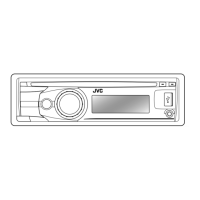
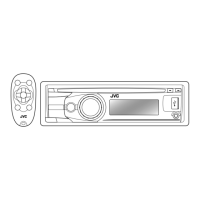
Overview of key buttons on the main unit and remote, and their general operations.
Illustrates visual changes to the display information and patterns.
Cautions regarding internal car temperature and volume settings for safe operation.
Instructions for manually tuning to radio stations.
Guidance for improving FM stereo reception quality.
Details on how to automatically preset up to 18 FM stations using SSM.
How to select and store stations into preset memory slots.
Using the remote control to select preset radio stations.
Steps to activate and deactivate Traffic Announcement standby reception.
Information on switching to preferred PTY programmes temporarily.
How to activate PTY standby reception and select programme types.
Procedure for stopping playback and ejecting a disc from the unit.
How to enable and disable the disc ejection lock feature.
Navigating and selecting folders and tracks on audio or MP3/WMA discs.
Steps for safely removing a USB device from the unit.
Important cautions regarding USB device usage, connection, and environmental factors.
Steps to connect the USB Bluetooth adapter and prepare the device.
Lists the Bluetooth profiles supported by the unit for various functions.
Guide to pairing a Bluetooth device with the unit and establishing a connection.
Instructions on how to remove a paired device from the unit's memory.
Steps for establishing or breaking connections with previously paired devices.
Procedure for initiating phone calls using the Bluetooth mobile phone.
Instructions on how to manually enter a phone number for dialing.
Steps to delete individual or all entries from the phonebook.
How to search and select contacts from the phonebook for calling.
Information on copying phonebook memory and searching through entries.
Details on using the dial number screen and voice recognition for calls.
How to answer calls automatically or manually, and adjust call settings.
How to switch audio between the unit and the mobile phone during a call.
Using the remote control for playback, track skipping, and volume adjustments.
Explains basic playback behavior and menu timeout.
Details how stations are stored in memory and FM Radio Data System functions.
Covers DualDisc playback caution and general disc/USB playback notes.
Explains icons used to indicate phone types in the phonebook.
Lists the iPod and iPhone models compatible with the unit.
Details menu navigation and operations for iPod/iPhone.
Information on characters supported for display on the unit.
Instructions for cleaning the unit's connectors to maintain performance.
How to deal with moisture condensation inside the unit to prevent malfunction.
Proper methods for removing, holding, and storing discs to prevent damage.
Guidance on cleaning discs to ensure proper playback and avoid errors.
Information on playing new discs and a list of discs that should not be used.
Solutions for common problems like no sound, unit not working, or connection errors.
Troubleshooting steps for radio reception problems like static or inability to select AM.
Solutions for issues like discs not playing, skipping, or not being recognized.