C
Christopher MillerSep 12, 2025
Why does my JVC KD-R816 have a longer readout time?
- SSteven MartinSep 12, 2025
To reduce readout time, do not use too many hierarchical levels and folders.

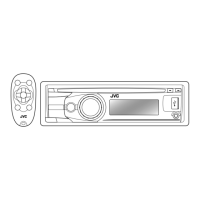

 To Next PageTo Next Page
Why does my JVC KD-R816 have a longer readout time?
To reduce readout time, do not use too many hierarchical levels and folders.
Why is my JVC Car Receiver CD-R/CD-RW not playing back?
If CD-R/CD-RW is not playing back: * Insert a finalized CD-R/CD-RW. * Finalize the CD-R/CD-RW with the component which you used for recording.
Why is my JVC KD-R816 Car Receiver disc sound sometimes interrupted?
If the disc sound is sometimes interrupted: * Stop playback while driving on rough roads. * Change the disc. * Check the cords and connections.
Why is my JVC Car Receiver iPod not turning on or not working?
If the iPod does not turn on or work: * Check the connecting cable and its connection. * Update the firmware version of the iPod/ iPhone. * Charge the battery of the iPod/iPhone. * Reset the iPod/iPhone. * Check whether the setting is appropriate.
Why does my JVC KD-R816 Car Receiver display “Restricted“?
If “Restricted” appears on the display, check whether the connected iPod/iPhone is compatible with this unit.
Why is my JVC KD-R816 Car Receiver not responding when I tried to copy the phonebook to the unit?
The unit may not respond if you have tried to copy the same entries that are already stored. Press DISP or BACK to exit.
How to fix JVC KD-R816 when sound cannot be heard from the speakers?
First, adjust the volume to the appropriate level. Then, ensure that the unit is not muted or paused. Finally, check the cords and connections to make sure they are properly connected.
Why can't I select “AUX IN” on my JVC KD-R816 Car Receiver?
If you cannot select “AUX IN”, check the = setting.
What does “Connect Error” mean on my JVC Car Receiver?
If “Connect Error” appears on the display, remove the control panel, wipe the connector, and then reattach it.
Why is there static noise while listening to the radio on my JVC KD-R816?
To resolve static noise while listening to the radio, ensure the antenna is firmly connected.
 General
| Power Output | 50W x 4 |
|---|---|
| RMS Power | 22W x 4 |
| Tuner | AM/FM |
| CD Playback | Yes |
| USB Input | Yes |
| Bluetooth | Yes |
| Display | LCD |
| Subwoofer Output | Yes |
| AUX Input | Yes |
| HD Radio | No |
| iPod/iPhone Compatibility | Yes |
| Android Compatibility | Yes |
| MP3 Playback | Yes |
| WMA Playback | Yes |
| FLAC Playback | No |
| Remote Control | Yes |
| Detachable Faceplate | Yes |
| Channels | 4 |
| Equalizer | 3-band |
Crucial safety information regarding Class 1 laser product usage and potential hazards.
How to turn the unit on/off, change input sources, and adjust audio volume.
Methods for tuning into radio stations manually or using automatic presets.
Steps for entering the PIN code and verifying successful device pairing.
Instructions for initiating, receiving, and ending phone calls using Bluetooth.
Steps for copying, searching, and selecting contacts from the phonebook.
Handling incoming calls, ending conversations, and adjusting call volume.
Handling text message alerts and controlling music playback from Bluetooth audio devices.
Interpreting and resolving common Bluetooth connection error messages.
Navigating menus to find and select specific audio tracks on the device.
Saving personalized EQ and tone settings as a user-defined mode.
Choosing preset or custom colors for illumination zones.
Defining user-specific colors for day and night display modes.
Specifications and limitations for playing MP3 and WMA audio discs.
Details on supported audio file formats and playback from USB storage.
Resolving common problems with unit operation, sound, and radio reception.
Solutions for issues related to disc playback, recognition, and interruptions.
Addressing playback errors, format compatibility, and file naming conventions.
Resolving issues with USB device detection, connection, and read errors.
Addressing problems with the unit finding and pairing with Bluetooth devices.
Resolving poor audio quality, echo, and issues controlling calls via Bluetooth.
Resolving iPod/iPhone power, connection, and compatibility problems.
Addressing sound distortion, noise, playback stops, and file errors with iPod/iPhone.
Essential safety information and guidelines before installing the unit.
Diagrams showing connections for microphone, speakers, amplifier, and power leads.
Solutions for common electrical problems like blown fuses or no sound.