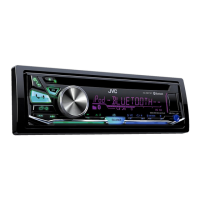
How to fix JVC KD-R971BT Receiver when playback is intermittent or sound skips?
- KkrojasSep 10, 2025
If the playback on your JVC Receiver is intermittent or the sound skips, try turning off the power saving mode on the Android device.

How to fix JVC KD-R971BT Receiver when playback is intermittent or sound skips?
If the playback on your JVC Receiver is intermittent or the sound skips, try turning off the power saving mode on the Android device.
How to eject a disc from JVC KD-R971BT when it cannot be ejected?
To forcibly eject a disc from your JVC Receiver, press and hold the eject button. Be careful not to drop the disc when it is ejected.
Why can't I playback at [AUTO MODE] on my JVC KD-R971BT Receiver?
If you cannot playback in [AUTO MODE] on your JVC Receiver, ensure that the JVC MUSIC PLAY APP is installed on your Android device. If it is installed, try reconnecting the Android device and select the appropriate control mode. If this does not solve the problem, the connected Android device may not support [AUTO MODE].
What to do if my JVC Receiver sound cannot be heard during playback?
If you cannot hear sound during playback on your JVC Receiver, try the following: reconnect the Android device. If in [AUDIO MODE], launch any media player application on the Android device and start playback. If in [AUDIO MODE], relaunch the current media player application or use another media player application. Restart the Android device. If this does not solve the problem, the connected Android device is unable to route the audio signal to unit.
What to do if my JVC KD-R971BT iPod/iPhone does not turn on or does not work?
If your iPod/iPhone does not turn on or work with your JVC Receiver, first check the connection between the unit and the iPod/iPhone. If the connection is good, detach and reset the iPod/iPhone using a hard reset.
Why does “NO DEVICE” or “READING” keep flashing on my JVC Receiver?
If you see “NO DEVICE” or “READING” flashing on your JVC Receiver, try switching off the developer options on the Android device. If that doesn't work, reconnect the Android device. If this does not solve the problem, the connected Android device does not support [AUTO MODE].
Why is my JVC KD-R971BT Receiver radio reception poor?
If your JVC Receiver has poor radio reception, make sure the antenna is firmly connected.
How to fix JVC KD-R971BT when “MISWIRING CHECK WIRING THEN PWR ON” appears?
If the message “MISWIRING CHECK WIRING THEN PWR ON” appears on your JVC Receiver, turn the power off, then check to be sure the terminals of the speaker wires are insulated properly. After checking the wiring, turn the power back on.
Why is my JVC KD-R971BT phone sound quality poor?
Poor phone sound quality on your JVC Receiver can be due to distance. Try reducing the distance between the unit and the Bluetooth device. Alternatively, the car may be in a location with poor signal reception; move to a place where you can get a better signal.
What to do if my JVC KD-R971BT Receiver connected Bluetooth audio player cannot be controlled?
If the connected Bluetooth audio player cannot be controlled with your JVC Receiver, check whether the connected Bluetooth audio player supports Audio/Video Remote Control Profile (AVRCP). If it does, disconnect and reconnect the Bluetooth player again.
Provides essential safety warnings and cautions for proper product usage and safe driving.
Guides on starting playback and switching between CD, USB, iPod, and Android sources.
Details on connecting to Bluetooth devices, including pairing.
Explains automatic pairing via USB and mobile phone connection modes.
Guides on answering, rejecting, and ending calls via Bluetooth.
Instructions for making calls from call history, phonebook, or voice commands.
Lists playable and unplayable file formats for audio discs and USB devices.
Details compatibility with USB devices, iPod/iPhone, Android, and Pandora.
Common issues like no sound, wiring errors, and service alerts.
Resolves issues with disc ejection, playback order, and unsupported formats.
Covers problems with device detection, sound output, and playback at AUTO MODE.
Addresses errors related to Pandora stations, Bluetooth connection, and audio quality.
Important warnings, cautions, and the basic steps for installing the unit.
Detailed instructions for connecting the unit's wiring harness to the car.