EasyManua.ls Logo

JVC KD-S100 - iPod and D. Player Operations; Connecting and Operating iPod;D. Player

JVC KD-S100
45 pages
Print Icon
To Next Page IconTo Next Page
To Previous Page IconTo Previous Page
Loading...
iPod®/D.
playel
operations
Make
sure
to
turn
off
this
unit
or
turn
off
the
vehicle's
ignition
switch
before
connecting
or
disconnecting
the
iPod
or
D.
player.
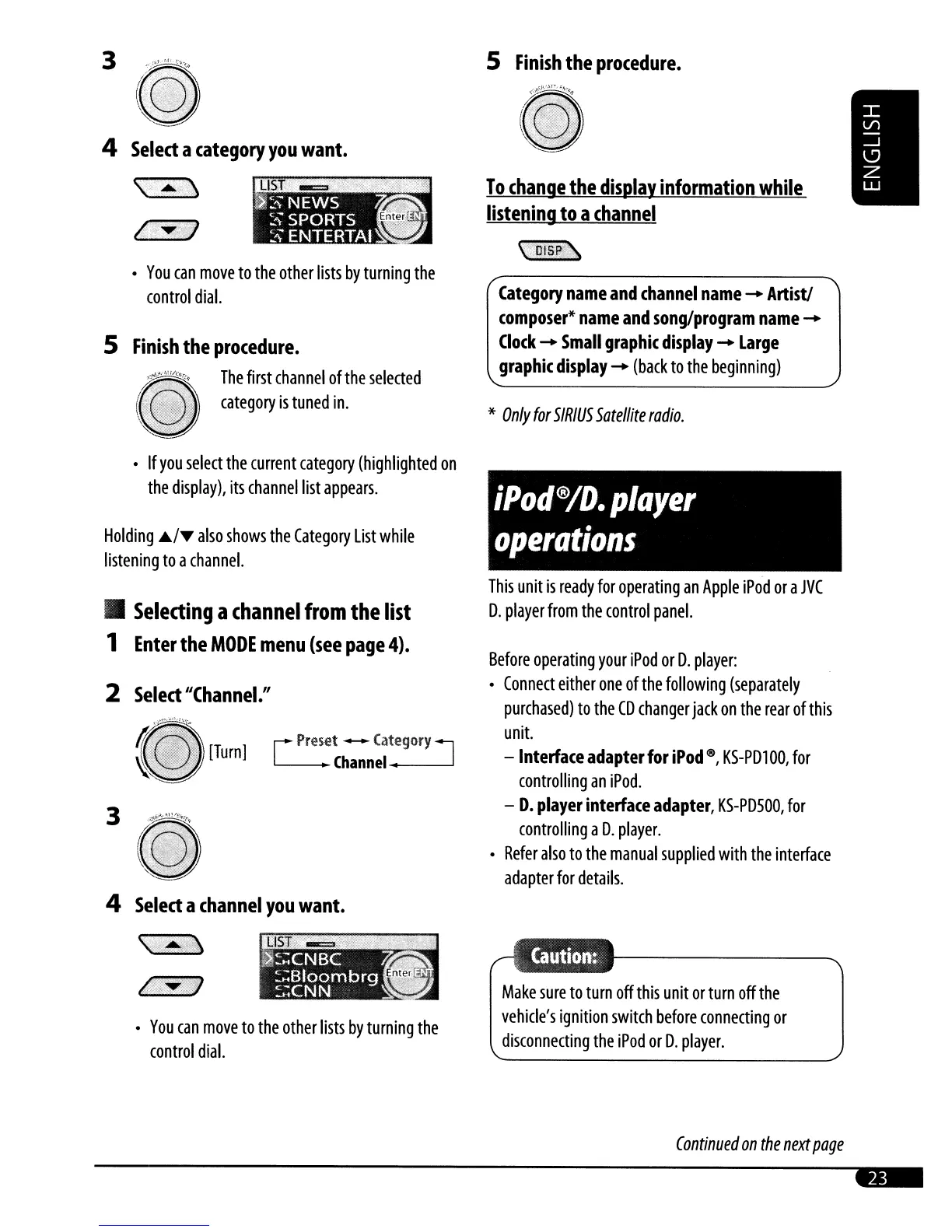
Category
name
and
channel
name
-
Artist!
composer*
name
and
song/program
name
-
Clock
-
Small
graphic
display
-
Large
graphic
display
-
(back
to
the
beginning)
Before
operating
your
iPod
or
D.
player:
Connect
either
one
of
the
following
(separately
purchased)
to
the
CD
changer
jack
on
the
rear
of
this
unit.
-lnterfaceadapterforiPod0,
KS-PD100,
for
controlling
an
iPod.
-
D.
player
interface
adapter,
KS-PDSOO,
for
controlling
a
D.
player.
Refer
also
to
the
manual
supplied
with
the
interface
adapter
for
details.
This
unit
is
ready
for
operating
an
Apple
iPod
or
a
JVC
D.
player
from
the
control
panel.
*
Only
for
SIRIUS
Satellite
radio.
5
Finish
the
procedure.
~
~
To
change
the
display
information
while
listening
to
a
channel
\OISP.~
[
pre~et
---
Category
J
Channel
...
---
You
can
move
to
the
other
lists
by
turning
the
control
dial.
4
Select
a
channel
you
want.
\,.,.:,'
(,·j'V
Selecting
a
channel
from
the
list
1
Enter
the
MODE
menu
(see
page
4).
You
can
move
to
the
other
lists
by
turning
the
control
dial.
3
2
Select
"Channel."
Holding
.IJ../'I/ff
also
shows
the
Category
List
while
listening
to
a
channel.
5
Finish
the
procedure.
ii,
...
~i
The
first
channel
of
the
selected
(31
category
is
tuned
in.
\.
~-
If
you
select
the
current
category
(highlighted
on
the
display),
its
channel
list
appears.
4
Select
a
category
you
want.
\'
..
~
Continued
on
the
next
page

Related product manuals