EasyManua.ls Logo

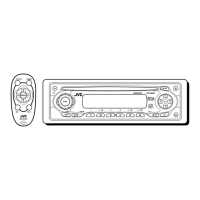
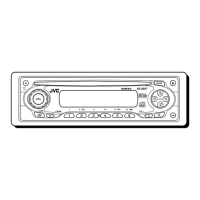
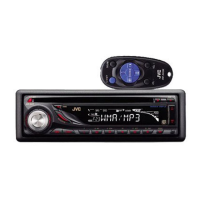
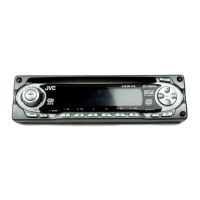
JVC KD-S891R - User Manual

JVC KD-S891R
44 pages
Print Icon
To Next Page IconTo Next Page
Loading...
GET0136-001A
[E/EX]
KD-S891R
CD RECEIVER
CD-RECEIVER
RECEPTEUR CD
CD-RECEIVER
ENGLISH
DEUTSCH
NEDERLANDS
FRANÇAIS
For installation and connections, refer to the separate manual.
Für den Einbau und die Anschlüsse siehe das eigenständige Handbuch.
Pour l’installation et les raccordements, se référer au manuel séparé.
Bijzonderheden over de installatie en aansluiting van het apparaat vindt u in de
desbetreffende handleiding.
INSTRUCTIONS
BEDIENUNGSANLEITUNG
MANUEL DINSTRUCTIONS
GEBRUIKSAANWIJZING
Cover001AKD-S891R[E_EX]f.p65 4/7/03, 9:39 AM3

Other manuals for JVC KD-S891R

Questions and Answers

  • C
    Christina SantosAug 19, 2025
    How to fix JVC Car Receiver when no sound is coming from the speakers?
    • D
      Dean MunozAug 19, 2025
      If you can't hear any sound from the speakers of your JVC Car Receiver, there might be a few reasons. First, check that the volume isn't set too low and adjust it accordingly. Second, make sure all the cords and connections are correctly and firmly in place. Lastly, noise may have caused the built-in microcomputer to malfunction. To resolve this, reset the unit by holding the SEL button and pressing the standby/on/attenuator button for more than 2 seconds. Keep in mind that this will erase the clock setting and preset stations stored in memory.
  • J
    James LucasAug 21, 2025
    What to do if my JVC KD-S891R disc automatically ejects?
    • D
      David LewisAug 21, 2025
      If your JVC Car Receiver is ejecting discs automatically, there are several potential causes. Ensure the disc is inserted correctly. If it's a CD-R/CD-RW, make sure it's finalized and if not, finalize it. The disc may be locked, so unlock it. Try resetting the CD player by holding the standby/on/attenuator button and pressing the eject button for more than 2 seconds. If you are driving on rough roads, stop playback. The disc may be scratched, so change the disc. Also, verify all connections are correct. Ensure there is a disc in the loading slot and that it is correctly inserted.
  • D
    Dylan CastilloAug 25, 2025
    Why is there no sound coming from the speakers of my JVC KD-S891R Car Receiver?
    • J
      Joseph RogersAug 25, 2025
      There might be a few reasons why you're not hearing sound from your JVC Car Receiver's speakers. First, check if the volume level is set too low and adjust it to a suitable level. Also, verify that all the cords and connections are correctly and firmly connected.
  • M
    Marissa PughAug 26, 2025
    What to do if my JVC KD-S891R displays “NO DISC”?
    • Y
      ybradshawAug 26, 2025
      If your JVC Car Receiver displays “NO DISC,” it could be because there is no disc in the loading slot. Insert a disc into the loading slot. Also, make sure the disc is inserted correctly.
  • A
    Ashley HarrisonAug 28, 2025
    Why can't my JVC KD-S891R Car Receiver play or skip tracks on CD-R/CD-RW discs?
    • A
      Angela AcostaAug 28, 2025
      If your JVC Car Receiver is unable to play or skip tracks on CD-R/CD-RW discs, it may be because the CD-R/CD-RW has not been finalized. To resolve this, insert a finalized CD-R/CD-RW. Finalize the CD-R/CD-RW with the component used for recording.
  • S
    Stephanie SharpAug 30, 2025
    What to do if my JVC KD-S891R Car Receiver disc can neither be played back nor ejected?
    • D
      Daniel LewisAug 30, 2025
      If your JVC Car Receiver disc can't be played back or ejected, the disc might be locked. In this case, unlock the disc. Alternatively, the CD player may be malfunctioning. While holding the (standby/on/attenuator) button, press the 0 (eject) button for more than 2 seconds. Be careful not to drop the disc when it is ejected.
  • S
    Sherry PonceSep 1, 2025
    Why SSM automatic preset does not work on my JVC Car Receiver?
    • C
      Carlos CaseySep 1, 2025
      If the SSM (Strong-station Sequential Memory) automatic preset isn't working on your JVC Car Receiver, it could be due to weak signals. In this case, store the stations manually. Also, check that the aerial is firmly connected.
  • T
    Todd GonzalezSep 3, 2025
    Why does my JVC KD-S891R Car Receiver not work at all?
    • J
      Jennifer SmithSep 3, 2025
      If your JVC Car Receiver isn't working, it could be due to a microcomputer malfunction caused by noise or other factors. To reset the unit, hold the SEL (select) button and press the (standby/on/attenuator) button for more than 2 seconds. Keep in mind that this will erase the clock setting and preset stations stored in memory.
  • C
    Crystal GuerraSep 5, 2025
    Why does my JVC KD-S891R's SSM (Strong-station Sequential Memory) automatic preset not work?
    • N
      Nicole WilcoxSep 5, 2025
      If the SSM (Strong-station Sequential Memory) automatic preset on your JVC Car Receiver isn't working, it could be due to weak signals. In this case, store stations manually. Also, ensure the aerial is firmly connected.
  • R
    Ryan MercadoSep 8, 2025
    Why is the sound from my JVC Car Receiver disc sometimes interrupted?
    • M
      masseyjessicaSep 8, 2025
      If the sound from your JVC Car Receiver disc is sometimes interrupted, it could be due to driving on rough roads. Stop playback while driving on rough roads. Alternatively, the disc may be scratched, so try changing the disc. Also, check the cords and connections to ensure they are correct.

Summary

JVC KD-S891 R Car Receiver Manual

Product Overview and Introduction

Provides a general introduction to the JVC KD-S891R car receiver and its basic functions.

Laser Safety and Product Information

Laser Product Labeling and Safety Precautions

Details the laser product labels and outlines essential safety precautions for laser device handling.

Control Panel Button Identification

Detailed Control Panel Layout

Provides a comprehensive diagram and identification of all buttons and indicators on the control panel.

Basic Unit Operations

Powering the Unit On;Off and Volume Control

Guides users on how to turn the unit on and off, and adjust the audio volume.

Radio Operations and Tuning

Tuning Stations Manually and Automatically

Explains the procedures for both automatic and manual tuning to radio stations.

Radio Station Memory Features

Storing Stations via Automatic Preset (SSM)

Details the process of automatically storing FM stations into memory using the SSM function.

RDS (Radio Data System) Functions

Understanding RDS Capabilities

Describes what can be achieved with the Radio Data System (RDS) feature.

CD Operations and Playback

MP3 File Introduction and Compatibility

MP3 Disc Operations

Sound Adjustments and EQ Modes

Selecting Preset Sound Modes (C-EQ)

Guides users on selecting suitable preset sound modes (Custom Equalizer).

Detailed Sound Characteristic Adjustments

Troubleshooting Common and Disc Issues

General Unit Troubleshooting

Addresses common problems such as no sound, unit not working, or SSM issues.

Disc Playback Troubleshooting

Covers issues related to disc ejection, playback errors, and disc sound interruptions.

Troubleshooting MP3 Playback Problems

In-Dash Installation Guide

Electrical Connection Procedures

Connecting Power and Speaker Wires

Detailed instructions for connecting the power cord and speaker wires to the unit.

Power Supply and Speaker Connection Safety

Troubleshooting Electrical Connections

Addresses issues related to power supply, speaker connections, and unit operation.

JVC KD-S891R Specifications

General IconGeneral
BrandJVC
ModelKD-S891R
CategoryCar Receiver
LanguageEnglish

Related product manuals