19
ENGLISH
Setting the dimmer mode
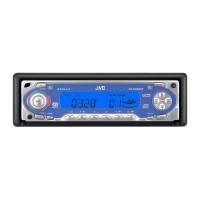
This section is only for KD-SC800.
When you turn on the car head lights, the display
automatically dims (Auto Dimmer).
When shipped from the factory, Auto Dimmer
mode is activated.
1
Press and hold SEL (select) for more
than 2 seconds.
“CLOCK H,” “CLOCK M,”
“LEVEL,” or “DIMMER”
appears on the display.
2
Select “DIMMER” if not shown on
the display.
3
Select the desired setting.
• AUTO: Activates Auto Dimmer.
• OFF: Cancels Auto Dimmer.
• ON: Always dims the display.
4
Finish the setting.
Note on Auto Dimmer:
Auto Dimmer equipped with this unit may not work
correctly on some vehicles, particularly on those
having a control dial for dimming.
In this case, set the dimmer mode to “ON” or “OFF.”
OTHER MAIN FUNCTIONS
Selecting the display color
This section is only for KD-SC800.
You can select the color of the display according
to your preference.
When shipped from the factory, “ALL DEMO” is
selected.
1
Press and hold DISP (display) for a
while.
The last selected setting
appears on the display.
2
Select the setting or color you want.
Each time you press the
button, the selection
changes as follows:
ALL DEMO O SOURCE O BLUE O
OCEAN O PURPLE O PINK O
ROSE O RED O (back to the beginning)
• When “ALL DEMO” is selected:
The display color changes every 6 seconds.
(rose = pink = ocean = red = purple
= blue = back to the beginning)
• When “SOURCE” is selected:
The display color is fixed to red while
listening to FM or AM, and to blue while
listening to CD.
3
Finish the setting.
Note:
If no operation is done for about 15 seconds or if any
other button is pressed, the setting is also finished.
EN19-22_KD-SC800_S790[J]f.p65 12/9/02, 4:45 PM19



 To Next Page