ENGLISH
11
Data Size: B6L (182 mm x 128 mm)
Book Size: B6L (182 mm x 128 mm)
AUDIO SETTINGS
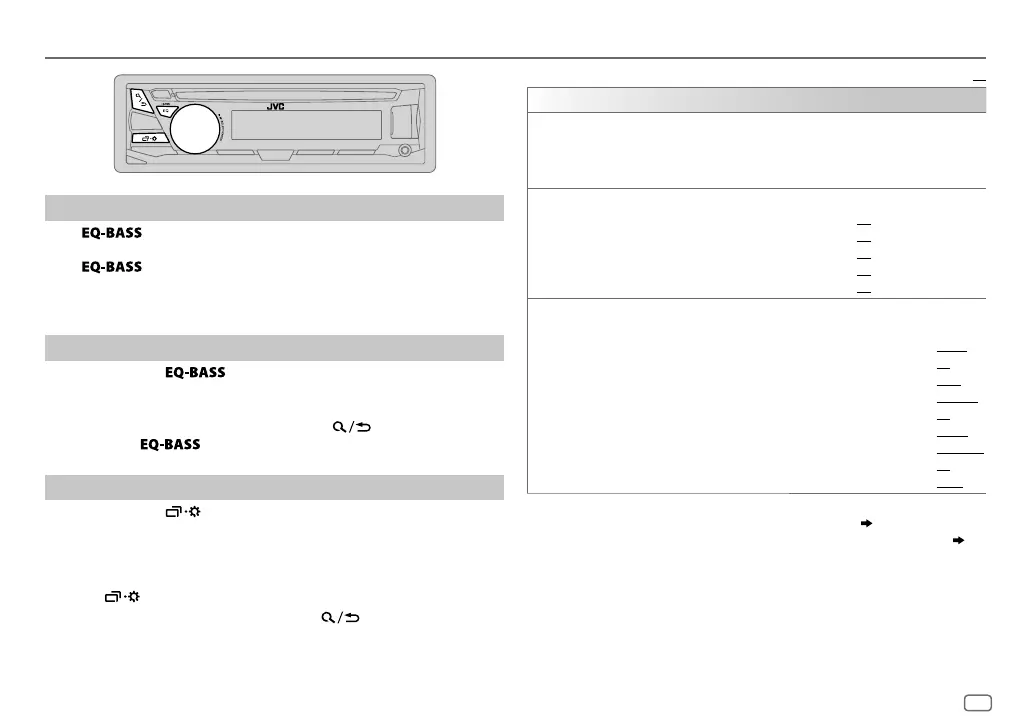
Select a preset equalizer
Press repeatedly.
(or)
Press
, then turn the volume knob within 5seconds.
Preset equalizer
:
FLAT
(default),
HARD ROCK
,
HIP HOP
,
JAZZ
,
POP
,
R&B
,
TALK
,
USER
,
VOCAL BOOST
,
BASS BOOST
,
CLASSICAL
,
DANCE
Store your own sound settings
1
Press and hold to enter EASY EQ setting.
2 Turn the volume knob to select an item, then press the knob.
Refer to [
EASY EQ
] for setting and the result is stored to [
USER
].
• To return to the previous setting item, press .
• To exit, press
.
Other settings
1
Press and hold .
2 Turn the volume knob to select an item (see the following table),
then press the knob.
3 Repeat step 2 until the desired item is selected/activated or follow
the instructions stated on the selected item.
4 Press to exit.
To return to the previous setting item, press .
Default:
XX
EQ SETTING
EQ PRESET
Select a preset equalizer suitable to the music genre. (Select [
USER
] to use the
settings made in [
EASY EQ
].)
FLAT
(
Default) /
HARD ROCK
/
HIP HOP
/
JAZZ
/
POP
/
R&B
/
TALK
/
USER
/
VOCAL BOOST
/
BASS BOOST
/
CLASSICAL
/
DANCE
EASY EQ
Adjust your own sound settings. The settings are stored to [
USER
].
SUB.W SP
*
1
*
2
:
00
to
+06
(Default:
03
SUB.W
*
1
*
3
:
–08
to
+08
00
BASS
LVL
:
–06
to
+06
00
MID
LVL
:
–06
to
+06
00
TRE
LVL
:
–06
to
+06
00
)
PRO EQ
1
BASS
/
MIDDLE
/
TREBLE
:Select a sound tone.
2
Adjust the sound elements of the selected sound tone.
BASS
Frequency:
60
/
80
/
100
/
200 HZ
(
Default:
80 HZ
Level:
–06
to
+06
00
Q:
Q1.0
/
Q1.25
/
Q1.5
/
Q2.0
Q1.0
)
MIDDLE
Frequency:
0.5
/
1.0
/
1.5
/
2.5 KHZ
(Default:
1.0 KHZ
Level:
–06
to
+06
00
Q:
Q0.75
/
Q1.0
/
Q1.25
Q1.25
)
TREBLE
Frequency:
10.0
/
12.5
/
15.0
/
17.5 KHZ
(Default:
10.0 KHZ
Level:
–06
to
+06
00
Q:
Q FIX
Q FIX
)
*
1
Displayed only when [
SUB.W
] is set to [
ON
].
*
2
Displayed only when [
SPK/PRE
OUT
] is set to [
SUB.W/SUB.W
]. (
12
)
*
3
Displayed only when [
SPK/PRE
OUT
] is set to [
REAR/SUB.W
] or [
SUB.W/SUB.W
]. (
12
)
JS_JVC_KD_SR72_K_EN_1.indd 11JS_JVC_KD_SR72_K_EN_1.indd 11 5/1/2016 2:13:14 PM5/1/2016 2:13:14 PM


 To Next Page