EasyManua.ls Logo

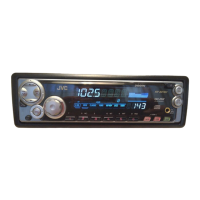
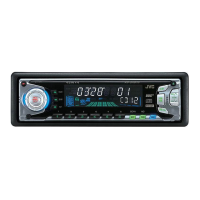
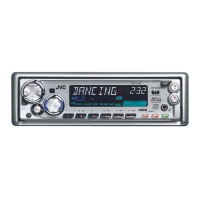
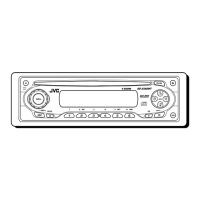
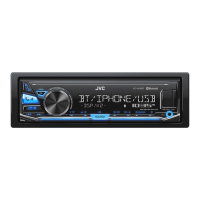
JVC KD-SX740J - User Manual

JVC KD-SX740J
27 pages
Print Icon
To Next Page IconTo Next Page
Loading...
ENGLISH
INSTRUCTIONS
MANUAL DE INSTRUCCIONES
MANUEL D’INSTRUCTIONS
FSUN3060-632
[J]
ESPAÑOL
FRANÇAIS
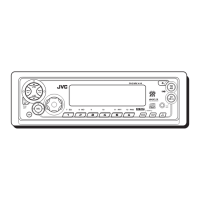
CD RECEIVER KD-SX840/SX740
RECEPTOR CON CD KD-SX840/SX740
RECEPTEUR CD KD-SX840/SX740
For customer Use:
Enter below the Model No. and
Serial No. which are located on
the top or bottom of the cabinet.
Retain this information for future
reference.
Model No.
Serial No.
For installation and connections, refer to the separate manual.
Para la instalación y las conexiones, refiérase al manual separado.
Pour l’installation et les raccordements, se référer au manuel séparé.
COMPACT
DIGITAL AUDIO
KD-SX740
ATT
FUNC
BAND
PROG
PRESET
DISC
DISC
KD-SX840
40Wx4
SEL
SOUND
RPT
SSM
MO/RND
KD-SX840
DISP
SCAN
CD
CHANGER
CONTROL
C D
CD-CH
FM/AM
BBE
7 8 9 10 11 12
COMPACT
DIGITAL AUDIO
40Wx4
SEL
SOUND
RPT
SSM
MO/RND
KD-SX740
DISP
SCAN
CD
CHANGER
CONTROL
C D
CD-CH
FM/AM
LOUD
7 8 9 10 11 12
COMPACT
DIGITAL AUDIO
EN00.KD-SX840/SX740[J]/F 98.12.15, 6:38 PM3


Questions and Answers

  • M
    Melissa ShawAug 14, 2025
    What to do if sound cannot be heard from the speakers of my JVC KD-SX740J Car Receiver?
    • M
      Marc RyanAug 14, 2025
      If you cannot hear sound from the speakers, there could be a couple of reasons: * The volume might be set to the minimum level. Try adjusting the volume to a more audible level. * The connections might be incorrect. Double-check the cords and connections to ensure they are properly connected.
  • M
    Michael DunnAug 18, 2025
    What to do if “NO CD” or “NO DISC” appears on the display of my JVC Car Receiver?
    • A
      Amanda MontgomeryAug 18, 2025
      If “NO CD” or “NO DISC” is displayed, it means either there is no CD in the loading slot (or in the magazine), or the CD is inserted incorrectly. Insert a CD correctly.
  • J
    justin22Aug 21, 2025
    What to do if CD sound is sometimes interrupted on my JVC KD-SX740J?
    • A
      Andrea MendozaAug 21, 2025
      If the CD sound is intermittently interrupted, it could be due to several reasons: * Driving on rough roads: Stop CD play while driving on rough roads. * The CD is scratched: Try changing the CD. * Incorrect connections: Make sure all cords and connections are correctly set up.
  • S
    Sarah SandersAug 25, 2025
    What to do if CD can be neither played back nor ejected from my JVC KD-SX740J Car Receiver?
    • R
      Robert MendozaAug 25, 2025
      If the CD cannot be played back nor ejected, the CD player may be malfunctioning. Press and 0 at the same time for more than 2 seconds. Be careful not to drop CD when it is ejected.
  • R
    richard07Aug 27, 2025
    How to fix “RESET 8” that appears on the display of my JVC KD-SX740J Car Receiver?
    • M
      Mark ScottAug 28, 2025
      If “RESET 8” appears on the display, this unit is not connected to a CD changer correctly. Connect this unit and the CD changer correctly and press the reset button of the CD changer.
  • S
    Samantha LeeAug 31, 2025
    Why JVC KD-SX740J Car Receiver CD cannot be played back?
    • N
      Nathaniel ObrienAug 31, 2025
      If the CD cannot be played back, it might be inserted upside down. Make sure to insert the CD correctly.
  • B
    Beth YoungSep 3, 2025
    How to fix “RESET 1-RESET 7” that appears on the display of my JVC KD-SX740J?
    • M
      Michael KeithSep 3, 2025
      Press the reset button of the CD changer.
  • N
    Nicholas GomezSep 7, 2025
    Why is there static noise when listening to the radio on my JVC Car Receiver?
    • K
      kingnicholasSep 7, 2025
      Static noise while listening to the radio may occur if the antenna is not connected firmly. Ensure the antenna is securely connected.
  • N
    noah32Sep 10, 2025
    Why SSM (Strong-station Sequential Memory) automatic preset does not work on my JVC Car Receiver?
    • K
      Kelli ParkerSep 10, 2025
      The SSM automatic preset may not work if the signals are too weak. In this case, store stations manually.

JVC KD-SX740J Specifications

General IconGeneral
BrandJVC
ModelKD-SX740J
CategoryCar Receiver
LanguageEnglish

Related product manuals