EasyManua.ls Logo

JVC KD-SX979R - User Manual

JVC KD-SX979R
50 pages
Print Icon
To Next Page IconTo Next Page
Loading...
KD-SX979R/KD-SX925R
KD-SX924R/KD-SX909R
FSUN3115-311
[E]
INSTRUCTIONS
BEDIENUNGSANLEITUNG
MANUEL D’INSTRUCTIONS
GEBRUIKSAANWIJZING
CD RECEIVER
CD-RECEIVER
RECEPTEUR CD
CD-RECEIVER
ENGLISH
DEUTSCH
NEDERLANDS
FRANÇAIS
For installation and connections, refer to the separate manual.
Für den Einbau und die Anschlüsse siehe das eigenständige Handbuch.
Pour l’installation et les raccordements, se référer au manuel séparé.
Bijzonderheden over de installatie en aansluiting van het apparaat vindt u in de desbetreffende
handleiding.
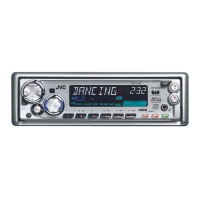
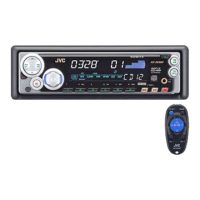
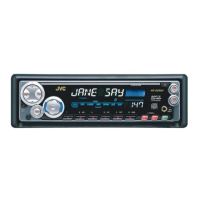
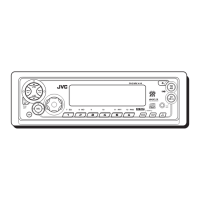
KD-SX909R
KD-SX979R
KD-SX924R
KD-SX925R
45Wx4
TP
DISP
RPT
SSM
SCM
MO
RND
7 8 9 101112
PTY
CD
-CH
FM/AM
CD
/I
A
T
T
/
5
DAB
RDS
45Wx4
TP
DISP
RPT
SSM
SCM
MO
RND
7 8 9 101112
PTY
CD
-CH
FM/AM
CD
/I
A
T
T
/
5
DAB
RDS
45Wx4
TP
DISP
RPT
SSM
SCM
MO
RND
7 8 9 101112
PTY
CD
-CH
FM/AM
CD
/I
A
T
T
/
5
DAB
RDS
45Wx4
TP
DISP
RPT
SSM
SCM
MO
RND
7 8 9 101112
PTY
CD
-CH
FM/AM
CD
/I
A
T
T
/
5
DAB
RDS
COVER.KD-SX979R[E]E,G,F,N 00.1.20, 8:14 PM3

Table of Contents

Other manuals for JVC KD-SX979R

Questions and Answers

  • H
    Holly SosaAug 13, 2025
    Why there is no sound from my JVC Car Receiver speakers?
    • P
      paul25Aug 13, 2025
      If you cannot hear sound from the speakers of your JVC Car Receiver, first ensure that the volume isn't set to the minimum level and adjust it to a suitable level. Also, check the cords and connections to make sure they are correctly connected.
  • P
    Pamela BowmanAug 16, 2025
    How to fix static noise on JVC Car Receiver radio?
    • R
      Rebecca RichardAug 16, 2025
      If you're experiencing static noise while listening to the radio on your JVC Car Receiver, it might be due to a loose antenna connection. Ensure the antenna is firmly connected to resolve this issue.
  • A
    Annette HicksAug 20, 2025
    How to fix JVC Car Receiver when CD cannot be played?
    • H
      Heather WilliamsAug 20, 2025
      If your JVC Car Receiver isn't playing the CD, make sure the CD is inserted correctly, with the correct side facing down.
  • D
    Dr. Mary Valentine DDSAug 23, 2025
    What does “RESET 8” mean on my JVC Car Receiver display?
    • A
      Alyssa JacksonAug 23, 2025
      If “RESET 8” appears on the display of your JVC Car Receiver, this unit is not connected to a CD changer correctly. Connect this unit and the CD changer correctly and press the reset button of the CD changer.
  • K
    Kristen ObrienAug 27, 2025
    What to do if JVC Car Receiver CD sound is interrupted?
    • C
      Christopher ReyesAug 27, 2025
      If the CD sound in your JVC Car Receiver is sometimes interrupted, the issue might be due to driving on rough roads (stop playing CD while driving on rough roads), a scratched disc (change the disc), or incorrect connections (check the cords and connections).
  • T
    Tara HernandezAug 31, 2025
    Why does my JVC Car Receiver display “NO DISC”?
    • L
      Lawrence GeorgeAug 31, 2025
      If “NO DISC” appears on the display of your JVC Car Receiver, either there are no CDs in the magazine (insert CDs into the magazine), or the CDs are inserted incorrectly (insert them correctly).
  • B
    Brittany SteinSep 4, 2025
    Why SSM automatic preset does not work on JVC Car Receiver?
    • A
      ashleerobertsSep 4, 2025
      If the SSM automatic preset isn't working on your JVC Car Receiver, it could be that the radio signals are too weak. In this case, try storing the stations manually.
  • A
    Alexander JensenSep 7, 2025
    What to do if JVC Car Receiver CD can't be played or ejected?
    • E
      Eugene CookSep 7, 2025
      If the CD in your JVC Car Receiver can't be played back or ejected, the unit may be malfunctioning. Try pressing the CD and SEL buttons at the same time for several seconds.

JVC KD-SX979R Specifications

General IconGeneral
ModelKD-SX979R
Channels4
CD PlayerYes
CD-R/CD-RW PlaybackYes
MP3 PlaybackYes
WMA PlaybackYes
EqualizerYes
Subwoofer OutputYes
Detachable FaceplateYes
Remote ControlYes
Display TypeLCD
BluetoothNo
USB PortNo
Auxiliary InputYes
HD RadioNo
Satellite RadioNo
DIN Size1 DIN
TunerAM/FM
Preamp Voltage2.5 Volts
Preset EQYes

Related product manuals