32
ENGLISH
Selecting the telephone muting
This mode is used when a cellular phone system is connected. Depending on the phone
system used, select either “MUTING 1” or “MUTING 2,” whichever mutes the sounds from this
unit. When shipped from the factory, this mode is deactivated.
• MUTING 1: Select this if this setting can mute the sounds.
• MUTING 2: Select this if this setting can mute the sounds.
• OFF: Cancels the telephone muting.
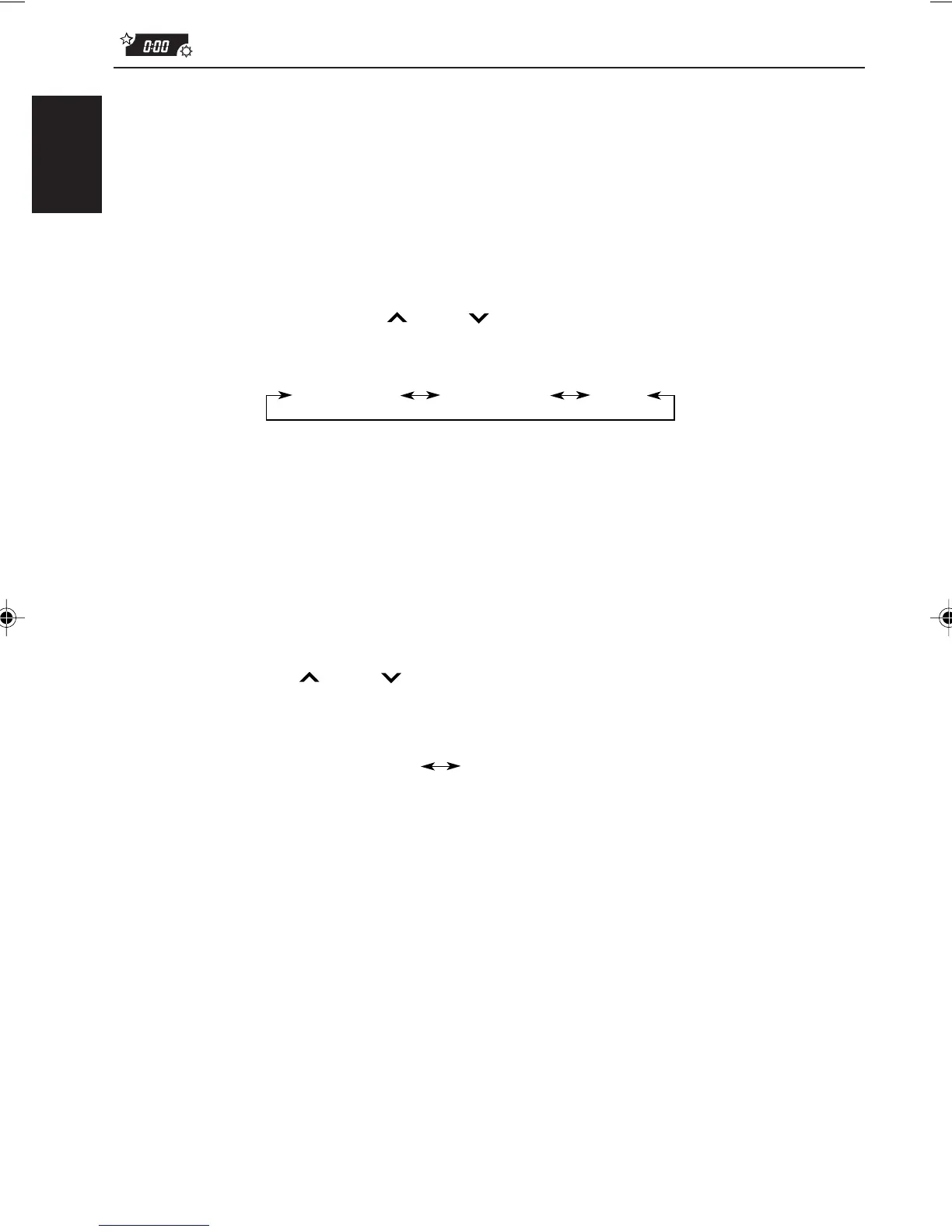
1 Press and hold SEL (select) for more than 2 seconds so that one of the PSM items appears
on the display.
2 Select “TEL (Telephone)” with
¢ or 4.
3 Select the desired mode with the control dial.
The telephone muting mode changes as follows:
Turning on/off the key-touch tone
(ONLY FOR KD-SX979R)
You can deactivate the key-touch tone if you do not want to make it beep when you press a
button. When shipped from the factory, the key-touch tone is activated.
• ON: Activates the key-touch tone.
• OFF: Deactivates the key-touch tone.
1 Press and hold SEL (select) for more than 2 seconds so that one of the PSM items appears
on the display.
2 Select “BEEP” with
¢ or 4.
3 Select the desired mode with the control dial.
The key-touch tone alternates between on and off.
MUTING 1 MUTING 2
OFF
ON
OFF
EN26-33.KD-SX979R[E]/f 00.1.20, 2:03 PM32



 To Next Page
 Loading...