EasyManua.ls Logo

JVC KD-SX870/KD-SX770 - User Manual

JVC KD-SX870/KD-SX770
35 pages
Print Icon
To Next Page IconTo Next Page
Loading...
ENGLISH
GET0019-001A
[J]
ESPAÑOL
FRANÇAIS
RECEPTOR CON CD KD-SX870/KD-SX770
RECEPTEUR CD KD-SX870/KD-SX770
For customer Use:
Enter below the Model No. and
Serial No. which are located on
the top or bottom of the cabinet.
Retain this information for future
reference.
Model No.
Serial No.
INSTRUCTIONS
MANUAL DE INSTRUCCIONES
MANUEL DINSTRUCTIONS
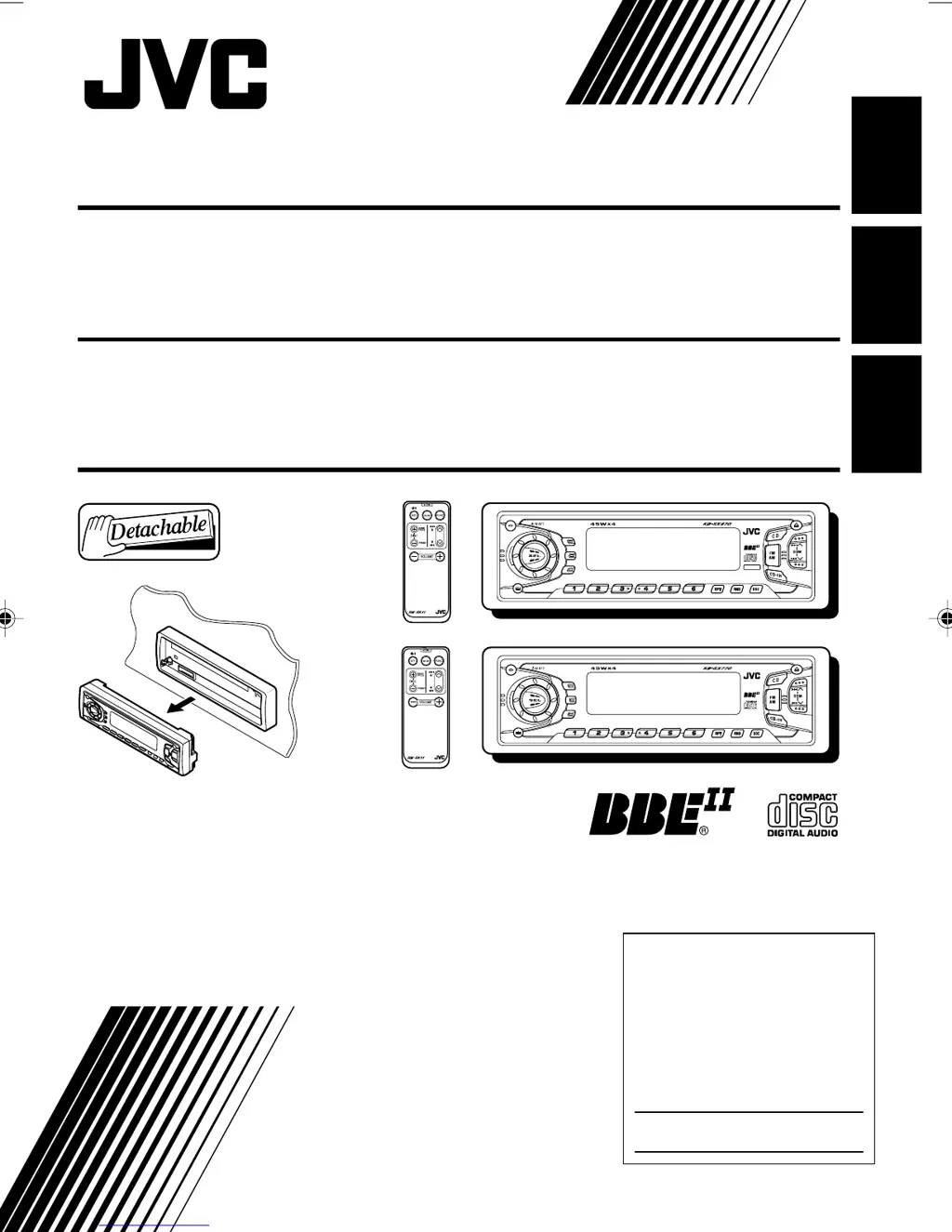
CD RECEIVER KD-SX870/KD-SX770
For installation and connections, refer to the separate manual.
Para la instalación y las conexiones, refiérase al manual separado.
Pour l’installation et les raccordements, se référer au manuel séparé.
8 9 10 11 127
SCAN
MO
INT
DISP
SCM
8 9 10 11 127
SCAN
MO
INT
DISP
SCM
4V OUT
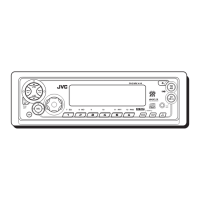
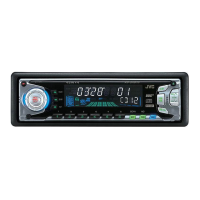
KD-SX770
KD-SX870
COVER[J]2 15/12/2000, 10:30 AM3

Questions and Answers

  • N
    nguzmanAug 12, 2025
    Why can't I hear sound from my JVC KD-SX870/KD-SX770 speakers?
    • L
      Lisa HernandezAug 12, 2025
      If you can't hear any sound from your JVC Car Receiver speakers, it could be due to a couple of reasons. First, check that the volume isn't set to the minimum level; if it is, adjust it to a more audible level. Secondly, incorrect connections could be the culprit, so verify that all cords and connections are properly and securely attached.
  • J
    Jacob CummingsAug 16, 2025
    What to do if my JVC KD-SX870/KD-SX770 displays 'NO DISC'?
    • E
      Elizabeth KellyAug 16, 2025
      If your JVC Car Receiver displays 'NO DISC', it means that there is no CD in the loading slot or the CD is inserted incorrectly. To solve this, insert a CD into the loading slot correctly.
  • M
    Mr. James Hall IIAug 20, 2025
    What to do if my JVC KD-SX870/KD-SX770 CD cannot be played back?
    • P
      Patrick RossAug 20, 2025
      If the CD cannot be played back in your JVC Car Receiver, here are a few potential causes and solutions: * Ensure the CD is inserted correctly, with the label side up. * If you are driving on a rough road, stop CD play. * The CD might be scratched; try a different CD. * Incorrect connections could be the problem; check all cords and connections.
  • H
    Heather VargasAug 23, 2025
    What does 'RESET 8' mean on my JVC KD-SX870/KD-SX770 Car Receiver display and how to fix it?
    • A
      ashleyhawkinsAug 23, 2025
      If 'RESET 8' appears on the display of your JVC Car Receiver, it indicates that the unit is not correctly connected to the CD changer. To resolve this, ensure that the unit and the CD changer are properly connected. After correctly connecting them, press the reset button on the CD changer.
  • E
    Eric JohnsonAug 27, 2025
    Why is my JVC KD-SX870/KD-SX770 Car Receiver not working at all?
    • K
      kylebarnettAug 28, 2025
      If your JVC Car Receiver is not working, it could be due to a malfunction of the built-in microcomputer caused by noise or other factors. To resolve this, press the reset button on the panel holder. Note that this will erase the clock setting and any preset stations stored in memory.
  • J
    Jennifer AllisonAug 31, 2025
    How to fix static noise while listening to the radio on my JVC KD-SX870/KD-SX770 Car Receiver?
    • J
      Justin JohnsonAug 31, 2025
      If you are experiencing static noise while listening to the radio on your JVC Car Receiver, the antenna may not be connected firmly. Ensure that the antenna is securely connected to improve the reception.
  • R
    Ronald JacksonSep 4, 2025
    What to do if my JVC Car Receiver CD can't be played back or ejected?
    • M
      masonbrendaSep 4, 2025
      If the CD in your JVC Car Receiver cannot be played back or ejected, the CD player might be malfunctioning. To attempt to resolve this, press the CD and SEL buttons simultaneously for several seconds. The display should show 'PLEASE' and 'EJECT' alternately. Then, open the control panel by pressing 0, being careful to prevent the CD from dropping when it ejects.
  • P
    patriciareyesSep 7, 2025
    Why SSM (Strong-station Sequential Memory) automatic preset does not work on my JVC KD-SX870/KD-SX770 Car Receiver?
    • K
      Kathy JohnsonSep 8, 2025
      If the SSM (Strong-station Sequential Memory) automatic preset is not working on your JVC Car Receiver, it is likely because the radio signals are too weak. In this case, you should manually store the stations.

Summary

JVC CD Receiver Overview

Basic Operations

Power On and Source Selection

Steps to power on the unit and choose input sources.

Volume Adjustment

How to control the audio output level.

Radio Operations

Listening to the Radio

Basic steps for tuning into radio broadcasts.

Storing Radio Stations

Methods to save favorite radio stations to memory.

Automatic Preset Tuning (SSM)

Automatically stores strong FM stations.

Manual Preset Tuning

Manually save stations to preset buttons.

CD Operations

Playing a CD

Steps to insert and start playing a CD.

Stopping and Ejecting a CD

Procedure to halt CD playback and remove the disc.

Locating Tracks on a CD

Navigating within a CD for specific tracks.

Sound Adjustments

Adjusting Basic Sound Parameters

Modify bass, treble, fader, and balance for audio preference.

Sound Control Memory (SCM)

Storing and recalling custom sound settings.

SCM: Selecting and Storing Modes

Choosing and saving audio presets for sources.

Storing Custom Sound Adjustments

Customizing and saving personal sound profiles.

Other Main Functions

CD Changer Operations

Playing CDs from Changer

Loading and playing discs using the CD changer.

Troubleshooting

Common Symptoms and Remedies

Resolving common playback, sound, and system issues.

JVC KD-SX870/KD-SX770 Specifications

General IconGeneral
TypeCar Receiver
ModelKD-SX870/KD-SX770
Number of Channels4
Display TypeLCD
Detachable FaceYes
Radio TunerAM/FM
Built-in BluetoothYes
Remote ControlYes
CD PlayerYes
MP3 PlaybackYes
WMA PlaybackYes
Detachable FaceplateYes
RMS Power22 W
Peak Power50 W
PlaybackMP3/WMA/CD
Preset Stations18 FM, 6 AM
AUX InputYes
USB PortYes

Related product manuals