EasyManua.ls Logo

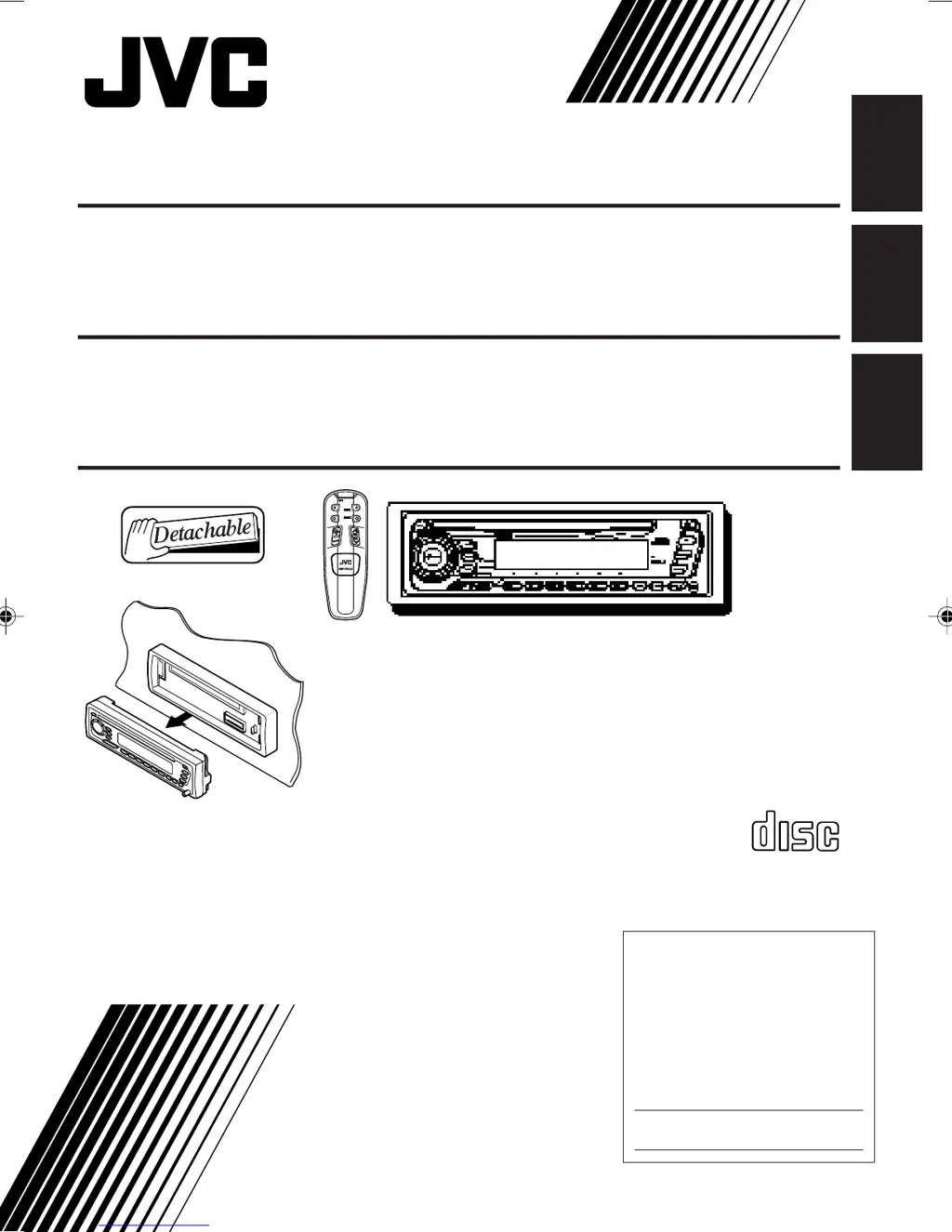
JVC KD-SX650 - User Manual

JVC KD-SX650
32 pages
Print Icon
To Next Page IconTo Next Page
Loading...
ENGLISH
INSTRUCTIONS
MANUAL DE INSTRUCCIONES
MANUEL D’INSTRUCTIONS
FSUN3103-631
[J]
ESPAÑOL
FRANÇAIS
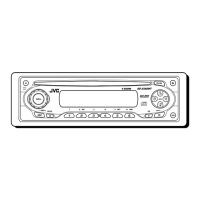
CD RECEIVER KD-SX650
RECEPTOR CON CD KD-SX650
RECEPTEUR CD KD-SX650
For customer Use:
Enter below the Model No. and
Serial No. which are located on
the top or bottom of the cabinet.
Retain this information for future
reference.
Model No.
Serial No.
For installation and connections, refer to the separate manual.
Para la instalación y las conexiones, refiérase al manual separado.
Pour l’installation et les raccordements, se référer au manuel séparé.
COMPACT
DIGITAL AUDIO
ATT
FUNC
BAND
PROG
PRESET
DISC
DISC
EN00.KD-SX650[J]/f 99.10.25, 3:10 PM3

Questions and Answers

  • P
    peterjohnsonAug 13, 2025
    Why is there no sound coming from my JVC Car Receiver speakers?
    • K
      Kevin DuffyAug 14, 2025
      If you cannot hear any sound from the speakers of your JVC Car Receiver, first, check if the volume is set to the minimum level and adjust it accordingly. If the volume isn't the issue, inspect the cords and connections to ensure they are correctly connected.
  • T
    thomashernandezAug 17, 2025
    What to do if my JVC Car Receiver does not work?
    • M
      michael68Aug 17, 2025
      If your JVC Car Receiver is not working, the built-in microcomputer may be malfunctioning due to noise or other factors. To resolve this, press and hold the reset button for a few seconds to reset the unit.
  • P
    pamela95Aug 21, 2025
    What does “RESET 8” mean on JVC KD-SX650 Car Receiver display?
    • N
      Nicholas HardingAug 21, 2025
      If “RESET 8” appears on the display of your JVC Car Receiver, this unit is not connected to a CD changer correctly. Connect this unit and the CD changer correctly and press the reset button of the CD changer.
  • M
    Madeline HessAug 25, 2025
    How to fix static noise on JVC Car Receiver radio?
    • M
      Matthew ArmstrongAug 26, 2025
      If you are experiencing static noise while listening to the radio on your JVC Car Receiver, the antenna may not be connected firmly. Ensure the antenna is securely connected.
  • B
    Brittany ThomasAug 28, 2025
    Why is CD sound interrupted on my JVC KD-SX650 Car Receiver?
    • J
      John BlackAug 29, 2025
      If the CD sound on your JVC Car Receiver is sometimes interrupted, there could be several reasons. It may be because you are driving on rough roads, so stop CD play while driving on rough roads. Also, the CD might be scratched, consider changing the CD. Finally, incorrect connections could be the cause, so check the cords and connections.
  • J
    Jose GillespieSep 1, 2025
    What to do if my JVC KD-SX650 displays “NO CD”?
    • J
      Joanna ColeSep 2, 2025
      If “NO CD” or “NO DISC” appears on the display of your JVC Car Receiver, it could be due to a couple of reasons. First, check if a CD is in the loading slot (or in the magazine) and insert one if it’s empty. Second, ensure the CD is inserted correctly.
  • C
    Catherine EdwardsSep 5, 2025
    What to do if CD cannot be played back or ejected from JVC KD-SX650?
    • Z
      zmurphySep 5, 2025
      If the CD in your JVC Car Receiver can be neither played back nor ejected, the CD player may be malfunctioning. To resolve this, press and the 0 button at the same time for more than 2 seconds. Be careful not to drop CD when it is ejected.
  • J
    Johnathan KennedySep 8, 2025
    Why doesn't SSM work on my JVC KD-SX650?
    • C
      chartSep 9, 2025
      If the SSM (Strong-station Sequential Memory) automatic preset is not working on your JVC Car Receiver, it could be that the radio signals are too weak. In this case, store stations manually.

Summary

Important Information and Safety

Laser Product Safety Precautions

Important warnings and precautions for laser product safety.

Unit Reset Procedure

Instructions on how to reset the unit's microcomputer.

Radio Operations

Listening to the Radio

Instructions for tuning into radio stations and selecting bands.

Storing Radio Stations in Memory

Automatic FM Station Presets (SSM)

Automatically presets the strongest FM stations.

CD Operations

Playing a CD

Instructions for inserting and playing a CD.

Sound Adjustments

Adjusting Bass, Treble, and Balance

Customize audio settings like bass, treble, and speaker balance.

Sound Control Memory (SCM)

Selecting and Storing Sound Modes

Save custom sound settings for different sources.

Other Main Functions

Setting the Clock

Procedure for setting the unit's clock.

Remote Operations

Using the Remote Controller Buttons

Explains the functions of each button on the remote.

CD Changer Operations

External Component Operations

Troubleshooting

Specifications

JVC KD-SX650 Specifications

General IconGeneral
Tuner TypeAM/FM
CD PlaybackYes
MP3 PlaybackYes
USB InputYes
BluetoothNo
Audio Formats SupportedMP3, WMA
Display TypeLCD
DIN SizeSingle DIN
Detachable FaceYes
Preamp Voltage2.5V
AUX InputYes
WMA PlaybackYes
Remote ControlYes
EQ SettingsPreset
Channels4
RMS Power Output22W x 4
TypeCar Receiver
EQ Bands3-band
Power Output50 Watts x 4

Related product manuals