EasyManua.ls Logo

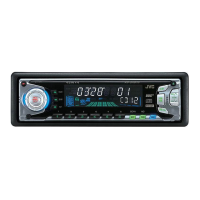
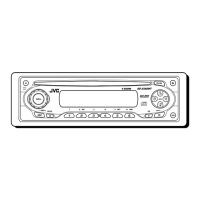
JVC KD-SX780 - User Manual

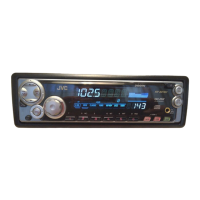
JVC KD-SX780
28 pages
Print Icon
To Next Page IconTo Next Page
Loading...
ENGLISH
GET0071-001A
[J]
ESPAÑOL
FRANÇAIS
INSTRUCTIONS
MANUAL DE INSTRUCCIONES
MANUEL D’INSTRUCTIONS
For customer Use:
Enter below the Model No. and
Serial No. which are located on
the top or bottom of the cabinet.
Retain this information for future
reference.
Model No.
Serial No.
For installation and connections, refer to the separate manual.
Para la instalación y las conexiones, refiérase al manual separado.
Pour l’installation et les raccordements, se référer au manuel séparé.
RECEPTEUR CD KD-SX8250/KD-SX780
RECEPTOR CON CD KD-SX8250/KD-SX780
CD RECEIVER KD-SX8250/KD-SX780
Detachable
COMPACT
DIGITAL AUDIO
KD-SX780
SOUND
VOL
VOL
SOURCE
R
F
U
D
KD-SX8250
7
SOUND
VOL
VOL
SOURCE
R
F
U
D
COVER.KD-SX8250_SX780[J]f.pm5 22/12/01, 10:55 AM3

Other manuals for JVC KD-SX780

Questions and Answers

  • J
    Johnathan TrevinoAug 11, 2025
    What to do if my JVC KD-SX780 says “NO DISC”?
    • D
      donovanmaryAug 11, 2025
      If your JVC Car Receiver displays “NO DISC”, it might be due to a missing disc in the magazine. Try inserting a disc. Also, ensure the unit is correctly connected to the CD changer, and then press the reset button on the CD changer.
  • T
    Tammy WiseAug 21, 2025
    Why won't my JVC KD-SX780 play CDs?
    • P
      Patricia CruzAug 21, 2025
      If your JVC Car Receiver CD cannot be played back, there are several possible reasons: * The disc may be inserted upside down or incorrectly – ensure it's inserted correctly. * The disc may be scratched – try changing the disc. * The CD-R/CD-RW might not be finalized – finalize it using the component you used for recording, or insert a finalized CD-R/CD-RW. * The volume level may be too low – adjust it to an optimum level. * Check the cords and connections. * If the built-in microcomputer is malfunctioning, press the reset button on the panel holder using a ball-point pen after detaching the control panel.
  • C
    Catherine MckayAug 31, 2025
    Why is SSM (Strong-station Sequential Memory) automatic preset not working on my JVC KD-SX780 Car Receiver?
    • S
      Stephen WhitneyAug 31, 2025
      If the SSM (Strong-station Sequential Memory) automatic preset is not working on your JVC Car Receiver, it could be due to weak signals. In this case, store stations manually. Another reason might be that the antenna is not connected firmly, so ensure the antenna is properly connected.

JVC KD-SX780 Specifications

General IconGeneral
CD PlaybackYes
MP3 PlaybackYes
BluetoothNo
DisplayLCD
DIN SizeSingle DIN
TypeCD Receiver
Channels4
CD TextYes
AAC PlaybackNo
AUX InputYes
Front Panel Aux InputYes
Remote ControlYes
Detachable FaceplateYes
TunerAM/FM
RMS Power Output22W x 4
Peak Output50 Watts x 4 Channels

Related product manuals