EasyManua.ls Logo

JVC KD-X2 - Page 6

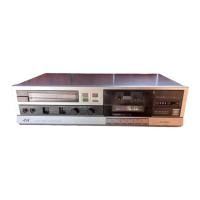
JVC KD-X2
20 pages
Print Icon
To Next Page IconTo Next Page
To Previous Page IconTo Previous Page
Loading...
KD-X2
A/B/C/E/G/J/U
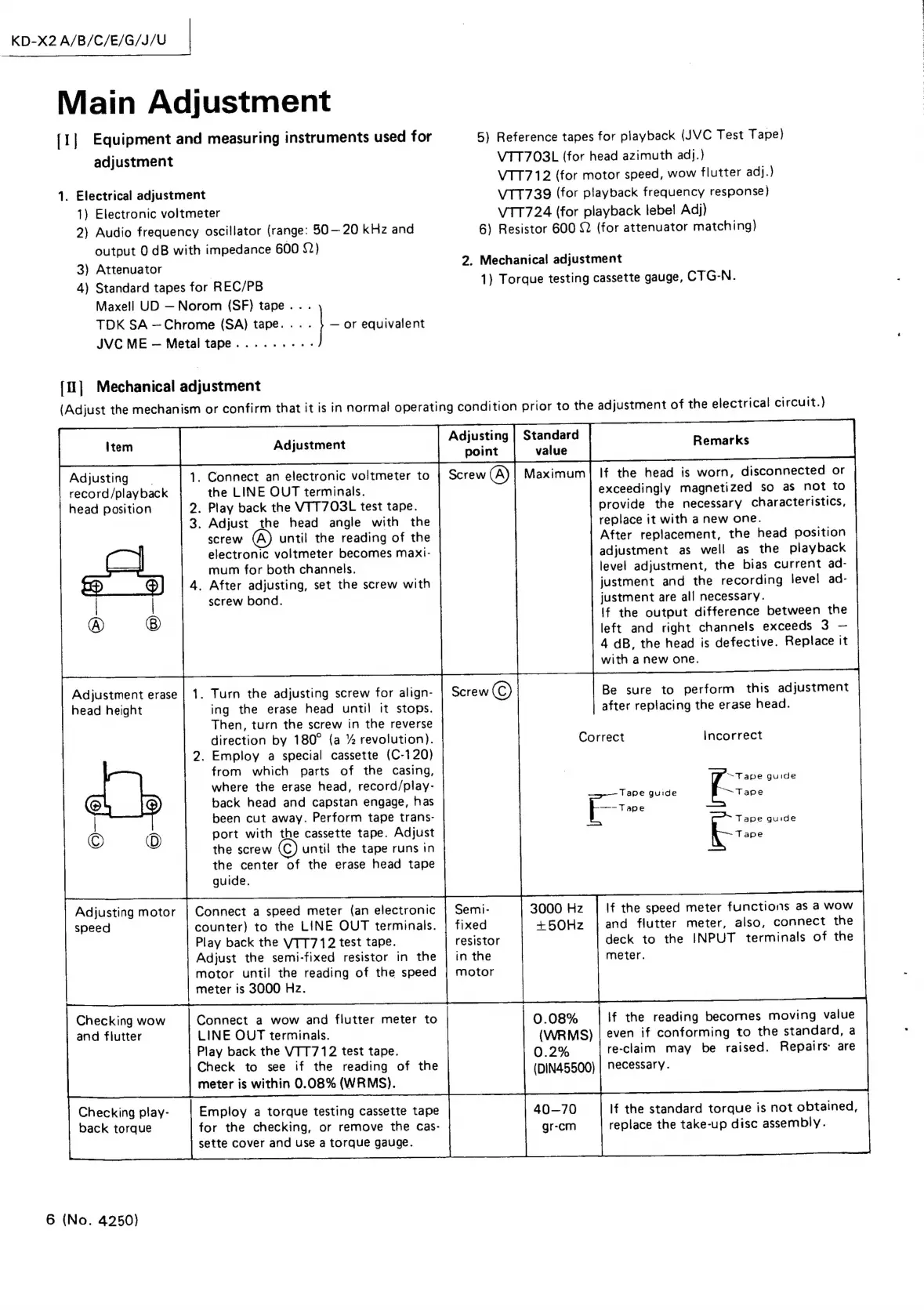
Main
Adjustment
[1]
Equipment
and
measuring
instruments
used
for
5)
Reference
tapes
for
playback
(JVC
Test
Tape)
adjustment
VTT703L
(for
head
azimuth
adj.)
VTT712
(for
motor
speed,
wow
flutter
adj.)
1.
Electrical
adjustment
VTT739
(for
playback
frequency
response)
1)
Electronic
voltmeter
VTT724
(for
playback
lebe!
Adj)
2)
Audio
frequency
oscillator
(range:
50—20
kHz
and
6)
Resistor
600
22
(for
attenuator
matching)
output
0
dB
with
impedance
600
82)
3)
Attenuator
2.
Mechanical
adjustment
4)
Standard
tapes
for
REC/PB
1)
Torque
testing
cassette
gauge,
CTG-N.
Maxell
UD
Norom
(SF)
tape
..
.
TDK
SA
—Chrome
(SA)
tape.
.
-
-
or
equivalent
JVC
ME
Metal
tape........--
{1]
Mechanical
adjustment
(Adjust
the
mechanism
or
confirm
that
it
is
in
normal
operating
condition
prior
to
the
adjustment
of
the
electrical
circuit.)
point
value
Adjusting
1.
Connect
an
electronic
voltmeter
to
Screw
(A)
Maximum
|
If
the
head
is
worn,
disconnected
or
record/playback
the
LINE
OUT
terminals.
exceedingly
magnetized
so
as
not
to
head
position
2.
Play
back
the
VIT7O3L
test
tape.
provide
the
necessary
characteristics,
3.
Adjust
the
head
angle
with
the
replace
it
with
a
new
one.
screw
until
the
reading
of
the
After
replacement,
the
head
position
electronic
voltmeter
becomes
maxt-
adjustment
as
well
as
the
playback
mum
for
both
channels.
level
adjustment,
the
bias
current
ad-
4.
After
adjusting,
set
the
screw
with
justment
and
the
recording
level
ad-
screw
bond.
justment
are
all
necessary.
If
the
output
difference
between
the
left
and
right
channels
exceeds
3
4
dB,
the
head
is
defective.
Replace
it
with
anew
one.
Adjustment
erase
head
height
1.
Turn
the
adjusting
screw
for
align-
ing
the
erase
head
until
it
stops.
Then,
turn
the
screw
in
the
reverse
direction
by
180°
(a
%
revolution).
2.
Employ
a
special
cassette
(C-120)
from
which
parts
of
the
casing,
where
the
erase
head,
record/play-
back
head
and
capstan
engage,
has
been
cut
away.
Perform
tape
trans-
port
with
the
cassette
tape.
Adjust
the
screw
until
the
tape
runs
in
the
center
of
the
erase
head
tape
guide.
Be
sure
to
perform
this
adjustment
after
replacing
the
erase
head.
Correct
Incorrect
t=
guide
Tape
guide
“Tape
Erm:
Tape
guide
=
If
the
speed
meter
functions
as
a
wow
and
flutter
meter,
also,
connect
the
deck
to
the
INPUT
terminals
of
the
meter.
3000
Hz
+50Hz
Semi-
fixed
resistor
in
the
motor
Adjusting
motor
|
Connect
a
speed
meter
(an
electronic
speed
counter)
to
the
LINE
OUT
terminals.
Play
back
the
VTT712
test
tape.
Adjust
the
semi-fixed
resistor
in
the
motor
until
the
reading
of
the
speed
meter
is
3000
Hz.
Checking
wow
Connect
a
wow
and
flutter
meter
to
0.08%
If
the
reading
becomes
moving
value
and
flutter
LINE
OUT
terminals.
(WRMS)
|
even
if
conforming
to
the
standard,
a
Play
back
the
VTT712
test
tape.
0.2%
re-claim
may
be
raised.
Repairs:
are
Check
to
see
if
the
reading
of
the
(DIN45500)
|
Necessary.
meter
is
within
0.08%
(WRMS).
Checking
play-
Employ
a
torque
testing
cassette
tape
40-70
If
the
standard
torque
is
not
obtained,
back
torque
for
the
checking,
or
remove
the
cas-
gr-cm
replace
the
take-up
disc
assembly.
sette
cover
and
use
a
torque
gauge.
6
(No.
4250)

Related product manuals