Need help?
Do you have a question about the JVC RX-508VBK and is the answer not in the manual?
Test to ensure product safety by checking exposed metal parts for electrical shock hazard.
Important safety precautions and responsibilities for repairers.
Technical specifications for the amplifier section, including output power and distortion.
Technical specifications for the FM tuner section, including sensitivity and selectivity.
Technical specifications for the AM tuner section, including tuning range and sensitivity.
General specifications like power requirements, dimensions, and weight.
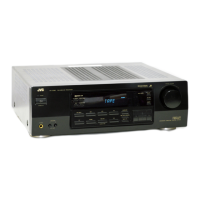
Highlights key features of the JVC RX-509VTN receiver.
Explains manual conventions and provides guidance for using the receiver.
Important safety instructions to avoid electric shock and receiver damage.
Identification and description of controls on the receiver unit.
Identification and description of buttons on the remote control.
General precautions before beginning the installation process.
Guidelines for properly positioning the receiver for optimal performance and safety.
Important safety instructions for connecting the power cord.
Safety instructions for handling the receiver unit to prevent damage or injury.
How to connect audio components like turntables and CD players.
Instructions for connecting front speakers to the receiver.
Instructions for connecting rear and center speakers, including switch settings.
How to connect the AM loop and outdoor antennas.
How to connect temporary, 300-ohm, and 75-ohm FM antennas.
How to select a source for listening or viewing.
Using the monitor feature to compare recording quality.
How the receiver automatically selects the source for recording.
A quick reference guide to basic receiver operations.
Steps to turn the receiver on and off.
How to select speaker outputs or use headphones.
How to select an input source for listening.
How to activate or deactivate surround sound effects.
Operating connected audio source components.
Adjusting volume and tone controls.
How to select a source for listening or viewing.
Using the monitor feature to compare recording quality.
How the receiver automatically selects the source for recording.
How to tune to AM/FM broadcasts using frequency buttons.
Detailed steps for manual tuning of stations.
How to use automatic tuning to find stations quickly.
How to select FM reception modes like MUTE-AUTO or MUTE-OFF.
How to assign channel numbers to preset radio stations.
Step-by-step guide for manually presetting stations.
How to automatically preset up to 40 radio stations.
How to use the Preset Scan function to find preset stations.
How to adjust the main volume control for listening.
How to use the FADE MUTING button for temporary volume reduction.
How to select speaker pairs or deactivate them.
How to connect and use headphones.
How to adjust the audio balance between left and right channels.
Overview of the three available surround sound effects.
Explanation of Dolby Pro Logic Surround features and benefits.
How to activate or deactivate the surround processor.
How to adjust center and rear channel levels for optimal surround sound.
How to adjust delay time for different speaker distances to optimize surround effect.
Details on the System Controller IC, including terminal layout and functions.
Details on the Serial-parallel converter IC, including terminal layout and functions.
Details on the PLL Synthesizer IC, including function descriptions and terminal layout.
Details on the FM/AM IF AMP & detector IC, including function descriptions.
Details on the FM MPX Detector IC, including function descriptions and terminal layout.
Details on the Digital Delay IC, including operation explanation and terminal layout.
Details on the Protector IC, including block diagram and functions.
Details on the Reset IC, including functions and pin description.
Details on the Power Amplifier ICs, including block diagram and functions.
Details on the Motor Driver IC, including functions and pin description.
Details on the Remocon Module IC, including block diagram and functions.
Details on the Video Switch IC, including control signal output.
Details on the Dolby Pro Logic IC, including block diagram and functions.
Printed circuit board layout for the front and power primary sections.
Exploded view of the unit with a comprehensive parts list.
Parts list categorized by specific printed circuit board assemblies.
Mapping of PC board assemblies to designated areas for parts ordering.
List of transistors with part numbers, descriptions, and areas.
Lists of ICs, diodes, and capacitors with part numbers and areas.
List of capacitors with part numbers, descriptions, and areas.
List of resistors with part numbers, descriptions, and areas.
List of transistors with part numbers, descriptions, and areas.
Lists of ICs, diodes, and capacitors with part numbers and areas.
List of capacitors with part numbers, descriptions, and areas.
List of resistors with part numbers, descriptions, and areas.
List of capacitors with part numbers, descriptions, and areas.
List of resistors with part numbers, descriptions, and areas.
Exploded view of the unit with a comprehensive parts list.
Parts list categorized by specific printed circuit board assemblies.
Mapping of PC board assemblies to designated areas for parts ordering.
List of transistors with part numbers, descriptions, and areas.
Lists of ICs, diodes, and capacitors with part numbers and areas.
List of capacitors with part numbers, descriptions, and areas.
List of resistors with part numbers, descriptions, and areas.
List of capacitors with part numbers, descriptions, and areas.
List of resistors with part numbers, descriptions, and areas.
 General
| Number of Channels | 2 |
|---|---|
| Input Impedance | 47 kOhms |
| Total Harmonic Distortion | 0.08% |
| Input Sensitivity | 200mV (line) |
| Tuning range | FM: 87.5 - 108 MHz, AM: 530 - 1710 kHz |
| Video Connections | composite |
| Speaker load impedance | 8 ohms |

 To Next Page