KS-AX6700
1-7
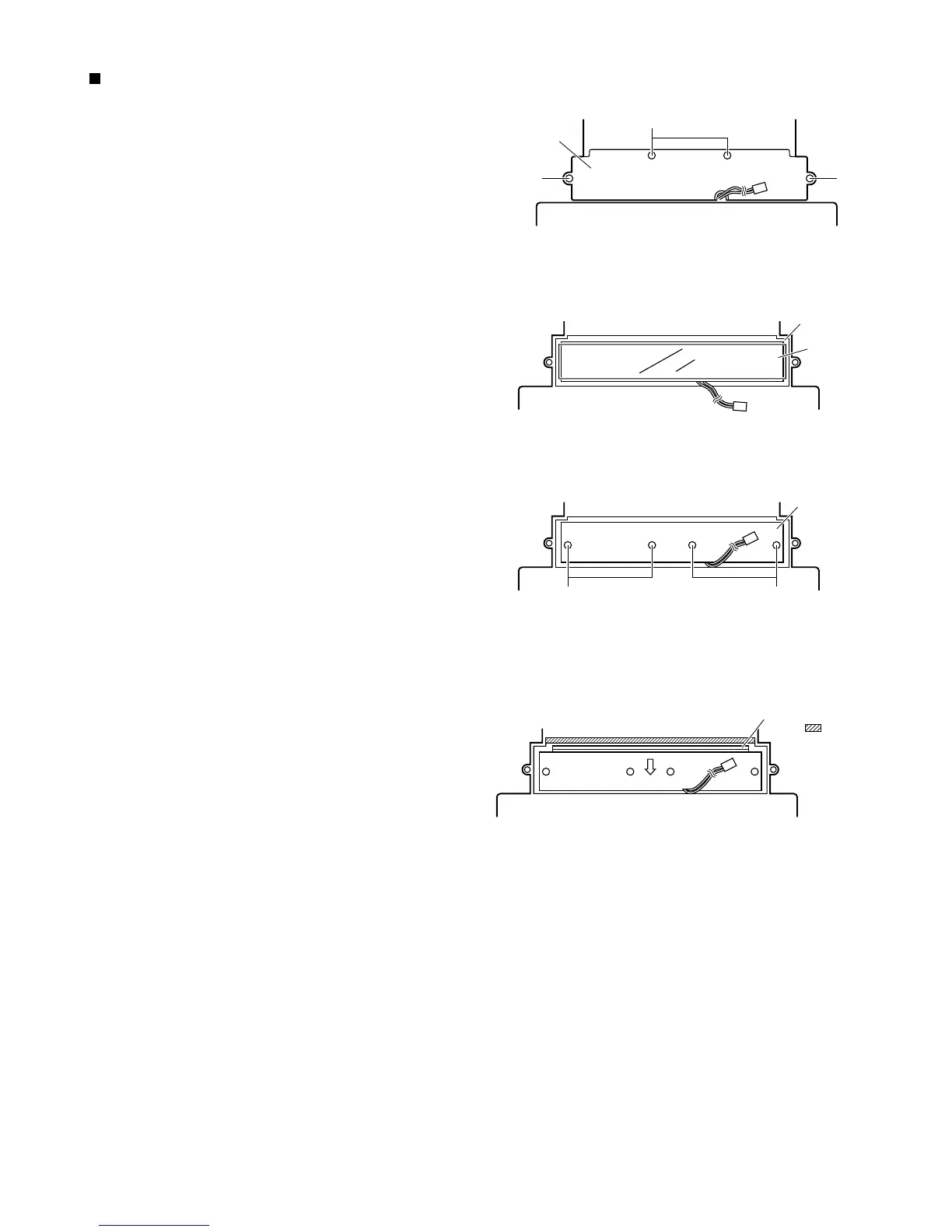
Remove the bottom cover.
Then remove the Main P.C. board.
From the bottom side of the main unit, remove the 4
screws G retaining the CCFL cover.
1.
2.
3.
Then remove the insulation sheet on top of the CCFL
P.C. board.
4.
Remove the 4 screws H retaining the CCFL P.C.
board.
5.
Remove the CCFL P.C. board by sliding it a little
towards the arrow mark.
6.
Removing the CCFL board
(see Fig. 9 to 12)
Fig. 9
Fig. 10
CCFL cover
G
G G
H
CCFL P.C. board
Insulation sheet
Fig. 11
CCFL P.C. board
H
Fig. 12
This section is cought
by the portion.



 To Next Page
 Loading...