EasyManua.ls Logo

JVC KS-F540R - User Manual

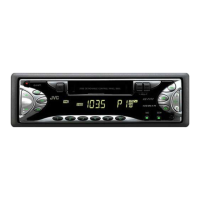
JVC KS-F540R
32 pages
Print Icon
To Next Page IconTo Next Page
Loading...
ENGLISH
CASSETTE RECEIVER
CASSETTEN-RECEIVER
RADIOCASSETTE
RADIO/CASSETTESPELER
BEDIENUNGSANLEITUNG
MANUEL D'INSTRUCTIONS
GEBRUIKSAANWIJZING
INSTRUCTIONS
FSUN3066-311
[E]
NEDERLANDS
DEUTSCH
FRANÇAIS
ENGLISH
NMMDWJES
KS-FX740R/FX640R/F540R
For installation and connections, refer to the separate manual.
Für den Einbau und die Anschlüsse siehe das eigenständige Handbuch.
Pour l’installation et les raccordements, se référer au manuel séparé.
Bijzonderheden over de installatie en aansluiting van het apparaat vindt u in de desbetreffende handleiding.
Detachable
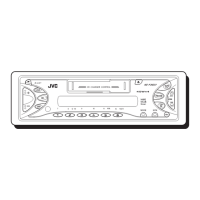
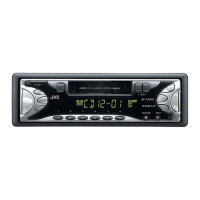
KS-FX740R
RM-RK22
DISCDISC
DISCDISC
ATT
BAND
PROG
FUNC
PRESET
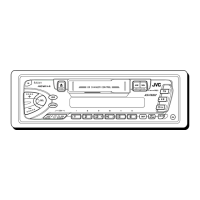
KS-F540R
KS-FX640R
40Wx4
SEL
DISP
CD CHANGER CONTROL
MO/RND
SSM
KS-FX740R
TP
RDS
PTY
CD-
CH
FM /AM
TAPE
SOUND
7 8 9 10 11 12
/I
ATT
DOLBY B NR
40Wx4
SEL
DISP
CD CHANGER CONTROL
MO/RND
SSM
KS-FX640R
TP
RDS
PTY
CD-
CH
FM /AM
TAPE
SOUND
7 8 9 10 11 12
/I
ATT
40Wx4
SEL
DISP
DETACHABLE CONTROL PANEL
MO
SSM
KS-F540R
TP
RDS
PTY
AM
FM
TAPE
SOUND
/I
ATT
COVER.KS-FX740R/640/540R.311 98.11.16, 10:20 AM3


Questions and Answers

  • E
    Emily BrownAug 12, 2025
    Why is there no sound from my JVC KS-F540R Car Receiver speakers?
    • J
      Jenna BrooksAug 12, 2025
      If you cannot hear any sound from the speakers, there are a couple of potential causes. First, the volume control might be set to the minimum level; try adjusting it to a more audible level. Second, the connections might be incorrect; in this case, check the cords and connections to ensure they are properly connected.
  • T
    Thomas SweeneyAug 16, 2025
    What does “RESET 8” mean on my JVC KS-F540R Car Receiver display?
    • S
      scottdaisyAug 16, 2025
      If “RESET 8” appears on the display, the unit is not connected to a CD changer correctly. Connect the unit and the CD changer correctly and press the reset button of the CD changer.
  • S
    stephanie95Aug 20, 2025
    What to do if my JVC KS-F540R Car Receiver unit does not work at all?
    • K
      Kevin JonesAug 20, 2025
      If your unit isn't working, the built-in microcomputer may be malfunctioning due to noise or another issue. To resolve this, reset the unit by holding the SEL button and pressing it for more than 2 seconds. Be aware that this will erase the clock setting and any preset stations stored in the memory.
  • T
    ttrujilloAug 25, 2025
    What does 'NO CD' or 'NO DISC' mean on my JVC Car Receiver display?
    • C
      Connor ChangAug 25, 2025
      If “NO CD” or “NO DISC” is displayed, it means that there is no CD in the magazine or the CDs are inserted incorrectly. Make sure CDs are present in the magazine and that they are inserted correctly.
  • K
    kevinfosterAug 27, 2025
    What to do if I hear static noise while listening to the radio on my JVC Car Receiver?
    • E
      Elizabeth GreenAug 28, 2025
      If you are experiencing static noise while listening to the radio, the antenna may not be connected firmly. Ensure that the antenna is securely connected.
  • R
    Roger CarterAug 31, 2025
    Why is the sound sometimes interrupted on my JVC KS-F540R Car Receiver?
    • I
      idudleyAug 31, 2025
      If the sound is sometimes interrupted, it may be due to poor connections. Check the cords and connections to ensure they are properly and securely connected.
  • M
    Melissa JacksonSep 4, 2025
    How to fix low tape sound and degraded quality on my JVC KS-F540R Car Receiver?
    • A
      austinjohnSep 4, 2025
      If the tape sound is at a very low level and the sound quality is degraded, the tape head is likely dirty. Clean it with a head cleaning tape.
  • A
    alimichaelSep 7, 2025
    Why SSM (Strong-station Sequential Memory) automatic preset does not work on my JVC Car Receiver?
    • K
      Kim JohnsonSep 7, 2025
      If the SSM automatic preset is not working, the signals may be too weak. In this case, store stations manually.

JVC KS-F540R Specifications

General IconGeneral
MP3 PlaybackYes
USB PortYes
Aux InputYes
BluetoothNo
Detachable FaceYes
Sub Preamp OutputYes
AAC PlaybackNo
HD RadioNo
Satellite RadioNo
Memory Card SlotNo
Channels4
Display TypeLCD
TunerFM/AM
RMS Power Output22W x 4
DIN Size1 DIN
Preamp Voltage2.5V
Presets6 AM
Max Power Output50 Watts x 4 Channels

Related product manuals