EasyManua.ls Logo

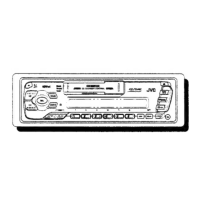
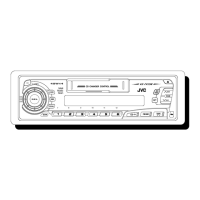
JVC KS-FX12 - User Manual

JVC KS-FX12
21 pages
Print Icon
To Next Page IconTo Next Page
Loading...
CASSETTE RECEIVER KS-FX12/KS-FX12WT
ENGLISH
ESPAÑOL
RECEPTOR-REPRODUCTOR DE
CASSETTE KS-FX12/KS-FX12WT
RADIOCASSETTE KS-FX12/KS-FX12WT
INSTRUCTIONS
MANUAL DE INSTRUCCIONES
MANUEL D’INSTRUCTIONS
For customer Use:
Enter below the Model No. and
Serial No. which are located on
the top or bottom of the cabinet.
Retain this information for future
reference.
Model No.
Serial No.
FSUN3098-631
[J]
For installation and connections, refer to the separate manual.
Para la instalación y las conexiones, refiérase al manual separado.
Pour l’installation et les raccordements, se référer au manuel séparé.
FRANÇAIS
EN00.COVER.KS-FX12[J]/f 10/27/99, 10:16 AM3

Other manuals for JVC KS-FX12

Questions and Answers

  • K
    Kenneth SmithAug 19, 2025
    Why sound cannot be heard from the speakers of JVC KS-FX12 Car Receiver?
    • R
      Robert ClarkAug 19, 2025
      If you cannot hear sound from the speakers, it may be because the volume control is set to the minimum level. Adjust it to a more audible level. Another potential cause is incorrect connections. Ensure all cords and connections are properly and securely connected.
  • J
    Joseph CardenasAug 21, 2025
    What to do if JVC Car Receiver shows “NO CD” or “NO DISC”?
    • R
      Robert PetersonAug 21, 2025
      If “NO CD” or “NO DISC” appears on the display, it could be due to the absence of CDs in the magazine. Insert CDs into the magazine. Another reason might be that the CDs are inserted incorrectly; make sure they are properly inserted.
  • J
    Jennifer NguyenAug 23, 2025
    What to do if the JVC KS-FX12 Car Receiver unit does not work at all?
    • C
      christophergrayAug 25, 2025
      If the unit isn't working, the built-in microcomputer may be malfunctioning due to noise or other interference. To reset the unit, hold the SEL button and press it for more than 2 seconds. Note that this will erase the clock setting and preset stations stored in memory.
  • P
    Patricia SmithAug 26, 2025
    What does “RESET 8” mean on my JVC KS-FX12 and how to fix it?
    • L
      Leah McbrideAug 26, 2025
      If “RESET 8” appears on the display, the unit is not correctly connected to a CD changer. Ensure that the unit and the CD changer are correctly connected, then press the reset button on the CD changer.
  • H
    hutchinsonheatherAug 27, 2025
    What to do if static noise while listening to the radio on JVC KS-FX12?
    • R
      ryanwestAug 28, 2025
      If you are experiencing static noise while listening to the radio, the antenna may not be connected firmly. Ensure the antenna is securely connected.
  • K
    kari62Aug 30, 2025
    What to do if “RESET 1-RESET 7” appears on the display of JVC Car Receiver?
    • T
      taylorstantonAug 30, 2025
      If “RESET 1-RESET 7” appears on the display, press the reset button of the CD changer.
  • D
    Darius HensonSep 1, 2025
    Why tape sound is at very low level on my JVC KS-FX12 Car Receiver?
    • R
      robertsimmonsSep 1, 2025
      If the tape sound is at a very low level and the sound quality is degraded, the tape head may be dirty. Clean it using a head cleaning tape.
  • L
    Laura Morales MDSep 4, 2025
    What to do if sound is sometimes interrupted on JVC Car Receiver?
    • D
      David JonesSep 4, 2025
      If the sound is sometimes interrupted, the connections may not be secure. Check all cords and connections to ensure they are properly connected.
  • C
    Calvin PenaSep 6, 2025
    How to insert a cassette tape into JVC KS-FX12?
    • R
      Robert LeSep 6, 2025
      If a cassette tape cannot be inserted, you may be trying to insert it the wrong way. Make sure to insert the cassette with the exposed tape facing right.
  • G
    gscottSep 8, 2025
    How to select a specific disc on JVC KS-FX12 Car Receiver?
    • C
      collinsdanielSep 8, 2025
      To go directly to a particular disc, press the number button that corresponds to the disc number. This will start the playback of that selected disc.

Summary

Basic Operations

Radio Operations

Listening to the Radio

Basic steps for tuning into radio stations and frequency selection.

Tape Operations

Listening to a Tape

Instructions for inserting a cassette, selecting direction, and playback.

Sound Adjustments

CD Changer Operations

Playing CDs

Initial steps and operations for playing CDs from the changer.

Troubleshooting

Common Issues and Solutions

Symptoms, causes, and remedies for common operational problems.

JVC KS-FX12 Specifications

General IconGeneral
CD PlayerYes
Display TypeLCD
Channels4
WMA PlaybackNo
AAC PlaybackNo
Detachable FaceYes
Power Output200 Watts
TunerAM/FM
Form Factor1 DIN
Maximum Output Power200 Watts
Peak Power Output50W x 4
Frequency Response20 - 20000 Hz

Related product manuals