EasyManua.ls Logo

JVC KS-FX230/F130 - User Manual

JVC KS-FX230/F130
22 pages
Print Icon
To Next Page IconTo Next Page
Loading...
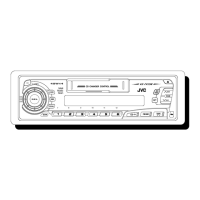
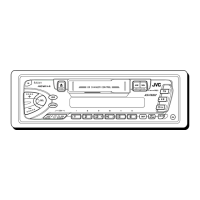
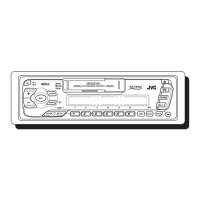
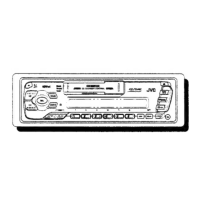
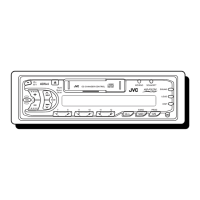
CASSETTE RECEIVER KS-FX230/F130
ENGLISH
ESPAÑOL
RECEPTOR-REPRODUCTOR DE
CASSETTE KS-FX230/F130
RADIOCASSETTE KS-FX230/F130
INSTRUCTIONS
MANUAL DE INSTRUCCIONES
MANUEL D’INSTRUCTIONS
MO/RND SCAN/RPT
SOUND
LOUD
DISP
PROGBAND
Multi
Music
Scan
CD CHANGER CONTROL
SEL
SSM
78 9101112
123456
40W
X
4
/I
ATT
CD-
CH
TUNER TAPE
KS-FX230
MO SCAN
SOUND
LOUD
DISP
PROG
Multi Music Scan
DETACHABLE CONTROL PANEL
SEL
SSM
123456
40W
X
4
/I
ATT
F MA M TAPE
KS-F130
For customer Use:
Enter below the Model No. and
Serial No. which are located on
the top or bottom of the cabinet.
Retain this information for future
reference.
Model No.
Serial No.
FSUN3029-631D
[J]
For installation and connections, refer to the separate manual.
Para la instalación y las conexiones, refiérase al manual separado.
Pour l’installation et les raccordements, se référer au manuel séparé.
FRANÇAIS
00.COVER.KS-FX230/F130BK 97.11.4, 0:53 PM3

Questions and Answers

  • E
    Edward JohnsonAug 14, 2025
    Why sound cannot be heard from JVC Car Receiver speakers?
    • S
      sarahjonesAug 15, 2025
      If you cannot hear sound from the speakers of your JVC Car Receiver, there might be a few reasons. First, check if the volume control is set to the minimum level and adjust it accordingly. Second, verify that all the cords and connections are correctly and firmly in place.
  • J
    Jacqueline WhiteAug 17, 2025
    What to do if JVC Car Receiver unit does not work at all?
    • J
      Jay JacksonAug 17, 2025
      If your JVC Car Receiver unit isn't working, the built-in microcomputer may be malfunctioning due to noise or other factors. To resolve this, press and hold the ATT and SEL buttons simultaneously for more than 2 seconds. Note that this will reset the unit, erasing the clock setting and preset stations stored in memory.
  • P
    Paula SalinasAug 21, 2025
    What to do if “NO CD” or “NO DISC” appears on JVC Car Receiver display?
    • K
      Kimberly OwensAug 21, 2025
      If “NO CD” or “NO DISC” is displayed on your JVC Car Receiver, it could be due to a couple of reasons. First, check to make sure CDs are actually inserted into the magazine. Second, ensure that the CDs are inserted correctly.
  • M
    Megan WilliamsAug 25, 2025
    What does “RESET 8” mean on my JVC Car Receiver?
    • B
      beth59Aug 25, 2025
      If “RESET 8” appears on the display of your JVC Car Receiver, it indicates that the unit is not correctly connected to the CD changer. To fix this, ensure that the unit and the CD changer are properly connected. After doing so, press the reset button on the CD changer.
  • L
    Lori LevineAug 28, 2025
    What to do if static noise while listening to the radio on JVC Car Receiver?
    • L
      Lawrence BurkeAug 28, 2025
      If you are experiencing static noise while listening to the radio on your JVC Car Receiver, the antenna may not be connected firmly. Ensure the antenna is securely connected.
  • U
    usmithAug 31, 2025
    What to do if sound is sometimes interrupted on JVC Car Receiver?
    • J
      Jeremy PatrickAug 31, 2025
      If the sound from your JVC Car Receiver is sometimes interrupted, it may be due to poor connections. Check all cords and connections to ensure they are properly connected.
  • C
    Cheryl MartinezSep 3, 2025
    Why SSM automatic preset does not work on JVC Car Receiver?
    • M
      Madeline HernandezSep 3, 2025
      If the SSM (Strong-station Sequential Memory) automatic preset is not working on your JVC Car Receiver, it is likely because the radio signals are too weak. In this case, you should store stations manually.
  • D
    diana62Sep 7, 2025
    How to fix low tape sound on JVC Car Receiver?
    • S
      singletonsamanthaSep 7, 2025
      If the tape sound on your JVC Car Receiver is very low and the sound quality is degraded, the tape head may be dirty. Clean it using a head cleaning tape.
  • K
    Karen MurphySep 10, 2025
    What to do if cassette tape cannot be inserted into JVC Car Receiver?
    • J
      Jennifer RomanSep 10, 2025
      If you're having trouble inserting a cassette tape into your JVC Car Receiver, you might be inserting it the wrong way. Make sure to insert the cassette with the exposed tape facing right.

JVC KS-FX230/F130 Specifications

General IconGeneral
TypeCar Receiver
Channels4
Built-in AmplifierYes
AUX InputYes
BluetoothNo
Display TypeLCD
Detachable FaceplateYes
Tuner BandsAM, FM

Related product manuals