EasyManua.ls Logo

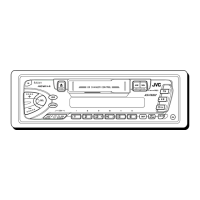
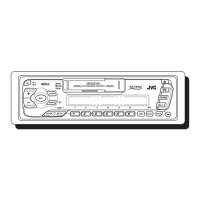
JVC KS-FX250 - User Manual

JVC KS-FX250
29 pages
Print Icon
To Next Page IconTo Next Page
Loading...
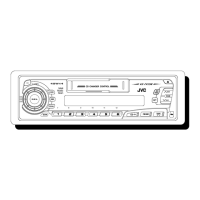
CASSETTE RECEIVER KS-FX250
ENGLISH
ESPAÑOL
RECEPTOR-REPRODUCTOR DE
CASSETTE KS-FX250
RADIOCASSETTE KS-FX250
INSTRUCTIONS
MANUAL DE INSTRUCCIONES
MANUEL DINSTRUCTIONS
For customer Use:
Enter below the Model No. and
Serial No. which are located on
the top or bottom of the cabinet.
Retain this information for future
reference.
Model No.
Serial No.
FSUN3108-631
[J]
For installation and connections, refer to the separate manual.
Para la instalación y las conexiones, refiérase al manual separado.
Pour l’installation et les raccordements, se référer au manuel séparé.
FRANÇAIS
A
T
T
EN00.COVER.KS-FX250[J]/1 17/12/1999, 05:43 PM3

Other manuals for JVC KS-FX250

Questions and Answers

  • S
    Steven JohnsonAug 14, 2025
    Why there is no sound from my JVC KS-FX250?
    • S
      Suzanne RodriguezAug 14, 2025
      If you can't hear any sound from the speakers, first, make sure the volume isn't set to the minimum. If it is, adjust it to a comfortable listening level. Also, verify that all the cords and connections are correctly and firmly in place.
  • R
    robertmooreAug 17, 2025
    What to do if my JVC KS-FX250 Car Receiver does not work at all?
    • M
      Michelle AllenAug 17, 2025
      If your JVC Car Receiver unit isn't working, it might be due to a microcomputer malfunction caused by external noise. To resolve this, press and hold the SEL button for at least 2 seconds to reset the unit.
  • G
    Gary HarveyAug 20, 2025
    What does “RESET 8” mean on my JVC Car Receiver?
    • M
      Michael AlexanderAug 20, 2025
      If the display shows “RESET 8”, your JVC Car Receiver is not correctly connected to the CD changer. Ensure that the unit and the CD changer are properly connected, and then press the reset button on the CD changer.
  • G
    garrett56Aug 25, 2025
    How to fix static noise on JVC KS-FX250 Car Receiver radio?
    • M
      Marie DavisAug 25, 2025
      If you are experiencing static noise while listening to the radio, it is likely that the antenna is not properly connected. Ensure the antenna is firmly connected to your JVC Car Receiver.
  • C
    Curtis McclainAug 27, 2025
    Why does my JVC KS-FX250 Car Receiver say “NO CD” or “NO DISC”?
    • C
      coleericAug 27, 2025
      If the display shows “NO CD” or “NO DISC”, it means that there are no CDs in the magazine, or that CDs are inserted incorrectly. Make sure to insert CDs into the magazine correctly.
  • C
    Courtney PetersenAug 30, 2025
    What to do if the sound is sometimes interrupted on JVC KS-FX250 Car Receiver?
    • A
      anthonysmithAug 30, 2025
      If the sound from your JVC Car Receiver is sometimes interrupted, the connections may not be secure. Check all cords and connections to ensure they are properly connected.
  • J
    Joseph CarlsonSep 2, 2025
    Why SSM automatic preset does not work on JVC KS-FX250 Car Receiver?
    • S
      Steven DavisSep 3, 2025
      If the SSM (Strong-station Sequential Memory) automatic preset isn't working on your JVC Car Receiver, it could be due to weak signals. Try storing the stations manually.
  • D
    durhamleslieSep 6, 2025
    How to fix low tape sound on JVC Car Receiver?
    • M
      Michael MackSep 6, 2025
      If the tape sound is very low and the sound quality is poor, the tape head is likely dirty. Clean it using a head cleaning tape.
  • R
    Ronnie RiceSep 9, 2025
    How to insert cassette tape in JVC Car Receiver?
    • K
      Kaitlyn GarciaSep 9, 2025
      If you cannot insert a cassette tape into your JVC Car Receiver, you may be trying to insert it incorrectly. Make sure to insert the cassette with the exposed tape facing right.

Summary

Basic Operations

Turn on the power

Describes the procedure to turn the unit on and off.

Select the source

Explains how to choose between tuner, tape deck, CD changer, or external component.

Adjust the volume

Details how to control the audio output level.

Adjust the sound

Guides users on customizing bass, treble, and other sound settings.

Radio Operations

Listening to the radio

Instructions for selecting radio bands and tuning into stations.

Storing stations in memory

Explains automatic and manual methods to save favorite radio frequencies.

Tuning into a preset station

How to recall previously stored radio stations.

Other convenient tuner functions

Covers scanning, sound reception modes, and channel interval settings.

Tape Operations

Listening to a tape

Guide to inserting a cassette and starting playback.

To fast-forward and rewind a tape

Instructions for tape FF/REW and stopping at any position.

Finding the beginning of a tune

Using Multi Music Scan to locate specific song starts.

Other convenient tape functions

Details on prohibiting ejection, skipping blanks, and repeat play.

Sound Adjustments

Turning on;off the loudness function

How to enable or disable the loudness feature for enhanced low frequencies.

Selecting preset sound modes

Choosing pre-defined EQ settings like Beat, Pop, or Soft.

Adjusting the sound

Manual adjustment of bass, treble, fader, and balance.

Using the Sound Control Memory

Storing and recalling custom sound settings for different sources.

Canceling Advanced SCM

Disabling or configuring the Sound Control Memory linking.

Storing your own sound adjustments

Creating and saving personalized sound profiles.

Other Main Functions

Setting the clock

Step-by-step guide to setting the built-in clock.

Selecting the level display

Customizing what information is shown on the display.

Detaching the control panel

Instructions for removing and reattaching the detachable front panel.

CD Changer Operations

Playing CDs

How to select and play CDs from the changer.

To fast forward or reverse the track

Controls for moving within a CD track.

To go to a particular disc directly

Selecting a specific disc from the changer.

Selecting CD playback modes

Options for random play and repeat play of CD tracks.

External Component Operations

Selecting the external component

How to connect and select an external audio device.

Selecting the external component to use

Configuring the unit to use the CD changer or a LINE IN component.

Maintenance

To extend the lifetime of the unit

General advice for prolonging the device's lifespan.

Ignition key-off Release;Ignition key-on play

Explains how ignition key position affects cassette playback.

How to Reset your unit

Instructions for resetting the unit to factory defaults.

Troubleshooting

Specifications

JVC KS-FX250 Specifications

General IconGeneral
BrandJVC
ModelKS-FX250
CategoryCar Receiver
LanguageEnglish

Related product manuals