16
Controlling Audio
You can adjust various settings such as audio
balance or subwoofer level.
1 Press the <EQ> button.
2 See the below for each operation method.
Controlling General Audio
1 Press the <EQ> button.
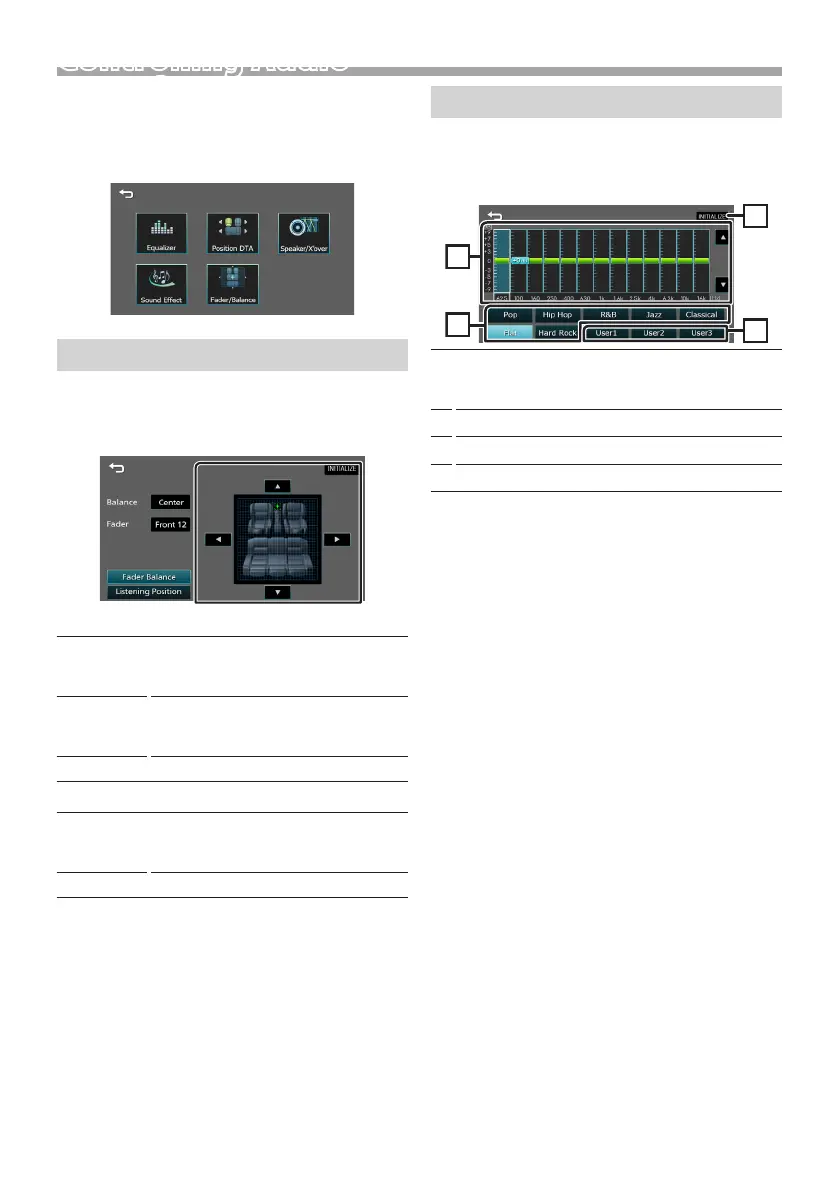
2 Touch [Fader / Balance].
3 Set each item as follows.
[Fader Balance]
Balance
[T] [U]
Adjust the left and right volume
balance.
15 (left) to 15 (right)
Fader
[R] [S]
Adjust the front and rear volume
balance.
15 (front) to 15 (rear)
[INITIALIZE]
To clear the adjustment.
[Listening Position]
[.]
Select a listening position from “Front
Left”, “Front All”, “Front Right”, and
“Middle”.
[INITIALIZE]
To clear the adjustment.
Equalizer Control
1 Press the <EQ> button.
2 Touch [Equalizer].
3 Set each item as follows.
1
You can select frequency bar and adjust its level.
(-9 to +9)
• The adjustments are stored.
2
To recall the preset equalizer curve.
3
Recalls the memorized EQ curve.
4
Initialize the current EQ curve.
Controlling Audio



 To Next Page
 Loading...








