EasyManua.ls Logo

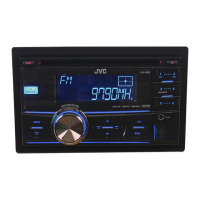
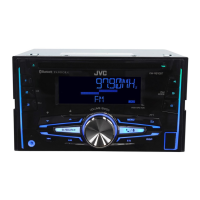
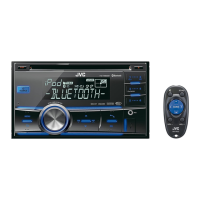
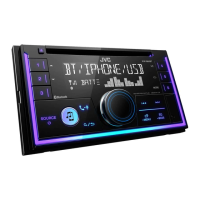
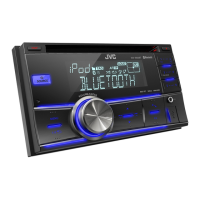
JVC KW-R500 - User Manual

JVC KW-R500
31 pages
Print Icon
To Next Page IconTo Next Page
Loading...
CD RECEIVER / RECEPTOR CON CD / RÉCEPTEUR CD
For canceling the display demonstration, see page 4. /
Para cancelar la demostración en pantalla, consulte la página 4. /
Pour annuler la démonstration des affichages, référez-vous à la page 4.
ENGLISH
ESPAÑOL
FRANÇAIS
INSTRUCTIONS
MANUAL DE INSTRUCCIONES
MANUEL D’INSTRUCTIONS
GET0791-001A
[J]
KW-R500
For installation and connections, refer to the separate manual.
Para la instalación y las conexiones, refiérase al manual separado.
Pour l’installation et les raccordements, se référer au manuel
séparé.
For Customer Use:
Enter below the
Model No. and Serial
No. which are located
on the top or bottom
of the cabinet. Retain
this information for
future reference.
Model No.
Serial No.

Other manuals for JVC KW-R500

Questions and Answers

  • R
    Robin VangSep 16, 2025
    Why is elapsed playing time incorrect on JVC KW-R500 Car Receiver?
    • K
      Karina ShortSep 16, 2025
      If the elapsed playing time is not correct on your JVC Car Receiver, this sometimes occurs during playback. This issue is often caused by how the tracks are recorded on the disc.
  • B
    Barbara JonesAug 25, 2025
    Why my JVC Car Receiver does not work?
    • V
      Veronica CarpenterAug 25, 2025
      If your JVC Car Receiver isn't working at all, try resetting the unit.
  • J
    James ScottAug 25, 2025
    What to do if JVC KW-R500 cannot detect connected device?
    • Z
      Zachary SmithAug 26, 2025
      If your JVC Car Receiver cannot detect the connected device, try reattaching the device.
  • S
    Stephanie GutierrezAug 27, 2025
    How to fix no sound on JVC Car Receiver?
    • T
      Timothy ContrerasAug 27, 2025
      If your JVC Car Receiver isn't producing any sound, or the sound is interrupted, or you hear static noise, check the cords, antenna, and cable connections. Also, check the condition of the disc, connected device, and recorded tracks.
  • G
    Glenda LopezSep 18, 2025
    What does “NOT SUPPORT” mean on JVC KW-R500 Car Receiver?
    • B
      brittany47Sep 18, 2025
      If “NOT SUPPORT” appears on the display of your JVC Car Receiver and the track skips, check whether the track is a playable file format.
  • W
    wilsonkimberlySep 23, 2025
    What does “SET UP PANDORA ON YOUR DEVICE” mean on JVC KW-R500?
    • W
      Wendy MartinezSep 23, 2025
      Pandora setup is not completed. Connect the iPod/iPhone to this unit after completing the setup in your iPod/iPhone.
  • J
    Jillian KochSep 8, 2025
    What does 'SET UP PANDORA ON YOUR DEVICE' mean on JVC Car Receiver?
    • N
      Nathan StewartSep 8, 2025
      If “SET UP PANDORA ON YOUR DEVICE” appears on your JVC Car Receiver, Pandora setup is not completed. Connect the iPod/iPhone to this unit after completing the setup in your iPod/iPhone.
  • K
    Kayla CraneSep 9, 2025
    What to do if “MISWIRING CHK WIRING THEN RESET UNIT” appears on JVC Car Receiver?
    • C
      Cynthia PerkinsSep 9, 2025
      If the message “MISWIRING CHK WIRING THEN RESET UNIT” or “WARNING CHK WIRING THEN RESET UNIT” appears on the display of your JVC Car Receiver, make sure the terminals of the speaker leads are properly insulated with tape before resetting the unit. If the message persists, consult your JVC car audio dealer or kits supplying company.
  • D
    Daniel JohnstonSep 2, 2025
    What to do if JVC KW-R500 Car Receiver displays 'PLEASE' and 'EJECT'?
    • N
      Nicole EatonSep 3, 2025
      If “PLEASE” and “EJECT” appear alternately on the display of your JVC Car Receiver, press [?], then insert the disc correctly.
  • M
    Matthew MartinezSep 1, 2025
    What to do if JVC KW-R500 Car Receiver displays 'CANNOT PLAY'?
    • R
      Rhonda BrockSep 1, 2025
      If “CANNOT PLAY” flashes on the display of your JVC Car Receiver, check whether the connected device is compatible with this unit.

Summary

Safety and Compliance

FCC Compliance and Radio Frequency

Discusses FCC rules, potential interference, and user correction measures for digital devices.

Laser Product Safety Precautions

Highlights Class 1 Laser Product status and crucial user warnings regarding laser radiation.

Operational Cautions

Warns against unauthorized modifications and specifies procedures that could lead to hazardous exposure.

Preparation and Initial Setup

Basic Operations and Controls

Radio Tuning and Presets

Station Searching Methods

Explains manual and auto search methods for finding radio stations.

Storing and Selecting Stations

Guides on saving favorite stations and recalling them using preset buttons.

CD and USB Playback

iPod and iPhone Integration

Pandora Internet Radio

External Component Connectivity

Audio and Display Adjustments

Menu Operations and Settings

Troubleshooting Common Issues

General Troubleshooting Steps

Addresses common issues like no sound, wiring errors, and unit unresponsiveness.

Source-Specific Problems

Provides solutions for issues related to FM/AM, CD/USB, iPod/iPhone, and Pandora.

Technical Specifications

Installation Precautions and Parts

General Installation Warnings

Critical safety warnings and experience requirements for installation.

Electrical Connection Precautions

Important safety measures for power supply and speaker connections.

In-Dash Mounting Procedures

Mounting with Supplied Sleeve

Step-by-step guide for installing the unit using the provided sleeve.

Mounting with Vehicle Brackets

Instructions for installing the unit using mounting brackets from the car.

Electrical Wiring and Connections

Main Wiring Diagram

Illustrates the connections for power, speakers, antenna, and accessories.

Connection Guide and Notes

Provides detailed instructions and precautions for making electrical connections.

Audio Input Connections

Troubleshooting Connection Issues

Addresses common problems related to power, sound, and unit operation after connections.

Installation Connection Steps

Critical Connection Sequence

Emphasizes the correct order for connecting ground, wires, antenna, and power.

Installation Connection Cautions

Highlights critical warnings about incorrect wiring causing damage to the unit.

Warranty Information (Canada)

Warranty Terms and Conditions

Limited Warranty (USA)

Warranty Coverage and Service Process

Explains what JVC will do for defective products and the process for obtaining service.

Warranty Limitations and Exclusions (USA)

Lists items and conditions explicitly not covered by the US limited warranty.

JVC KW-R500 Specifications

General IconGeneral
Audio systemMOS-FET
MP3 playbackYes
DVD Audio playbackNo
Audio formats supportedMP3, WMA
Tuner typeHS-IVi
Supported radio bandsFM, LW, MW
Preset stations quantity24
Output power200 W
Product colorBlack
Audio output channels4.0 channels
Equalizer bands quantity3
Maximum power per channel50 W
USB version2.0
USB ports quantity1
Output voltage2.5 V
Key illumination colorBlue

Related product manuals