
 To Next Page
K
kristen77Sep 3, 2025
What does “PROTECTING SEND SERVICE” mean on my JVC Car Receiver?
- LLisa PerkinsSep 3, 2025
If your JVC Car Receiver displays “PROTECTING SEND SERVICE”, send the unit to the nearest service center.

What does “PROTECTING SEND SERVICE” mean on my JVC Car Receiver?
If your JVC Car Receiver displays “PROTECTING SEND SERVICE”, send the unit to the nearest service center.
What does “MEMORY FULL” mean on my JVC KW-R950BT Car Receiver?
If your JVC Car Receiver displays “MEMORY FULL”, it means that you have reached the maximum storage limit of your iPod/iPhone.
How to improve voice calling on JVC KW-R950BT Car Receiver?
To improve voice calling on your JVC Car Receiver, use the voice calling method in a quieter environment. Also, reduce the distance from the microphone when speaking the name, and ensure that you use the same voice as the registered voice tag.
What does “PLEASE EJECT” mean on my JVC Car Receiver?
If your JVC Car Receiver displays “PLEASE EJECT”, press , then insert the disc correctly.
Why is the sound interrupted during Bluetooth playback on my JVC Car Receiver?
If the sound is being interrupted or skipped during Bluetooth playback on your JVC Car Receiver, reduce the distance between the unit and the Bluetooth audio player. If the issue continues, turn off and then turn on the unit, and try to connect again.
Why is the Bluetooth pairing failing on my JVC KW-R950BT Car Receiver?
If Bluetooth pairing is failing on your JVC Car Receiver, ensure that you have entered the same PIN code on both the unit and the Bluetooth device. If the problem persists, delete the pairing information from both the unit and the Bluetooth device, and then attempt the pairing process again.
What does “NO DEVICE” mean on my JVC Car Receiver?
If your JVC Car Receiver displays “NO DEVICE”, connect a device (USB/iPod/iPhone) and change the source to USB/iPod again.
Why can't I select a source on my JVC KW-R950BT?
If you are unable to select a source on your JVC Car Receiver, check the [SOURCE SELECT] setting.
What to do if my JVC KW-R950BT Car Receiver says “NO DISC”?
If your JVC Car Receiver displays “NO DISC”, insert a playable disc into the loading slot.
Why is there no sound coming from my JVC KW-R950BT?
If you cannot hear any sound from your JVC Car Receiver, make sure that the volume is at an audible level. Also, check all cords and connections to ensure they are properly connected.
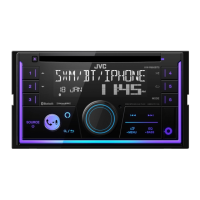
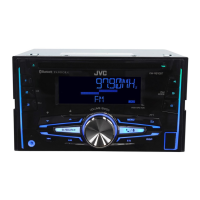
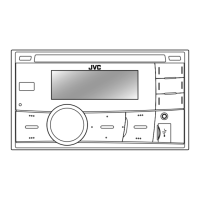
Description of the unit's front panel controls and their functions.
Options for radio tuning, station search, and reception settings.
Steps to launch the app, connect the device, and select it.
Detailed steps for initial Bluetooth pairing and connection.
Adjusting display dimmer, timer, auto-dimmer, and brightness levels.
Solutions for common issues like no sound or unit not working.
Solutions for problems related to disc playback, USB, and iPod.
Solutions for Bluetooth detection, pairing, echo, and connection instability.
Step-by-step guide for installing the unit in the vehicle.
Detailed instructions for mounting the unit in the dashboard.
Diagram and instructions for connecting the unit's wiring harness.
Technical details of the Bluetooth version, range, profiles, and codecs.
 General
| DIN Size | Double DIN |
|---|---|
| CEA-2006 Compliant | Yes |
| Preamp RCA Outputs | 3 (Front, Rear, Subwoofer) |
| Preamp Voltage | 4 volts |
| Subwoofer Output | Yes |
| EQ | 13-Band Graphic EQ |
| Display Type | LCD |
| Bluetooth | Yes |
| USB Input | Yes |
| AUX Input | Yes |
| Radio Tuner | AM/FM |
| SiriusXM Ready | Yes |
| Pandora Control | Yes |
| iHeartRadio Control | Yes |
| Spotify Control | Yes |
| Android Music Playback | Yes |
| iPhone/iPod Music Playback | Yes |
| Steering Wheel Control Compatible | Yes |
| Remote Control | Yes |
| Detachable Face | Yes |
| CD Player | Yes |
| MP3 Playback | Yes |
| WMA Playback | Yes |
| AAC Playback | Yes |
| iPhone Compatibility | Yes |
| Android Compatibility | Yes |
| Power Output | 50 Watts x 4 |
| RMS Power Output | 22 Watts x 4 |