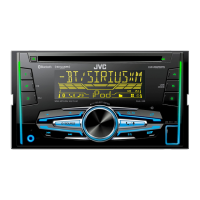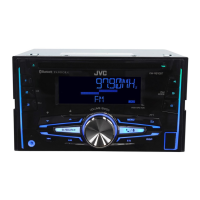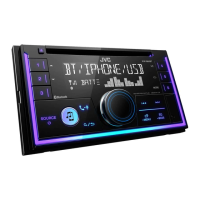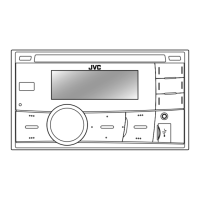

 To Next Page
K
Kimberly SullivanSep 23, 2025
What does “IN DISC” mean on JVC Car Receiver?
- LLarry CookSep 23, 2025
If “IN DISC” appears on your JVC Car Receiver, make sure nothing is blocking the loading slot when you eject the disc.

What does “IN DISC” mean on JVC Car Receiver?
If “IN DISC” appears on your JVC Car Receiver, make sure nothing is blocking the loading slot when you eject the disc.
Why is the radio reception poor on my JVC KW-R920BT Car Receiver?
If you're experiencing poor radio reception with your JVC Car Receiver, ensure the antenna is firmly connected.
What to do if no Bluetooth device is detected on JVC KW-R920BT?
If your JVC Car Receiver isn't detecting any Bluetooth devices, try searching for the device again. If it still doesn't work, reset the unit.
Why pairing cannot be made on JVC KW-R920BT?
If you're having trouble pairing your device with the JVC Car Receiver, ensure you've entered the same PIN code on both devices. If the problem persists, delete the pairing information from both the unit and the Bluetooth device, and then try pairing again.
What does “PROTECTING SEND Send the unit to the nearest service center. SERVICE” mean on JVC KW-R920BT Car Receiver?
If “PROTECTING SEND Send the unit to the nearest service center. SERVICE” appears on your JVC Car Receiver, send the unit to the nearest service center.
Why does “LOADING” appear when entering search mode on JVC KW-R920BT?
If “LOADING” appears when you enter search mode on your JVC Car Receiver, the unit is still preparing the iPod/iPhone music list. It may take some time to load, so try again later.
What does “CHK ANTENNA” mean on JVC KW-R920BT?
If “CHK ANTENNA” appears on your JVC Car Receiver, and you are using a passive antenna (without a booster), set [DAB ANT PWR] to [OFF].
Why can't I playback in [AUTO MODE] on my JVC Car Receiver?
If you cannot playback in [AUTO MODE] on your JVC Car Receiver, ensure the JVC MUSIC PLAY APP is installed on the Android device. Reconnect the Android device and select the appropriate control mode. If the problem persists, the connected Android device may not support [AUTO MODE].
What causes intermittent playback or sound skipping on JVC KW-R920BT Car Receiver?
If the playback is intermittent or the sound skips on your JVC Car Receiver, turn off the power saving mode on your Android device.
Why is phone sound quality poor on JVC Car Receiver?
If the phone sound quality is poor on your JVC Car Receiver, try reducing the distance between the unit and the Bluetooth device. Also, move the car to a location with better signal reception.
General advice for reading the manual and observing warnings.
Warnings and cautions for safe operation during use.
Instructions for performing a factory reset.
Instructions for setting the current time.
Instructions for receiving, answering, and ending calls.
How to make calls via history, phonebook, voice, or memory.
Customizing phone, audio, and pairing settings.
How to control audio playback from a connected Bluetooth device.
Options for preset, easy, and professional equalizer adjustments.
Solutions for common problems with audio, Android, and Bluetooth.
Solutions for playback, connection, and display problems with various devices.
Resolving issues related to Bluetooth pairing, calls, and sound quality.
Steps for installing the unit into a dashboard.
Explains wiring connections and ISO connector pinouts.
Lists installation components and specific vehicle wiring advice.
Visual guide for connecting wires and components to the unit.
 General
| MP3 playback | Yes |
|---|---|
| Audio formats supported | FLAC, MP3, WAV, WMA |
| Display type | LCD |
| Illumination color | Multi |
| Display number of lines | 1 lines |
| DIN size | - |
| Output power | 200 W |
| Product color | Black |
| Frequency range | 20 - 20000 Hz |
| Disc types supported | CD, CD-R, CD-RW |
| Equalizer bands quantity | 13 |
| Signal-to-Noise Ratio (SNR) | 105 dB |
| Mobile operating systems supported | Android, iOS |
| USB version | 2.0 |
| Bluetooth version | 3.0+HS |
| Bluetooth profiles | A2DP, AVRCP, HFP, PBAP, SPP |
| Line outputs (RCA) | 3 |
| USB ports quantity | 1 |
| Apple docking compatibility | iPhone, iPod |
| FM band range | 87.5 - 108 MHz |
| Supported radio bands | AM, FM, SW |
| Preset stations quantity | 36 |
| Package weight | 1700 g |
| Operating temperature (T-T) | -10 - 60 °C |
 Weight and Dimensions
| Weight | 1300 g |
|---|---|
| Dimensions (WxDxH) | 178 x 100 x 158 mm |