EasyManua.ls Logo

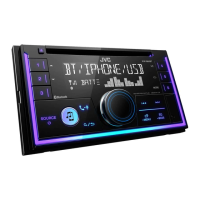
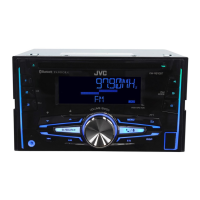
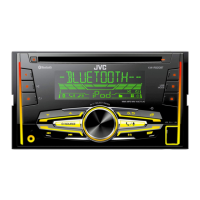
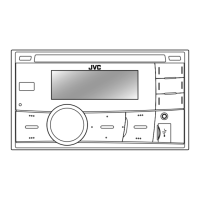
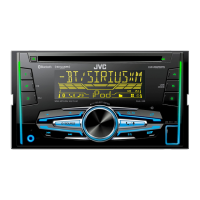
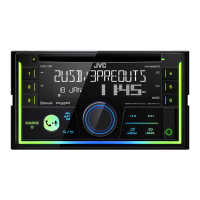
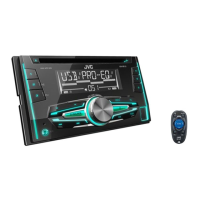
JVC KW-R950BTS - User Manual

JVC KW-R950BTS
140 pages
Print Icon
To Next Page IconTo Next Page
Loading...
Data Size: B6L (182 mm x 128 mm)
Book Size: B6L (182 mm x 128 mm)
ENGLISH
FRANÇAIS
ESPAÑOL
B5A-3883-00 [K]
KW-R950BTS
CD RECEIVER
INSTRUCTION MANUAL
RÉCEPTEUR CD
MANUEL D’INSTRUCTIONS
RECEPTOR CON CD
MANUAL DE INSTRUCCIONES
KW-X855BTS / KW-X850BTS
DIGITAL MEDIA RECEIVER
INSTRUCTION MANUAL
RÉCEPTEUR MULTIMÉDIA NUMÉRIQUE
MANUEL D’INSTRUCTIONS
RECEPTOR DE MEDIOS DIGITALES
MANUAL DE INSTRUCCIONES
For customer Use:
Enter below the Model No. and Serial No. which are
located on the top or bottom of the cabinet. Retain this
information for future reference.
Model No.
Serial No.
KW_R950BTS_K_B5A-3883-00_Cover_2nd Draft.indd 1KW_R950BTS_K_B5A-3883-00_Cover_2nd Draft.indd 1 5/8/2021 10:47:28 AM5/8/2021 10:47:28 AM

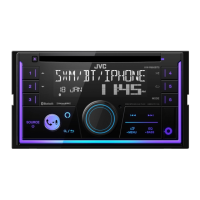
Table of Contents

Questions and Answers

  • C
    Christina BennettAug 14, 2025
    How to fix no sound on JVC Car Receiver?
    • J
      Joshua RhodesAug 14, 2025
      If the sound from your JVC Car Receiver is not audible, make sure to adjust the volume to a level that you can hear. Also, check all cords and connections to ensure they are properly connected.
  • J
    joseph13Aug 17, 2025
    Why can't I control Bluetooth audio player with my JVC Car Receiver?
    • Z
      Zachary StrongAug 17, 2025
      If the connected Bluetooth audio player cannot be controlled, verify that it supports Audio/Video Remote Control Profile (AVRCP). If it does, try disconnecting and reconnecting the Bluetooth player.
  • J
    Jon FieldsAug 21, 2025
    What to do if “IN DISC” appears and disc cannot be ejected from JVC Car Receiver?
    • A
      Alisha ThompsonAug 21, 2025
      If “IN DISC” appears and the disc cannot be ejected from your JVC Car Receiver, ensure that nothing is blocking the loading slot when you attempt to eject the disc.
  • M
    Mariah DanielsAug 25, 2025
    Why does “PLEASE WAIT” appear on my JVC Car Receiver?
    • M
      Melissa NobleAug 25, 2025
      If you see “PLEASE WAIT” on your JVC Car Receiver, the unit is preparing to use the Bluetooth function. If the message persists, turn the unit off and then on again, and reconnect your device.
  • A
    Andrea ScottAug 27, 2025
    How to enable phone call sound on JVC KW-R950BTS?
    • B
      Brandon FlynnAug 27, 2025
      If the phone call sound cannot be heard from the car speakers when using your JVC Car Receiver, press the designated button during a call to switch between hands-free and private talk mode.
  • D
    Dale KellyAug 30, 2025
    Why is the radio reception poor on my JVC Car Receiver?
    • A
      Aaron HawkinsAug 31, 2025
      If the radio reception is poor on your JVC Car Receiver, ensure the antenna is firmly connected. Static noise can also affect radio quality.
  • J
    John JenkinsSep 3, 2025
    What does “PLEASE EJECT” mean on my JVC Car Receiver?
    • C
      Charles Taylor DDSSep 3, 2025
      If “PLEASE EJECT” appears on your JVC Car Receiver, press the eject button, then insert the disc correctly.
  • S
    Sherri HoganSep 6, 2025
    What to do if “H/W ERROR” appears on JVC KW-R950BTS?
    • T
      Tammy BowmanSep 6, 2025
      If “H/W ERROR” appears on your JVC Car Receiver, reset the unit and try the operation again. If the error persists, consult your nearest service center.
  • A
    Angela MartinSep 10, 2025
    Why correct characters are not displayed on my JVC KW-R950BTS Car Receiver?
    • L
      lhollowaySep 10, 2025
      This JVC Car Receiver can only display uppercase letters, numbers, and a limited number of symbols. Depending on the display language selected, some characters may not be displayed correctly.

Summary

Before Use

Safety Precautions

Covers warnings about operation, battery hazards, and volume settings to ensure safe usage.

Basics

Getting Started

Initial Setup and Configuration

Covers acknowledging crossover, setting clock/date, and basic settings for initial use.

CD;USB;iPod

SiriusXM Radio

Bluetooth

Device Pairing and Connection

Explains profiles, codecs, microphone connection, and first-time pairing procedures.

Mobile Phone and Audio Operations

Covers mobile phone connection, auto-pairing, receiving calls, and audio playback.

AMAZON ALEXA

Alexa Setup and Basic Usage

Covers preparation, first-time setup, basic voice commands, and microphone control.

Audio Settings

Installation;Connection

Installation Procedures and Wiring

Provides overview, safety, parts list, mounting, and wiring guides for installers.

Troubleshooting

Common Issues and Solutions

Addresses general, radio, media, SiriusXM, Bluetooth, and Alexa related problems.

JVC KW-R950BTS Specifications

General IconGeneral
CategoryCar Receiver
DIN SizeDouble DIN
Display TypeLCD
BluetoothYes
USB PortYes
AUX InputYes
CD PlayerYes
SiriusXM ReadyYes
Pandora ControlYes
Spotify ControlYes
iHeartRadio ControlYes
Android Music PlaybackYes
iPhone/iPod Music PlaybackYes
RMS Power Output22 watts x 4 channels
Peak Output50 watts x 4 channels
Preamp Outputs3 Pairs (Front, Rear, Subwoofer)
Built-in AmplifierYes
Radio TunerAM/FM
Time AlignmentYes
Remote ControlYes
Steering Wheel ControlYes
Subwoofer OutputYes
Resolution800 x 480
Audio Formats SupportedMP3, WMA, AAC, FLAC
Equalizer13-Band Graphic EQ

Related product manuals