GB-13
CONNECTING EXTERNAL DEVICES
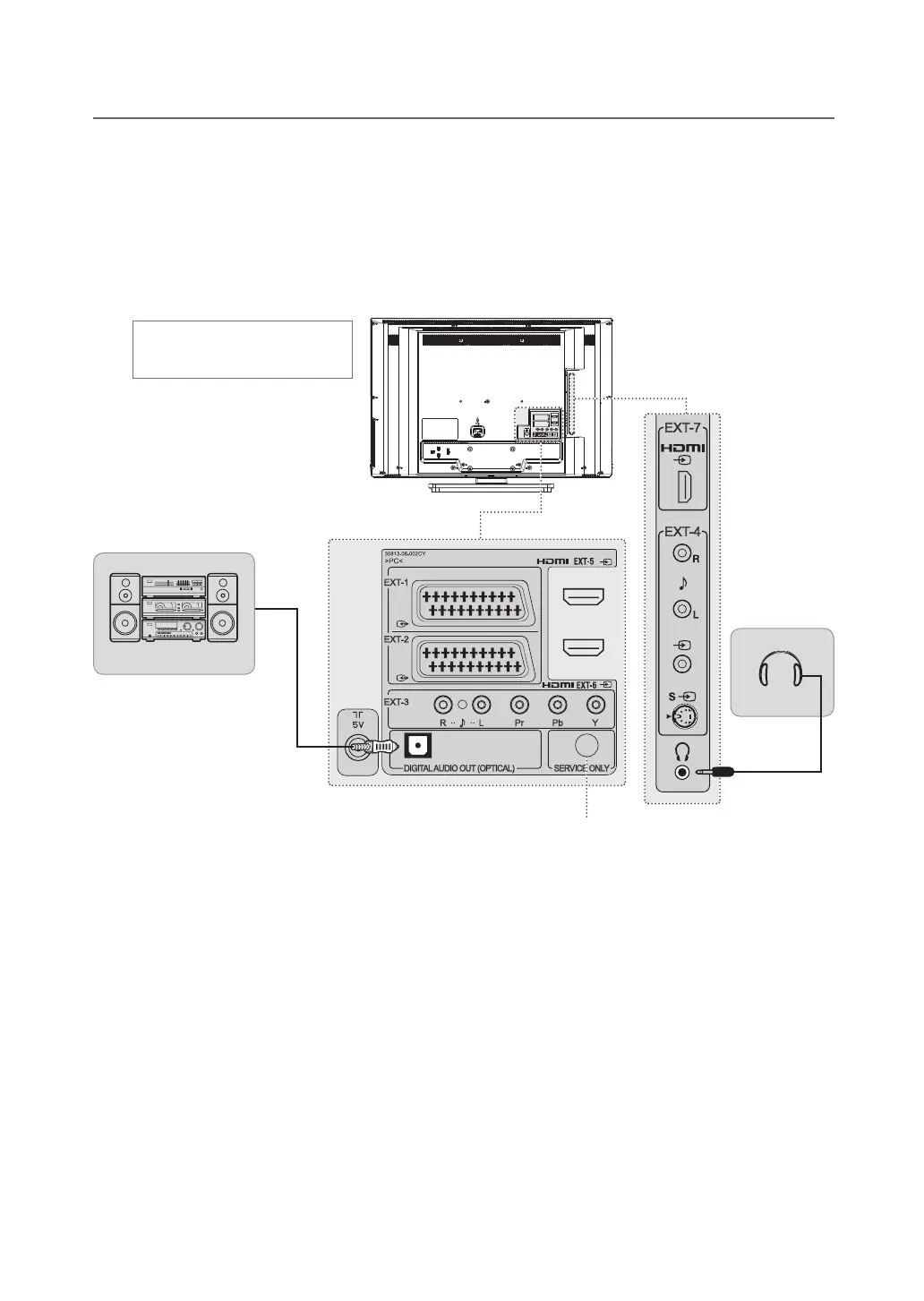
Connecting the Digital Audio System
DIGITAL AUDIO OUT (OPTICAL)
Connect the optical cable between the DIGITAL AUDIO OUT (OPTICAL) on TV and the composite optical audio
input connector of digital audio system.
Connecting Headphones
Connect a set of headphones to HP on TV if you want to watch a television programme without disturbing other
people close to you.
NOTE: Prolonged use of headphones at a high volume may cause health damage on your ears.
Headphone
Digital Audio System
Not available
(Service only)
Heretheshownillustrationis
LT-32DA9BJ model and may be
somewhat different from your TV.


 To Next Page
 Loading...