GB-25
MENU SETTINGS
YoucancustomizeyourTVwhichbestfitsyourrequirementsusingthevariousTVmenus.
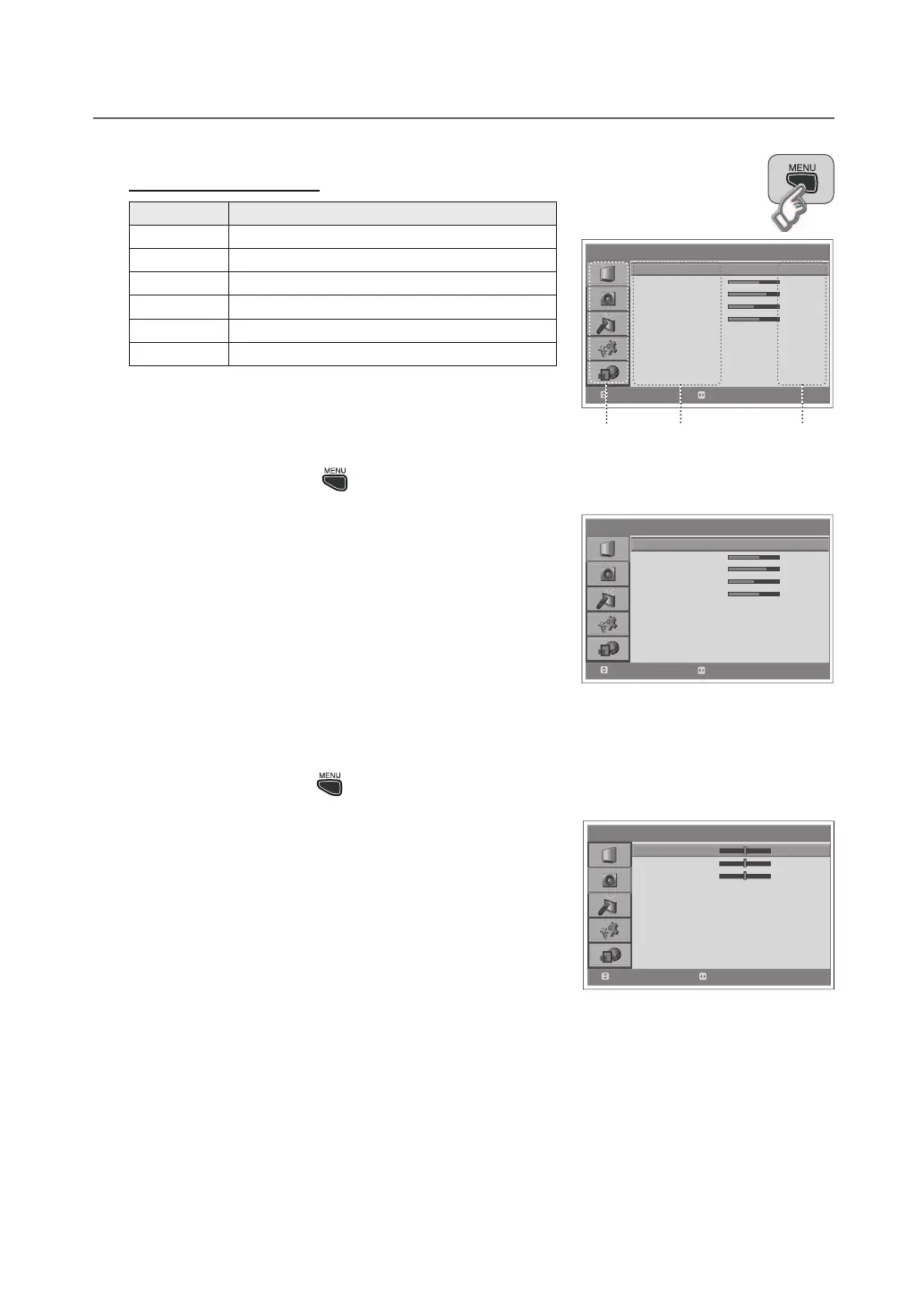
How to Navigate the Menu
Button Action
MENU Displays the menu.
▲/▼ Moves among menus or items.
OK or ► Selects (Enters) a menu or confirms a selection.
◄/► Adjusts or configures the option.
BACK Goes back to the previous screen.
NUMBER Enters the number (0~9).
NOTE: The default PIN code is 0000. If you have forgotten the PIN code,
please contact your local TV distributor.
Picture Settings : > Picture
● Mode:Bright-Game-Soft-Manual-Standard
WhenselectingManual,youcanadjustthevaluesoftheBrightness/
Contrast/Sharpness/Colour/Hueitems.
● Fleshtone:Off-Low-Medium-High
Use to improve the picture quality by adjusting colour balance.
● Colour Temperature:Cool-Normal-Warm
● Noise Reduction:Low-Medium-High-Off
● Backlight Brightness:High-Auto-Low-Medium
NOTE: YoucanadjusttheHueitemonlyinNTSCsignal.
Sound Settings : > Sound
● Bass:Adjuststhestrengthoflowtones
● Treble:Adjustthestrengthofhightones
● Balance:Adjuststhebalanceofspeaker.
● AVL(Auto Volume Level):Off-On
Adjusts automatically the volume of the channel depending on the
signal modulation.
● Hyper Sound:Off-On
Gives the ambient sound effect.
> P i c t u r e
Mod e
Brig h t n es s
Co nt r as t
Shar p n e ss
Co lo ur
Fl e sh t on e
Co lo ur Te m p er a t ur e
Nois e R ed uc tion
Back l ig ht
Stan d a r d
60
75
50
60
Of f
Co ol
Lo w
Hig h
Move
Select
> S o u n d
Bass
Trebl e
Bala n c e
AVL
Hyp e r Sound
0
0
0
On
Of f
Move
Adjust
> P i c t u r e
Mod e
Brig h t n es s
Co nt r as t
Shar p n e ss
Co lo ur
Fl e sh t on e
Co lo ur Te m p er a t ur e
Nois e R ed uc tion
Back l ig ht
Stan d a r d
60
75
50
60
Of f
Co ol
Lo w
Hig h
Move
Select
Menus
Items Options


 To Next Page
 Loading...