(No.YA369)1-19
4.7 ADJUSTMENT PROCEDURE
4.7.1 VIDEO CIRCUIT
SECTION 5
TROUBLESHOOTING
This service manual does not describe TROUBLESHOOTING.
Item
Measuring
instrument
Test point Adjustment part Description
WHITE
BALANCE
(HIGHLIGHT)
Remote
control unit
Signal
generator
[1.ADJUST]
S013: R DRIVE (Red drive)
S015: G DRIVE (Green drive)
S017: B DRIVE (Blue drive)
(1) Receive a PAL 75% all white signal.
(2) Set PICTURE MODE to "STANDARD".
(3) Set ZOOM to "FULL".
(4) Set COLOUR TEMP. to "NORMAL".
(5) Select "1.ADJUST" from the SERVICE MODE.
(6) Set < S013 > (R DRIVE), < S015 > (G DRIVE)
and < S017 > (B DRIVE) to setting values of left
table.
(7) Adjust to Keep one of < S030 > (Red drive),
< S031 > (Green drive) or < S032 > (Blue
drive) unchanged, then lower the other two
so that the all-white screen is equally white
throughout.
NOTE:
Set one or more of < S013 >, < S015 >, and
< S017 > to setting values of left table.
(8) Check that white balance is properly tracked
from low light to high light. If the white balance
tracking is deviated, adjust to correct it.
(9) Press the [MUTING] key to memoirze the set
value.
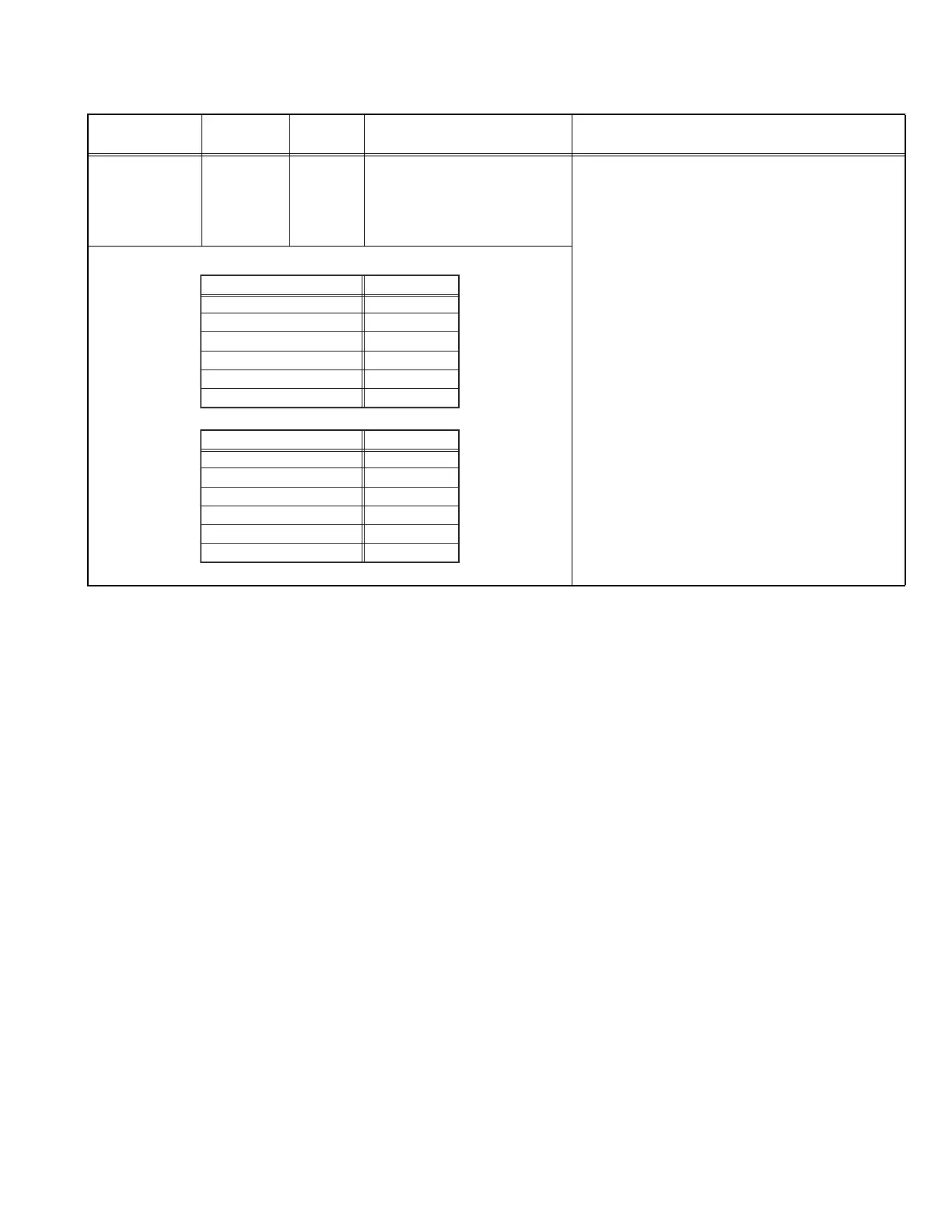
Setting ValueModels
LT-26A61BJ
LT-26A61BU
LT-26A61BU/C
LT-26A61SJ
LT-26A61SU
LT-26A61SU/C
146
146
140
140
140
146
26V-inch
Setting ValueModels
LT-32A61BJ
LT-32A61BU
LT-32A61BU/C
LT-32A61SJ
LT-32A61SU
LT-32A61SU/C
146
146
140
150
150
146
32V-inch



 To Next Page
 Loading...