(No.YA702<Rev.005>)1-17
3.4 DISASSEMBLY PROCEDURE (LCD PANEL UNIT [QLD0620-001])
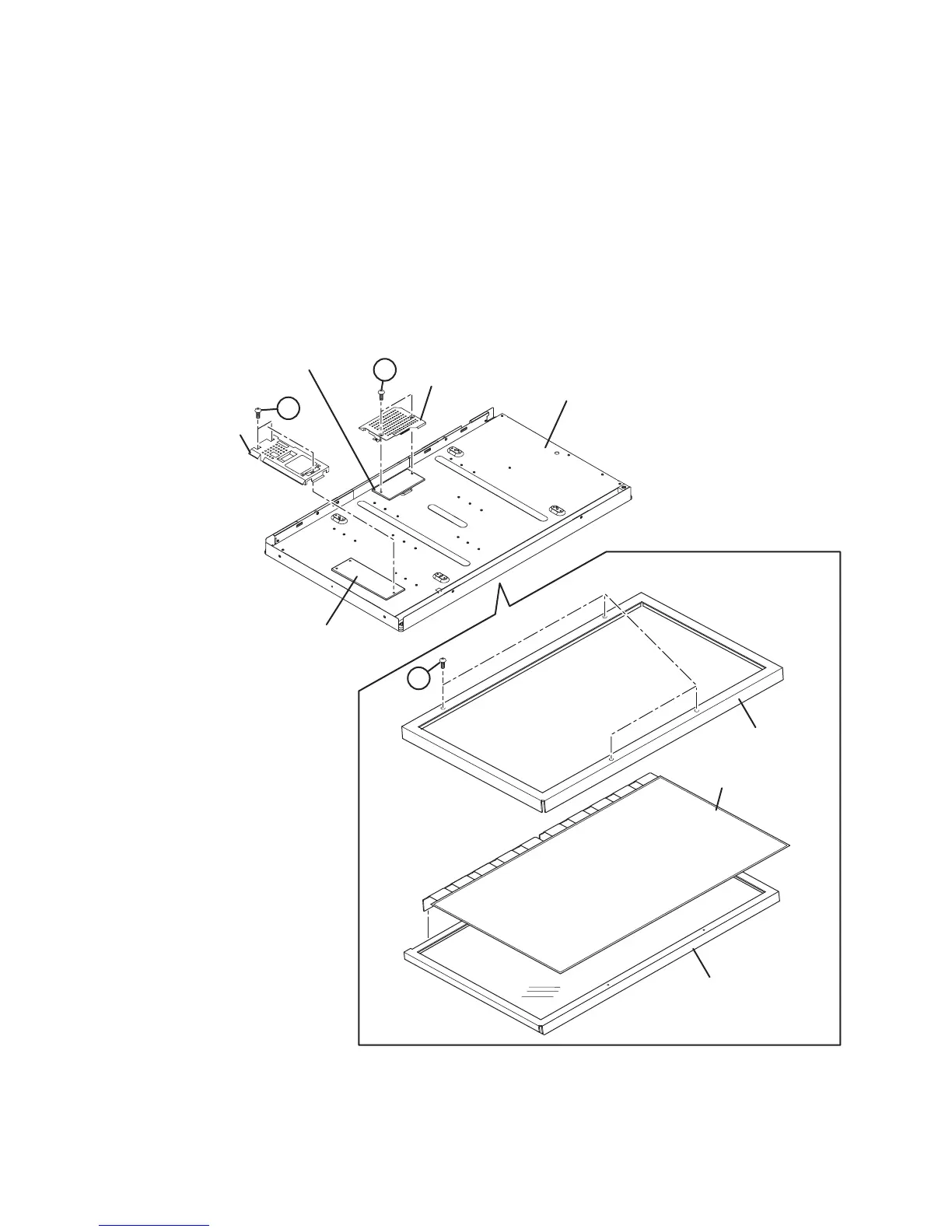
3.4.1 REMOVING THE LCD CONTROL PWB (Fig.3-3)
• Remove the REAR COVER.
• Remove the STAND.
• Remove the MAIN BASE.
(1) Remove the 2 screws [A].
(2) Remove the LCD CONTROL PWB COVER.
(3) Remove the LCD CONTROL PWB.
3.4.2 REMOVING THE INVERTER PWB (Fig.3-3)
• Remove the REAR COVER.
• Remove the STAND.
• Remove the MAIN BASE.
(1) Remove the 3 screws [B].
(2) Remove the INVERTER PWB COVER.
(3) Remove the INVERTER PWB.
3.4.3 REMOVING THE BACK LIGHT UNIT (Fig.3-3)
• Remove the REAR COVER.
• Remove the LCD PANEL UNIT.
(1) Remove the 4 screws [C].
(2) Remove the PANEL FRAME.
(3) Remove the LCD PANEL from the BACK LIGHT UNIT.
Fig.3-3
LCD PANEL
PANEL FRAME
BACK LIGHT UNIT
LCD PANEL UNIT
INVERTER PWB
COVER
LCD CONTROL PWB
COVER
B
C
A
INVERTER PWB
CONTROL PWB


 To Next Page
 Loading...







