19 20
ENGLISH
IMPORTANT! PREPARE USE
SETTINGS
TROUBLE?
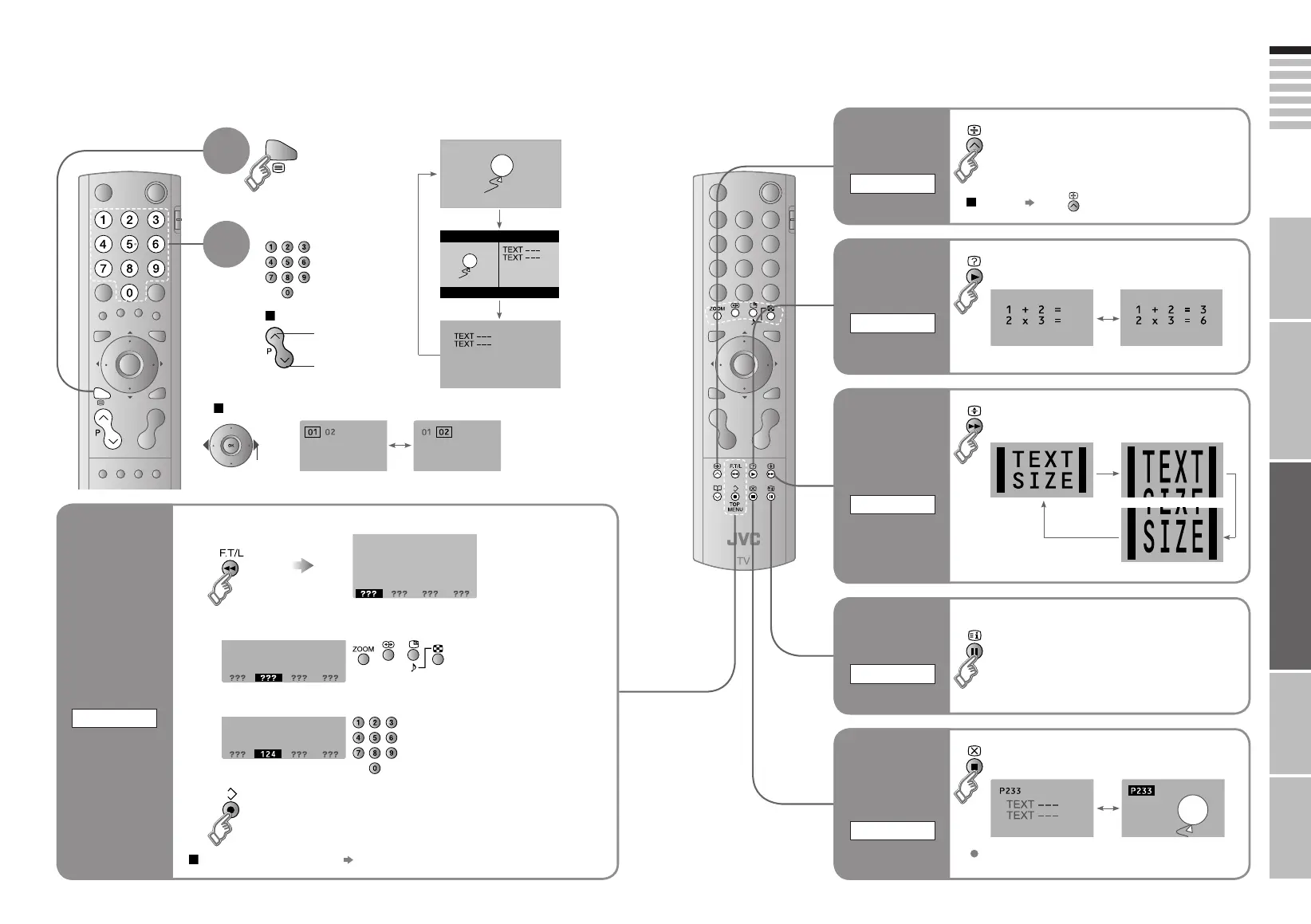
Enter a teletext page
up
down
When watching TV
TV
TEXT
Display your
favourites list
1
(RED) (
GREEN
) (
YELLOW
) (
BLUE
)
Select a coloured button to save your page to
Enter the number of the page to save
Save
2
3
4
TEXT
This TV can display TV broadcasts and teletext on the same channel in two windows.
to
sub-page
1
Viewing teletext
Move up or down a page
Bookmark
your favourite
page
LIST MODE
Recall your favourite page
Press the coloured button as in step 2
2
View sub-pages
.....
Hold the current page
Display hidden information
(answers to quizzes, etc)
Returns to page "100"
or a previously designated page
Double the size of the
displayed text
Leave the current page open,
while you switch to watch TV
Hold the
current page
HOLD
Switch briefl y
from teletext
to TV
CANCEL
Release
Press again
Useful when running a page search.
Reveal
hidden pages
REVEAL
To the
index page
INDEX
Enlarge
the text
SIZE
LT-37&32&26S60_Eng.indd 19-20LT-37&32&26S60_Eng.indd 19-20 8/23/2005 11:49:44 AM8/23/2005 11:49:44 AM



 To Next Page
 Loading...




