Need help?
Do you have a question about the JVC LT-55MA875 and is the answer not in the manual?
Detailed safety instructions for operating the TV.
Warnings regarding electrical safety, stability, and ventilation.
Details on the device's compliance with FCC rules and potential interference.
Cautions for safe TV operation, including cord management and ventilation.
Highlights key features like Chromecast, HDMI CEC, DTS Studio Sound, 4K UHD, HDR, and Audio Accessibility.
Guidelines for selecting an appropriate location and ensuring proper ventilation for the TV.
Lists the accessories provided with the TV for setup and use.
Technical specifications of the TV, including resolution, power, and connectivity.
Identifies front panel components, keyboard, and indicator LEDs.
Details the available input/output ports on the TV's rear and sides.
Instructions for connecting an antenna for TV signal reception.
Step-by-step guide for attaching the TV's base stand.
Illustrates how to connect external audio-visual devices to the TV.
Information on compatible wall mount patterns, screw types, and installation precautions.
Explains the function of each button on the TV's remote control.
Guides through the first-time setup process, including language and network.
Steps for setting up the TV using an Android phone, including Chromecast.
Configuring Wi-Fi network, naming the TV for Chromecast setup.
Steps for setting up the TV using an iOS phone, including Chromecast.
Setting up the ANT/CABLE IN jack and performing channel scans.
Instructions on how to cast content from mobile devices to the TV.
Procedures for turning the TV on, off, and understanding standby mode.
How to switch between different input sources like HDMI, AV, and Antenna.
Guide to customizing picture quality settings like brightness, contrast, and color.
Steps to modify audio settings, including volume, balance, and sound modes.
How to change channels, view information, and scan for channels.
Managing connected HDMI CEC devices and controlling them via the TV remote.
How to view photos from a USB drive using the TV's media player.
Setting up parental controls, PINs, and blocking content.
Common issues and solutions for Chromecast connectivity and casting problems.
Guides for diagnosing and resolving common picture and audio issues like snow, ghosting, and noise.
Regulatory information regarding FCC compliance and user warnings.
Legal notices for Dolby Audio, DTS, HDMI, and open-source fonts.
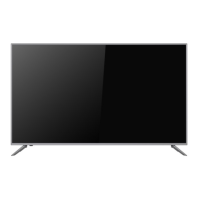
This document is a user guide for the JVC LT-55MA875 4K UHD HDR Smart TV, a 55-inch class (54.64-inch diagonal) television.
The JVC LT-55MA875 is a 4K UHD HDR Smart TV designed for reliable and trouble-free performance, offering a complete home theater experience. It features Google Chromecast™ built-in, allowing users to cast content from their mobile devices to the TV. The TV supports HDMI CEC Control, enabling compatible devices to communicate and be controlled with a single remote. It also incorporates DTS Studio Sound® for an immersive audio experience with 3D audio rendering, bass and dialog enhancement, and consistent volume. The 4K Ultra HD resolution provides four times the pixel resolution of 1080p Full HD, with at least 8 million active pixels (3,840 by 2,160). HDR (High Dynamic Range) expands the TV's contrast ratio and color palette for a more realistic and vivid image. Audio accessibility features include audio descriptions of menus and some remote control functions, with program narration potentially available depending on the broadcaster.

 To Next Page
 General