Need help?
Do you have a question about the JVC LT-40C880 and is the answer not in the manual?
Instructions for securely attaching the TV to a wall, including kit requirements.
Precautions regarding temperature, open flames, moisture, and ventilation for safe operation.
General safety advice including disconnection, supervision, and handling.
Guidance on power cords, avoiding interference, and optimal viewing conditions.
Information on normal pixel variations and prevention of screen burn-in effects.
Restrictions for wireless internet and safety advice for earphone use.
Proper standby usage, battery safety, and child supervision guidelines.
Technical info on earthing hazards and warnings against opening unit for service.
Instructions for safely cleaning the TV surfaces and avoiding damage.
Lists the items included with the TV and packaging instructions.
Steps for fitting and assembling the TV's base stand.
Guidelines for wall-mounting the TV, including kit requirements.
Identifies physical controls and indicators on the TV's front and side.
Details and identifies all rear panel connections and ports.
Step-by-step guide for inserting batteries into the remote control.
Tips for remote care, operation range, and battery safety.
Explains the function of each button on the remote control.
Continues the explanation of remote control buttons and their uses.
Guides through initial power-on, language, and region selection.
Steps to initiate and perform an automatic channel scan.
Guides for connecting to the internet via wired or wireless networks.
Explanation of the Wake On feature for mobile casting.
Steps to select region, perform scan, and edit channel list.
How to tune analogue devices and channels.
Methods for selecting channels, viewing info, and adjusting volume.
Explains the functions of the physical button on the TV.
Guide to modifying picture parameters like contrast, brightness, and colour.
How to adjust the picture aspect ratio for different formats.
Guide to configuring sound options like volume, equalizer, and sound modes.
Instructions for managing channels (watch, move, delete, edit, lock).
How to access and filter favourite channels.
Explains how to use the electronic programme guide and switch it on/off.
How to select programmes and use remote buttons in the guide.
Using guide buttons for navigation, search, and options.
How to pause live TV and record it to a USB storage device.
Instructions for recording live DTV programmes to a USB storage device.
How to schedule recordings or set timers for programmes.
Adjusting recording start/end times, max timeshift, and auto-discard.
How to access and play back recorded programmes.
Explains controls for managing recorded programmes (delete, edit, sort).
Accessing Red Button services and viewing information pages.
Instructions for tuning into and listening to radio stations.
Guide to establishing a wired internet connection.
Steps for setting up a Wi-Fi connection.
Explanation of the Wake On feature for mobile casting.
How to connect to the router using the WPS button.
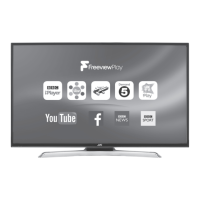
Introduction to the Freeview Play service and its features.
How to access catch-up services and view programme recommendations.
How to find content via Freeview Explore, app selection, genre and direct search.
Information about app updates and missing apps.
How to access 7-day catch-up content via the programme guide.
Entering and navigating the smart TV interface.
How to browse apps in the Market and access social feeds via Widgets.
Viewing, organising, and deleting apps in the My Apps section.
Information on pre-installed apps and how to search for new ones.
How to change the background picture of the smart screen.
How to browse the internet on the TV, including bookmarks and tabs.
How to manage Speed Dial entries and use the Opera browser menu.
Instructions for casting content from mobile devices to the TV.
How to use a Common Access Module for scrambled services.
How to set time zones and enable accessibility features.
Guide to advanced settings like Menu Timeout, Standby LED, and Auto TV OFF.
How to connect audio devices using the HDMI ARC feature.
How to adjust languages and manage input sources.
How to restore factory default settings and delete channels.
How to set up parental controls and change the PIN.
Instructions for connecting USB devices for storage and playback.
How to play video files from a USB device.
How to view photo files from a USB device.
How to play music files from a USB device.
Adjusting settings for slideshows and subtitles in media playback.
Guidelines for cleaning and caring for the TV.
Troubleshooting common issues and performance advice.
Continues troubleshooting common issues and performance advice.
Technical details, dimensions, and input/output specifications.
Continues technical details and energy efficiency information.
Details on software licenses and terms of use.
Statement of compliance with EU directives.
Codes for operating the TV with universal remotes.
Further information on software licensing and usage rights.
MPEG-2 notice, Rovi rights, Dolby audio, and Freeview information.
 General
| Screen Size | 40 inches |
|---|---|
| Display Type | LED |
| Smart TV | Yes |
| HDMI Ports | 3 |
| USB Ports | 2 |
| Wi-Fi | Yes |
| Ethernet Port | Yes |
| Bluetooth | No |
| Resolution | 1920 x 1080 |
| Audio Output | Headphone Jack |


 To Next Page