Need help?
Do you have a question about the JVC LT-49C870 and is the answer not in the manual?
Inspect unit for damage after unpacking and ensure proper placement on a stable surface.
Guidelines for wall mounting, temperature, flames, moisture, and ventilation.
Covers wireless restrictions, earphone, standby, battery handling, and child safety.
Details earthing, service, and cleaning procedures for safe operation.
Steps for unpacking the TV and attaching the base stand.
Guides for wall mounting and identifying front/rear components.
Installing batteries, operation range, and button functions.
Step-by-step guide for initial TV setup, network connection, and channel tuning.
Connecting analogue devices, channel selection, volume, and back button functions.
How to adjust various picture parameters like contrast, brightness, and colour.
Adjusting picture aspect ratio and audio preferences.
Editing, locking, and managing favourite channel lists.
Using the 7-day guide, event details, and search functions.
Pausing live TV, recording, timer programming, and playing recorded content.
Using Red Button services and listening to radio stations.
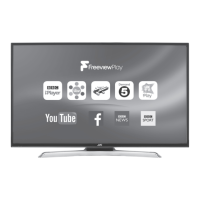
Connecting to the internet and using Freeview Play services.
Navigating Smart TV, managing apps, and editing wallpaper.
Using the web browser, bookmarks, speed dial, and Opera menu.
Using CI module and adjusting time zone settings.
Adjusting accessibility, HDMI ARC, language, and source settings.
Resetting the TV to factory defaults and managing parental settings.
Connecting and using USB storage devices for media playback.
Viewing videos, photos, and listening to music via the media browser.
Cleaning the TV and common operational issues with solutions.
Technical details, energy label, licenses, and compliance information.

 To Next Page
 General