EasyManua.ls Logo

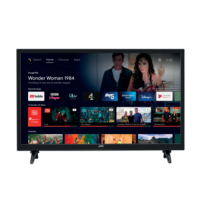
JVC LT-43K880 - User Manual

JVC LT-43K880
120 pages
Print Icon
To Next Page IconTo Next Page
Loading...
GB
GR
Instruction Manual
Εγχειρίδιο χρήσης
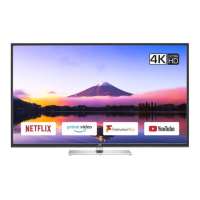
43" LED Smart 4K HDR TV
LED Smart 4K HDR TV 43 ιντσών
LT-43K880
JVC 43' LED Smart 4K HDR TV LT-43K880 Manual GB GR.indd 1 14/02/2018 14:13

Table of Contents

Other manuals for JVC LT-43K880

Question and Answer IconNeed help?

Do you have a question about the JVC LT-43K880 and is the answer not in the manual?

Summary

Safety Warnings

Wall Mounting

Instructions for securely attaching the TV to a wall.

General Safety Precautions

Covers temperature, moisture, ventilation, and general safety guidelines.

Preparation

Unpacking and Stand Assembly

Steps for unpacking the TV and assembling the base stand.

Base Stand Installation Details

Detailed steps for fitting the stand neck and base to the TV.

Wall Mounting Procedure

Guidelines for mounting the TV on a wall, including safety.

Front and Side Control Identification

Identifies and describes the TV's front and side controls.

Rear Port and Socket Identification

Details the rear view of the TV and identifies all connection sockets.

Remote Control Setup

Instructions for inserting batteries and understanding remote operation range.

Remote Control Button Functions

Explains the function of each button on the TV remote control.

Initial Setup

First Time Installation and Language

Guide for the initial TV power-on, language, and country selection.

Network Connection Setup

Steps for connecting the TV to wired or wireless networks.

Aerial Channel Tuning

Procedure for scanning and tuning digital aerial channels.

Satellite Channel Tuning

Procedure for tuning channels via satellite connection.

Analogue Setup and Basic Operations

Connecting analogue devices, channel selection, and volume adjustments.

Customising TV Settings

Picture Settings Adjustment

Guide to adjusting picture settings like contrast, brightness, and colour.

Aspect Ratio and Sound Settings

Adjusting picture aspect ratio and various sound output options.

Editing Channel List Options

Managing channels: watch, move, delete, edit name, lock, and favourites.

Managing Favourite Channels

Filtering and viewing lists of favourite channels.

Using the Features

Programme Guide Navigation

How to view and navigate the TV's programme guide.

Time Shift Recording

Pausing live TV and recording for later viewing.

DTV Programme Recording

Recording currently watched DTV programmes onto a USB device.

Timer Programming for Recordings

Setting up scheduled recordings using the timer function.

Recording Settings Adjustment

Customizing recording parameters like start/end times and auto discard.

Playing Recorded Programmes

Accessing and playing recorded content from the Media Browser.

Listening to Radio Stations

Tuning into and listening to available radio stations.

Using the Smart Features

Wired Internet Connection

Connecting the TV to the internet using an Ethernet cable.

Wireless Internet Connection

Setting up a wireless connection and using the Wake On feature.

WPS Button Wireless Setup

Simplified wireless network connection using the WPS button.

Smart TV Interface Overview

Navigating the Smart TV sections: Market, Widget, My Apps, Key Apps.

Managing Smart TV Apps

Organizing, deleting, and searching for apps within Smart TV.

Casting Content from Mobile Devices

Mirroring YouTube or Netflix content from mobile to TV.

Other Information

Common Interface (DTV Mode)

Using a Common Access Module for scrambled DTV channels.

Time and Accessibility Settings

Adjusting TV time zone and enabling accessibility features.

Advanced TV Settings

Configuring settings like menu timeout, standby LED, and auto TV off.

HDMI ARC Audio Setup

Connecting audio devices via HDMI ARC for sound output.

Language and Input Source Settings

Setting preferred languages and configuring input sources.

Factory Reset Procedure

Steps to restore the TV to its original factory default settings.

Parental Control Settings

Managing menu locks, child lock, and setting a new PIN.

Entertainment

Connecting USB Storage

Requirements and steps for connecting USB storage devices for media playback.

Viewing Video Files

Browsing, selecting, and playing video files from a USB device.

Viewing Photo Files

Browsing, viewing, and managing photo files from a USB device.

Listening to Music Files

Browsing, selecting, and playing music files from a USB device.

Technical Information and Help

TV Maintenance and Cleaning

Guidelines for safely cleaning the TV screen and surfaces.

Troubleshooting Hints and Tips

Common issues and their solutions for optimal TV performance.

Troubleshooting Common Issues

Addresses various problems like no sound, picture issues, and Smart TV functionality.

Product Specifications

Detailed technical specifications, inputs, outputs, and dimensions.

Licensing and Compliance Information

Details on software licenses, EULAs, and the EU declaration of conformity.

Legal and Compliance Notices

Environmental and Software Compliance

Information on product disposal, MPEG, Dolby, HDMI, and DTS compliance.

Support and Contact Information

Customer Support Details

Contact information for customer support and warranty inquiries.

Summary

Safety Warnings

Wall Mounting

Instructions for securely attaching the TV to a wall.

General Safety Precautions

Covers temperature, moisture, ventilation, and general safety guidelines.

Preparation

Unpacking and Stand Assembly

Steps for unpacking the TV and assembling the base stand.

Base Stand Installation Details

Detailed steps for fitting the stand neck and base to the TV.

Wall Mounting Procedure

Guidelines for mounting the TV on a wall, including safety.

Front and Side Control Identification

Identifies and describes the TV's front and side controls.

Rear Port and Socket Identification

Details the rear view of the TV and identifies all connection sockets.

Remote Control Setup

Instructions for inserting batteries and understanding remote operation range.

Remote Control Button Functions

Explains the function of each button on the TV remote control.

Initial Setup

First Time Installation and Language

Guide for the initial TV power-on, language, and country selection.

Network Connection Setup

Steps for connecting the TV to wired or wireless networks.

Aerial Channel Tuning

Procedure for scanning and tuning digital aerial channels.

Satellite Channel Tuning

Procedure for tuning channels via satellite connection.

Analogue Setup and Basic Operations

Connecting analogue devices, channel selection, and volume adjustments.

Customising TV Settings

Picture Settings Adjustment

Guide to adjusting picture settings like contrast, brightness, and colour.

Aspect Ratio and Sound Settings

Adjusting picture aspect ratio and various sound output options.

Editing Channel List Options

Managing channels: watch, move, delete, edit name, lock, and favourites.

Managing Favourite Channels

Filtering and viewing lists of favourite channels.

Using the Features

Programme Guide Navigation

How to view and navigate the TV's programme guide.

Time Shift Recording

Pausing live TV and recording for later viewing.

DTV Programme Recording

Recording currently watched DTV programmes onto a USB device.

Timer Programming for Recordings

Setting up scheduled recordings using the timer function.

Recording Settings Adjustment

Customizing recording parameters like start/end times and auto discard.

Playing Recorded Programmes

Accessing and playing recorded content from the Media Browser.

Listening to Radio Stations

Tuning into and listening to available radio stations.

Using the Smart Features

Wired Internet Connection

Connecting the TV to the internet using an Ethernet cable.

Wireless Internet Connection

Setting up a wireless connection and using the Wake On feature.

WPS Button Wireless Setup

Simplified wireless network connection using the WPS button.

Smart TV Interface Overview

Navigating the Smart TV sections: Market, Widget, My Apps, Key Apps.

Managing Smart TV Apps

Organizing, deleting, and searching for apps within Smart TV.

Casting Content from Mobile Devices

Mirroring YouTube or Netflix content from mobile to TV.

Other Information

Common Interface (DTV Mode)

Using a Common Access Module for scrambled DTV channels.

Time and Accessibility Settings

Adjusting TV time zone and enabling accessibility features.

Advanced TV Settings

Configuring settings like menu timeout, standby LED, and auto TV off.

HDMI ARC Audio Setup

Connecting audio devices via HDMI ARC for sound output.

Language and Input Source Settings

Setting preferred languages and configuring input sources.

Factory Reset Procedure

Steps to restore the TV to its original factory default settings.

Parental Control Settings

Managing menu locks, child lock, and setting a new PIN.

Entertainment

Connecting USB Storage

Requirements and steps for connecting USB storage devices for media playback.

Viewing Video Files

Browsing, selecting, and playing video files from a USB device.

Viewing Photo Files

Browsing, viewing, and managing photo files from a USB device.

Listening to Music Files

Browsing, selecting, and playing music files from a USB device.

Technical Information and Help

TV Maintenance and Cleaning

Guidelines for safely cleaning the TV screen and surfaces.

Troubleshooting Hints and Tips

Common issues and their solutions for optimal TV performance.

Troubleshooting Common Issues

Addresses various problems like no sound, picture issues, and Smart TV functionality.

Product Specifications

Detailed technical specifications, inputs, outputs, and dimensions.

Licensing and Compliance Information

Details on software licenses, EULAs, and the EU declaration of conformity.

Legal and Compliance Notices

Environmental and Software Compliance

Information on product disposal, MPEG, Dolby, HDMI, and DTS compliance.

Support and Contact Information

Customer Support Details

Contact information for customer support and warranty inquiries.

JVC LT-43K880 Specifications

General IconGeneral
Screen Size43 inches
Resolution4K UHD (3840 x 2160)
Smart TVYes
HDR SupportHDR10
HDMI Ports3
USB Ports2
Wi-FiYes
BluetoothYes
Display TechnologyLED
Smart TV PlatformAndroid TV
Refresh Rate60 Hz
EthernetYes
Audio Output20W (2 x 10W)

Related product manuals