EasyManua.ls Logo

JVC LT-49MA875 - User Manual

JVC LT-49MA875
30 pages
To Next Page IconTo Next Page
Loading...
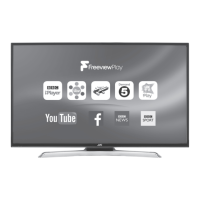
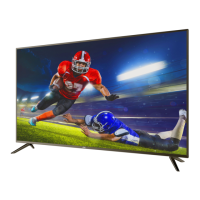
4K UHD HDR Smart TV
Before operating the unit, please read this manual thoroughly.
ATTENTION
If you purchase a universal remote control from your local retailer, please contact the remote manufacturer for the
required programming code.
PLEASE HAVE THE MODEL NUMBER READY PRIOR TO CALLING
FOR RECYCLING INFORMATION, PLEASE CONTACT CUSTOMER SERVICE.
CUSTOMER SERVICE - 1-888-582-8870
ENGLISH
USER GUIDE
LT-49MA875
(49" class/ 48.5 diagonal)"

Questions and Answers

JVC LT-49MA875 Specifications

General IconGeneral
BrandJVC
ModelLT-49MA875
CategorySmart TV
LanguageEnglish

Summary

Safety and Warnings

Important Safety Instructions

Essential guidelines for safe operation and handling of the TV.

Safety Symbols and Warnings

Explains essential safety symbols and their meanings for user awareness.

General Safety Precautions

Visual guidance on preventing hazards like electric shock, falls, and damage.

Introduction

Google Chromecast Built-in

Details the built-in Chromecast feature for streaming content.

Advanced Display Technologies

Explains 4K resolution and HDR for enhanced picture quality.

DTS Studio Sound

Describes the advanced surround sound technology for immersive audio.

Installation

TV Features, Accessories, and Specs

Lists key capabilities, accessories, and technical performance metrics of the TV.

Panel Layout and Ports

Details front panel, rear, and side input/output terminals.

Antenna and HDMI Setup

Guides antenna connection and HDMI preset modes for optimal signal.

Base Stand and AV Connections

Covers base stand assembly and connecting various AV equipment.

Wall Mount

Wall Mount Installation Guide

Provides guidance and safety precautions for mounting the TV on a wall.

Remote Control

Remote Control Button Functions

Explains the function of each button on the remote control.

Operation

Initial TV Setup and Configuration

Guides through initial setup, Wi-Fi, and mobile device integration.

Input, Channel, and Sound Adjustments

Covers selecting inputs, managing channels, and adjusting audio settings.

HDMI-CEC and Device Control

Manages HDMI CEC features, auto power, and controlling external devices.

Media Player and Parental Controls

Sets up parental restrictions and uses the media player for photo viewing.

Troubleshooting

Chromecast Connectivity Issues

Common questions and solutions for Chromecast connectivity problems.

Picture and Audio Problem Solving

Lists common display and sound issues with inspection checks.

Legal Notices

FCC Compliance Statement

Regulatory compliance information regarding radio frequency interference.

Trademark and Licensing Information

Legal acknowledgments for Dolby, HDMI, DTS, and Open Source.

Related product manuals