Prior to performing the following procedure, remove
the power / CD switch board.
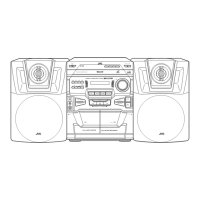
Pull out the volume knob toward the front.
Disconnect the card wire from the mechanism board
of the cassette mechanism assembly.
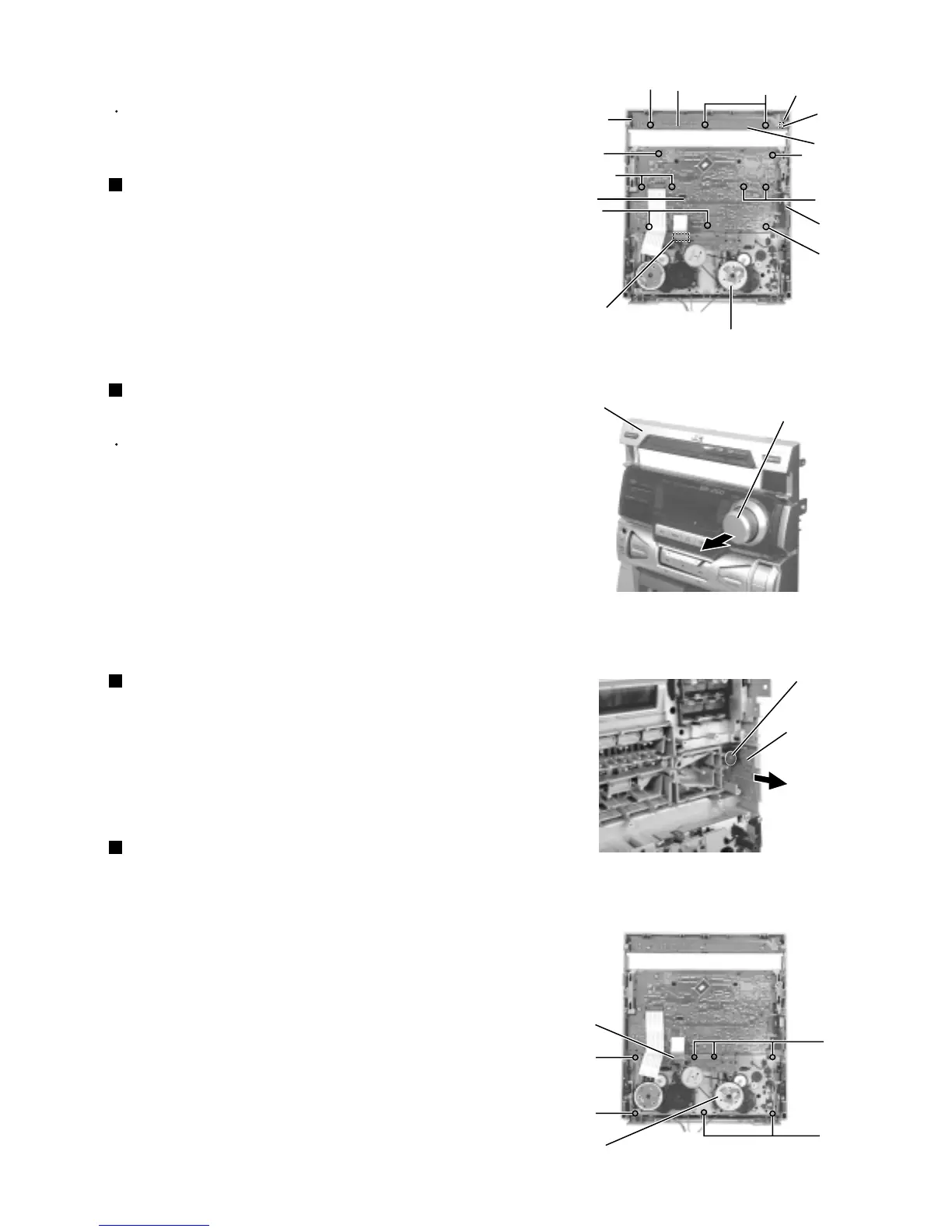
Remove the nine screws S attaching the system
board.
1.
2.
3.
Removing the system board
(See Fig.22 and 23)
Remove the three screws R attaching the power /
CD switch board and release the three tabs h
outward.
Disconnect the harness from connector UCW2 of the
power / CD switch board.
1.
2.
Prior to performing the following procedure, remove
the top cover, the side covers, the CD tray fitting and
the front panel assembly.
Removing the power / CD switch board
(See Fig.22)
Disconnect the card wire from the mechanism board
of the cassette mechanism assembly.
Remove the seven screws U attaching the cassette
mechanism assembly.
1.
2.
Removing the cassette mechanism
assembly (See Fig.25)
<Front panel assembly>
Remove the system board temporarily and remove
the screw T attaching the headphone board. Pull out
the headphone board.
1.
Removing the headphone board
(See Fig.24)
Fig.22
Fig.23
Fig.24
Fig.25
Tab h
Power / CD
switch board
R
S
Headphone
board
Tab h
Tab h
Cassette mechanism assembly
UCW2
R
S
S
S
S
S
System board
Mechanism board
Front panel assembly
Volume knob
Headphone board
T
Cassette mechanism assembly
Mechanism board
U
U
U
U



 To Next Page