(No.MB350)1-7
SECTION 3
DISASSEMBLY
3.1 Main body
3.1.1 Removing the metal cover/ rear cover
(See Fig.1 to 5)
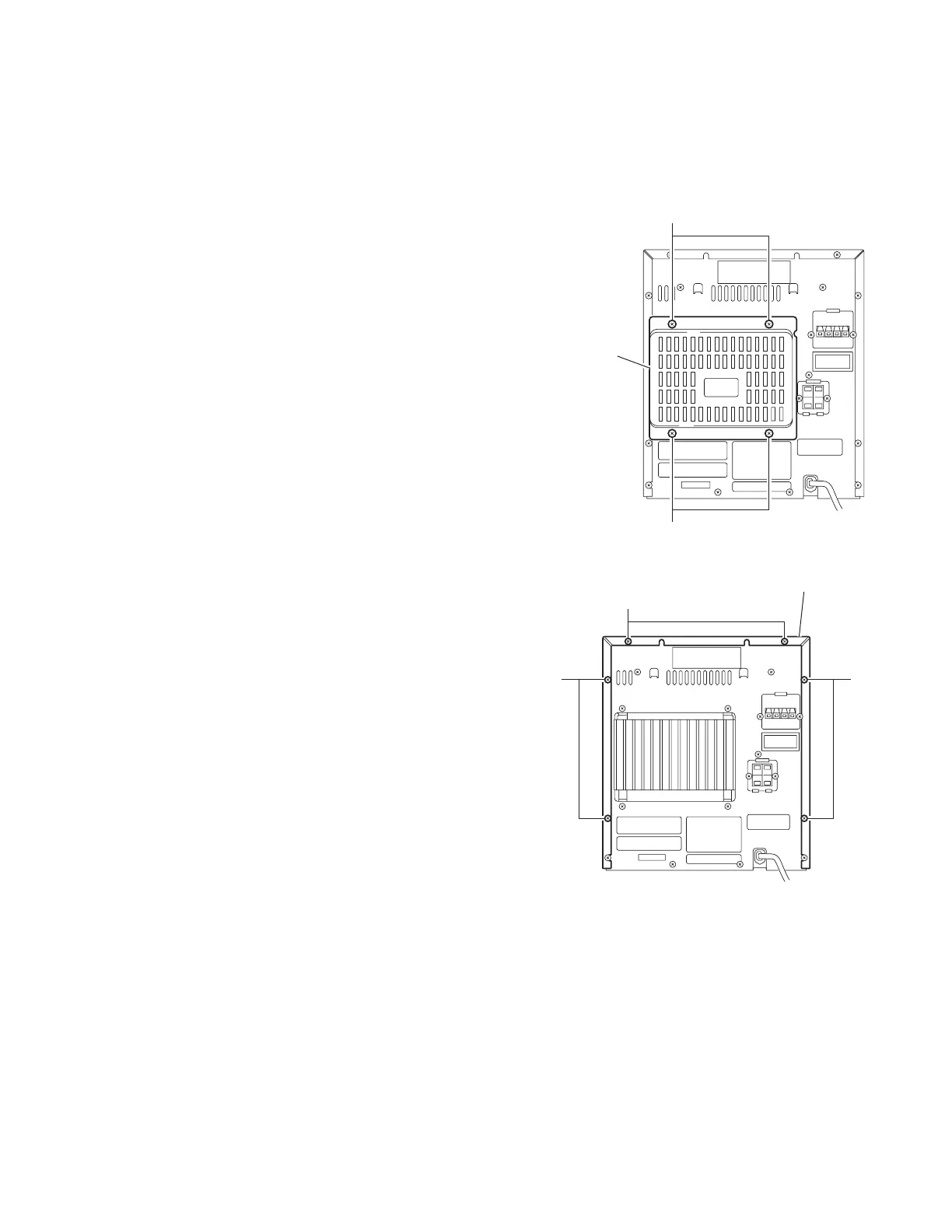
(1) Remove the four screws A on the back of the body.
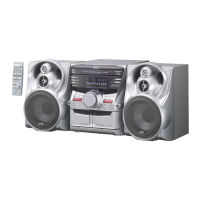
(2) Remove the six screws B on the back of the body.
(3) Remove the four screws C and the two screws D on both
sides of the body.
(4) Move the metal covers in the direction of the arrow with
pulling them sideways, and release two joints a and six
joints b.
Fig.1
Fig.2
A
Rear cover
A
B
BB
Metal cover


 To Next Page