(No.MB664<Rev.002>)1-9
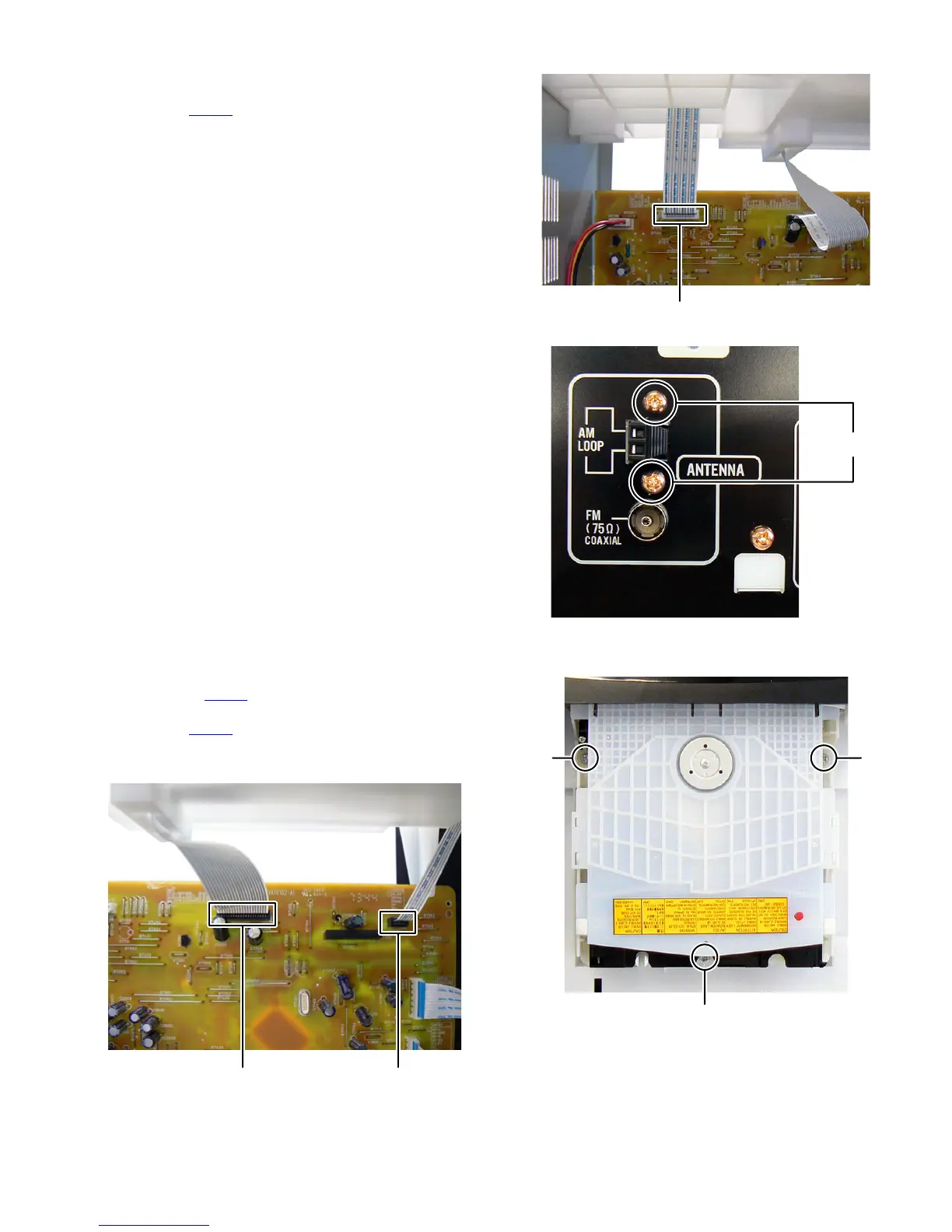
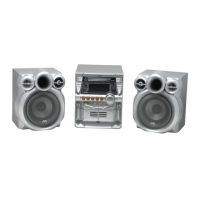
3.1.2 Removing the Tuner pack (See Fig.3, 4)
(1) Disconnect the card wire from Tuner pack connected to
connector CN707
of the Micom board. (See Fig.3)
(2) Remove the two screws C attaching the Tuner pack. (See
Fig.4)
Fig.3
Fig.4
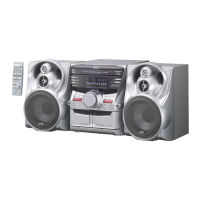
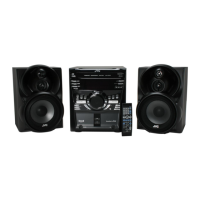
3.1.3 Removing the CD mechanism (See Fig.5, 6)
(1) Disconnect the card wire from CD mechanism connected
to connector CN708
of the Micom board. (See Fig.5)
(2) Disconnect the card wire from Loader board connected to
connector CN709 of the Micom board. (See fig.5)
(3) Remove the three screws D attaching the CD mechanism.
(See Fig.6)
Fig.5
Fig.6
CN707
C
CN708 CN709
D
DD


 To Next Page