EasyManua.ls Logo

JVC PC-V55 B - Page 5

JVC PC-V55 B
29 pages
Print Icon
To Next Page IconTo Next Page
To Previous Page IconTo Previous Page
Loading...
PC-V55
pec
@
3D
speaker
1)
Remove
a
screw
securing
the
3D
switch.
2)
Remove
seven
screws
49
securing
the
3D
speaker
cover
and
its
base.
3)
Take
off
the
3D
speaker
from
the
base.
@
Cassette
door
1)
Stide
the
cassette
lid
leftwards
and
take
it
off.
2)
Remove
the
door
damper.
3)
Remove
the
shaft
of
the
cassette
holder
arm.
Motor
Switch
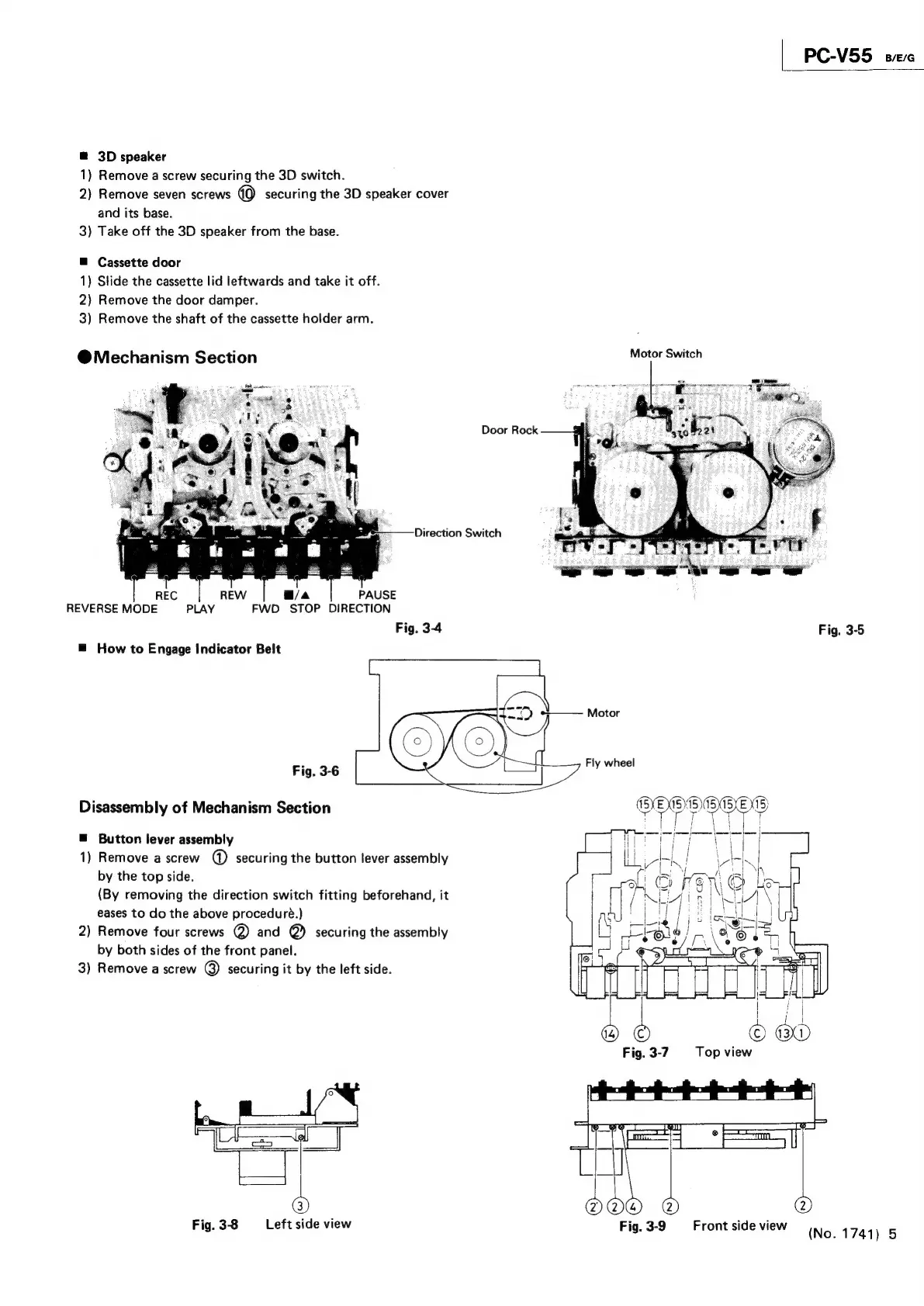
@Mechanism
Section
Door
Rock
Direction
Switch
REVERSE
MODE
PLAY
FWD
STOP
DIRECTION
Fig.
3-4
Fig.
3-5
=
How
to
Engage
Indicator
Belt
Fig.
3-6
Disassembly
of
Mechanism
Section
@
Button
lever
assembly
1)
Remove
a
screw
@
securing
the
button
lever
assembly
by
the
top
side.
(By
removing
the
direction
switch
fitting
beforehand,
it
eases
to
do
the
above
proceduré.)
2)
Remove
four
screws
@)
and
@)
securing
the
assembly
by
both
sides
of
the
front
panel.
3)
Remove
a
screw
@)
securing
it
by
the
left
side.
Fig.
3-8
Left
side
view
Fig.
3-9
Front
side
view
(No.
1741)
5

Related product manuals