( 1 ) Load the test tape TCC-182A 8KHz for azimuth
adjustment.
( 2 ) Press the PLAY button.
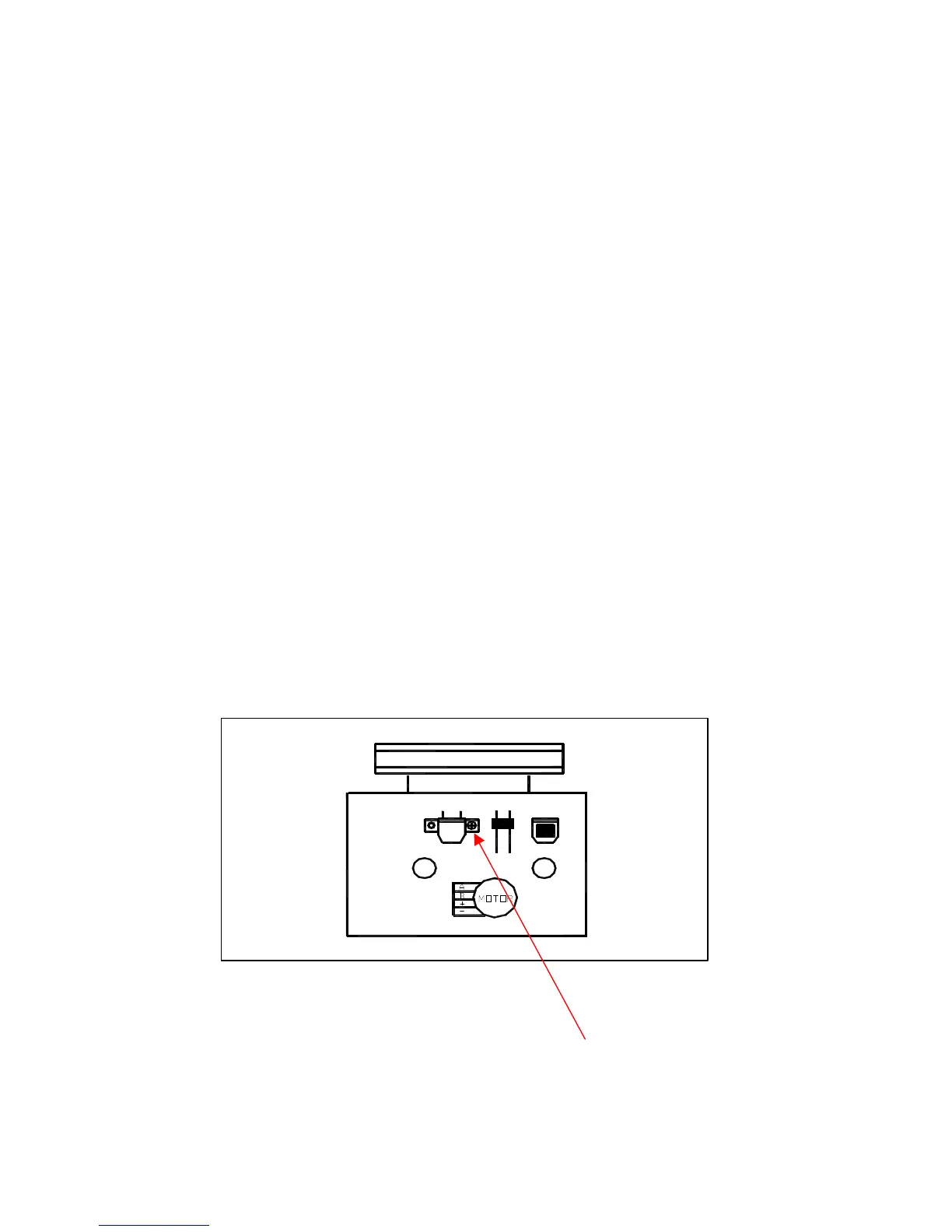
Use a cross-tip screwdriver to turn the screw for azimuth
( 3 ) adjustment so that the left and right output are maximized
( 4 ) Press the STOP button
( 5 ) After completion of the adjustment. Use thread lock(TB-1401B)
to secure the azimuth-adjustment screw.
AC BIAS FREQUENCY ADJUSTMENTS
( 1 ) Connect frequency counter to CN201(BS);
( 2 ) R/P swith in recording state;
( 3 ) Adjusting T201 use a plastic screwdriver, AC bias frepuency;62+-1KHZ..
Insert the test tape(MTT-111N,3,000 HZ)
( 2 ) Press the PLAY button.
( 3 ) Use a flat-tip screwdriver to turn the MOTOR VR
adjust MOTOR VR so that the frequency counter
become 3,000Hz
CASSETTE MECHANISM SECTION
HEAD AZIMUTH ADJUSTING SCREW
1-8


 To Next Page
 Loading...