19
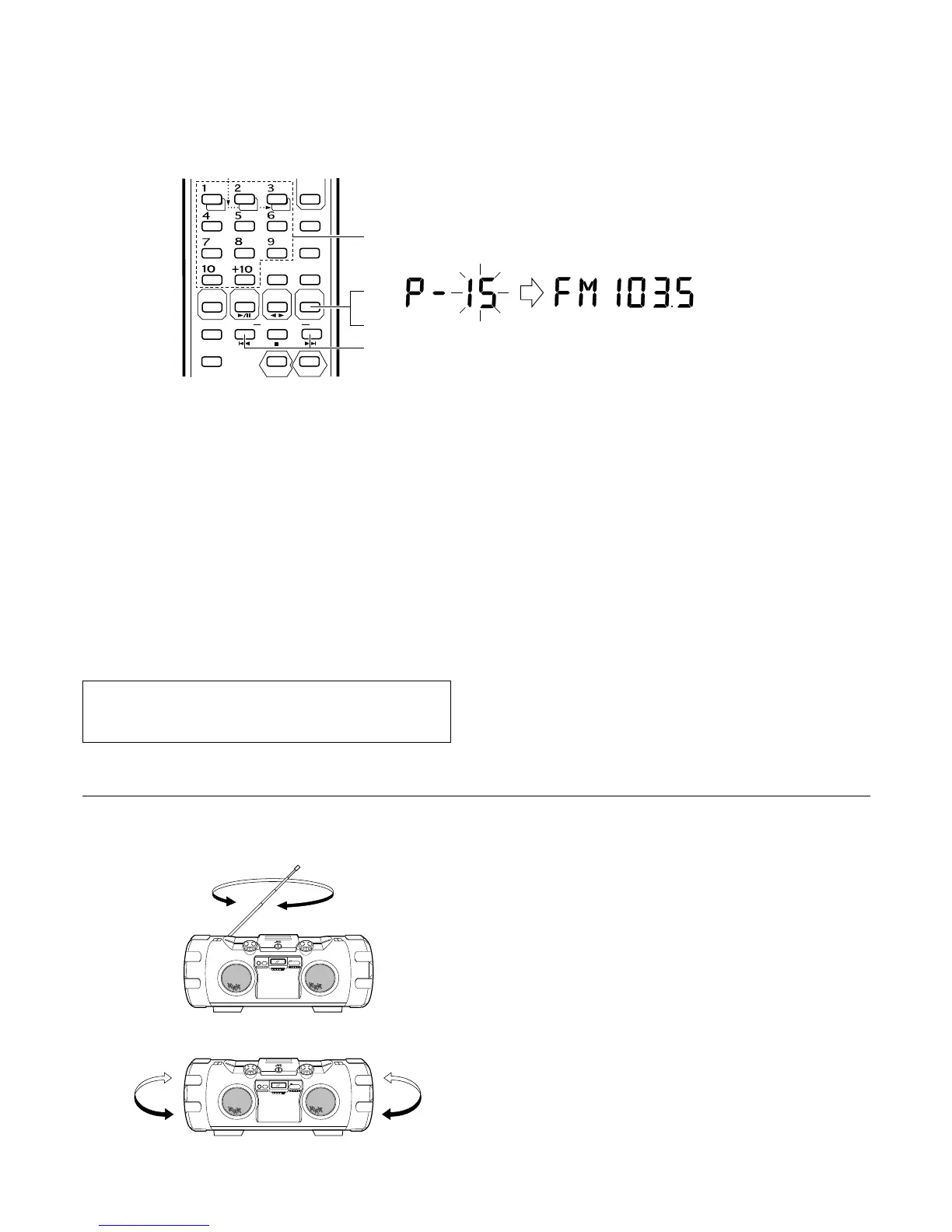
Presetting the desired stations (using the remote control unit)
30 stations in FM band and 15 stations in AM (MW/LW) band can be
preset as follows:
÷ Example: (Presetting an FM station broadcasting on 103.5 MHz to preset
button “15”)
1 Press the TUNER BAND/FM MODE button.
2 Select the FM band using the TUNER BAND/FM MODE button.
3 Tune to the required station.
4 Press preset button “+10”, then “5” for more than 2 sec.
(When “15” blinks in the preset station display, the station has been
stored.)
÷ Repeat the previous procedure for each of the other stations, using a
different preset button each time.
÷ Repeat the previous procedure for the other band.
÷ To change preset stations
Perform step 4 after tuning to the required station.
Notes:
÷ The previously stored station is erased when a new station is stored,
because the new station’s frequency replaces the previous frequency
in memory.
÷ When listening to an AM (MW/LW) broadcast, noise may be heard if
the remote control unit is used.
SLEEP
PROGRAM
RANDOM
REPEAT
AUTO
PRESET
SOUND
DISPLAY
REVERSE MODE
MULTI CONTROL
FM MODE
REW
FF
TAPE
TUNER
BAND
C D
DOWN UP SET
AUX
ACS
4
1
2
3
MHz
To prevent the preset stations from being erased because of a power
failure, etc., install memory back-up batteries in the unit (see page
6).
Preset station tuning
(Receiving the preset stations)
÷ The stations must be preset before this operation can be performed.
(Using the main unit)
1 Press the TUNER BAND button.
2 Select the band using the TUNER BAND button.
3 Each time the PRESET TUNING button is pressed, the next preset
station is selected.
(Using the remote control unit)
1 Press the TUNER BAND/FM MODE button.
2 Select the band using the TUNER BAND/FM MODE button.
3 Press the required preset station buttons (No. 1 – No. 10 and +10).
÷ The preset station number and frequency corresponding to the button
pressed are shown.
FM: Adjust the telescopic antenna’s length, angle and
direction until optimum reception is received.
AM (MW/LW): Install the unit where suitable reception is possible (beside
a window, etc.) or change the direction of the unit.
Note:
The built-in ferrite core antenna can pick up interference from television
receivers in the neighborhood and thereby disturb AM (MW/LW) reception.
FM
AM (MW/LW)
Using the antennas


 To Next Page
 Loading...