Need help?
Do you have a question about the JVC KD-R757 and is the answer not in the manual?
Covers warnings about operating the unit safely and general precautions for use.
Details on starting playback, selecting tracks, folders, and playback modes.
Methods for selecting tracks, files, or songs by name or from lists.
Guide to searching for radio stations and storing favorite presets.
Guide to selecting preset EQs and storing custom sound profiles.
Solutions for sound issues, device detection, and display errors.
Troubleshooting steps for disc ejection, playback order, and iPod/iPhone not working.
Step-by-step instructions for mounting the unit into the dashboard.
Diagrams and explanations for connecting the unit's wiring harness and ISO connector.
Detailed pinout for the ISO connector and color/function mapping.
 General
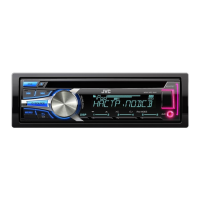
| Maximum Output Power / Channel Qty | 50 Watts x 4 |
|---|---|
| Supported Digital Audio Standards | MP3, WMA |
| Faceplate Type | Detachable |
| Built-in Display | Yes |
| Equalizer | Yes |
| Source | CD, USB, Aux, Radio |
| Radio Tuner | AM/FM |
| USB Port | Yes |
| Channels | 4 |
| RMS Power Output | 22 Watts x 4 |
| CD Player | Yes |
| Auxiliary Input | Yes |
| Bluetooth | No |
| Remote Control | Yes |
| Media Type | CD-R, CD-RW, MP3, WMA |

 To Next Page