Need help?
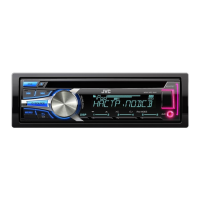
Do you have a question about the JVC KD-R452 and is the answer not in the manual?
Guidelines for proper disposal of old electrical equipment and batteries according to EU standards.
Explanation of the Class 1 laser product marking and its safety implications.
General safety warning advising against distractions while driving.
Cautions regarding volume adjustment for situational awareness and speaker protection.
Advice on safe storage of the remote and general handling precautions.
Instructions for cleaning the unit's exterior and handling discs properly.
Identification and function of the main controls on the unit's faceplate.
How to perform basic operations using the remote control and faceplate.
Procedures for resetting the unit and replacing the remote control's battery.
Steps to deactivate the unit's demonstration mode.
Guide to setting the internal clock time and format (12/24 hour).
Configuration of essential system settings like BEEP, SRC SELECT, and LANGUAGE.
Selecting tracks, folders, and basic playback functions for media.
Details on repeat and random playback modes for various audio file types.
Methods for selecting files from lists and searching by name.
Switching between USB drives and adjusting audiobook playback speed.
Instructions for tuning radio stations and saving them to presets.
Using PTY search and activating Traffic Announcement (TA).
Configuration options for SSM, IF BAND, MONO, NEWS-STBY, REGIONAL, AF SET.
Setting the radio to turn on automatically at a scheduled time.
Connecting and playing audio from external devices via the auxiliary input.
Steps for connecting and pairing a Bluetooth device with the unit.
Choosing from various preset equalizer sound profiles.
Customizing sound with Easy EQ and Pro EQ settings like Bass, Mid, Treble.
Adjusting subwoofer output, speaker balance (fader/balance), and amplifier gain.
Utilizing D.T.EXP, TEL MUTING, and L/O MODE for enhanced audio.
Controlling how display information scrolls on the screen.
Customizing illumination colors for different display zones.
Setting separate brightness levels for day and night conditions.
Setting menu illumination color and understanding color selection options.
Details on supported CD formats, file types, and playback limitations.
Information on USB device compatibility and supported file systems.
Compatibility and certification for 'Made for iPod/iPhone' accessories.
Information on PC and mobile applications for music management.
List of supported Cyrillic characters for display.
How to cycle through and change the information displayed on screen.
Resolving issues with sound output, reception, and device connectivity.
Troubleshooting operational errors, display anomalies, and disc-related issues.
Addressing problems with playback order, device detection, and unsupported file formats.
Resolving common issues related to iPod/iPhone connectivity and functionality.
Essential safety precautions and warnings before installing the unit.
Steps for mounting the unit in the dashboard and how to remove it.
Detailed instructions for connecting the unit's wiring harness to the vehicle.
Guidance on adapting wiring for vehicles without an ISO terminal.
Detailed technical data for the tuner and CD player components.
Specifications for USB connectivity and auxiliary input characteristics.
Technical specifications for audio output, power requirements, and physical dimensions.
 General
| Power Output (Peak) | 50 W |
|---|---|
| RMS Power Output | 22 W x 4 |
| CD Playback | Yes |
| USB Input | Yes |
| Bluetooth | No |
| Aux Input | Yes |
| Display Type | LCD |
| Supported Digital Audio Standards | MP3, WMA |
| Faceplate Type | Detachable |
| Equalizer | Yes |
| Equalizer Type | 3-band |
| Source | CD, USB, AUX, Tuner |
| Connector Type | RCA |
| Channels | 4 |
| Remote Control | Yes |
| Detachable Face Security | Yes |
| Media Type | CD, USB |
| Tuner | AM/FM |


 To Next Page