Need help?
Do you have a question about the JVC KD-R451 and is the answer not in the manual?
Guidelines for the correct disposal of old electrical equipment and batteries.
Information regarding the Class 1 laser product marking and associated safety.
Key warnings, cautions, and general advice before operating the car audio unit.
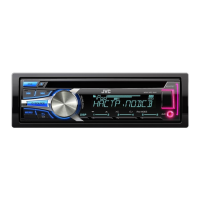
Overview of the unit's faceplate, buttons, and basic attachment/detachment procedures.
Steps to cancel the demonstration, set the clock, and configure basic system settings.
Instructions for playing music and files from CDs, USB drives, and iPod/iPhone devices.
Techniques for selecting tracks, songs by name, managing USB drives, and audiobook playback.
Procedures for tuning stations, storing presets, PTY search, and TA standby reception.
Connecting and utilizing portable audio players via auxiliary input and Bluetooth adapter.
Adjusting equalizer, subwoofer, fader, balance, volume, and other sound parameters.
Customizing display scroll, dimmer, brightness, and illumination color settings.
Information on playable discs, audio files, USB devices, and iPod/iPhone compatibility.
Solutions for common issues like no sound, connection errors, and display malfunctions.
Step-by-step guide for installing the unit, connecting wires, and vehicle-specific wiring.
List of necessary installation parts and instructions on how to safely remove the unit.
Detailed technical specifications for the tuner and CD player performance.
Technical details concerning USB, auxiliary input, and audio output capabilities.
Information on general operating conditions, physical dimensions, and weight.
 General
| RMS Power | 22W x 4 |
|---|---|
| Peak Power Output | 50W x 4 |
| CD Playback | Yes |
| Bluetooth | No |
| Remote Control | Yes |
| Channels | 4 |
| Power Output | 50W x 4 |
| Playback Formats | MP3, WMA |
| USB Input | Yes |
| AUX Input | Yes |


 To Next Page