EasyManua.ls Logo

JVC RX-6010VBK - User Manual

JVC RX-6010VBK
35 pages
Print Icon
To Next Page IconTo Next Page
Loading...
For Customer Use:
Enter below the Model No. and Serial
No. which are located either on the rear,
bottom or side of the cabinet. Retain this
information for future reference.
Model No.
Serial No.
LVT0578-002A
[C]
RX-6010VBK
INSTRUCTIONS
MANUAL D’INSTRUCTIONS
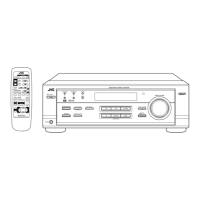
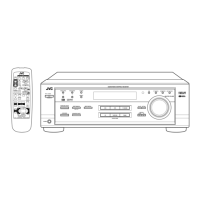
AUDIO/VIDEO CONTROL RECEIVER
RECEPTEUR DE CONTROL AUDIO/VIDEO
1
7
1
REMOTE CONTROL
SURROUND
SURROUND
MODE
SOUND
TV/VIDEO
CD-DISC
1
5
– SUBWOOFER +TEST
6
54
EFFECT
– CENTER +
5
98
– REAR•L + – VCR CH +
5
TV
VCR
AUDIO
SLEEP
+10
10
– REAR•R +
MENU
ENTER
5
TAPE/CDR
FM/AM
MUTING
CD
TV SOUND
VCR
ANALOG/DIGITAL
TV VOL
TV CH
DVD
+
+
VOLUME
£
POWER
8
+
7/P
RM-SRX6010J
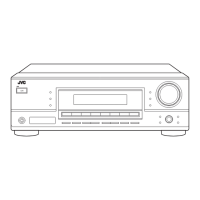
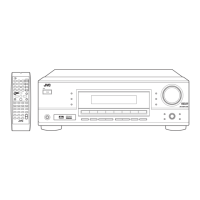
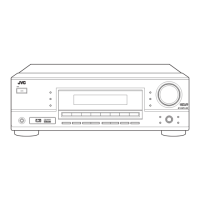
A/V CONTROL RECEIVER
32
DVD VCR TV SOUND
ADJUST
AUDIO/VIDEO CONTROL RECEIVER
SETTING
MASTER VOLUME
CONTROL
DOWN UP
CD TAPE/CDR
SOURCE NAME
INPUT DIGITALINPUT ANALOG
SPEAKERS ON/OFF
DSP MODE
PHONES
SURROUND ON/OFF
FM/AM TUNING
STANDBY
POWER
FM/AM PRESET FM MODE
MEMORY
INPUT ATT
FM/AM
DIGITAL
DIGITAL
SURROUND
RX-6010V
DIGITAL

Other manuals for JVC RX-6010VBK

Question and Answer IconNeed help?

Do you have a question about the JVC RX-6010VBK and is the answer not in the manual?

JVC RX-6010VBK Specifications

General IconGeneral
Channels5.1
Input Sensitivity200 mV
Video ConnectionsComposite
Weight11 kg
TypeAV Receiver
Power Output100 Watts
Total Harmonic Distortion0.8%
Signal to Noise Ratio95dB
Signal-to-Noise Ratio80dB
Output100W per channel
Speaker load impedance6 ohms
Speaker Impedance6 ohms
Digital inputsOptical, Coaxial
Tuner TypeAM/FM
Dimensions435 x 146.5 x 416 mm
Dimensions (W x H x D)435 x 146.5 x 416 mm

Summary

Warnings and Cautions

Electrical Hazard Warnings

Details risks of electric shock and opening the unit.

Environmental Hazard Warnings

Warns against exposure to rain, moisture, and improper power cord handling.

Installation and Ventilation Guidelines

Proper Ventilation Requirements

Specifies clearance needed for adequate airflow and cooling.

Getting Started

Initial Setup and Preparation

Covers basic installation, handling, and accessory checks before operation.

Connecting Speakers

Speaker Wiring and Placement

Details how to connect front, center, and rear speakers for surround sound.

Connecting Audio;Video Components

Subwoofer and Analog Source Connections

Guides on connecting a subwoofer and analog audio/video sources.

Basic Operations

Powering On;Off and Source Selection

Instructions for turning the unit on/off and choosing audio/video sources.

Volume and Muting Controls

Details on adjusting volume levels and using the mute function.

Listening Modes and Controls

Speaker Configuration for DSP Modes

Speaker Size and Type Settings

Registering speaker sizes and types for optimal DSP performance.

Delay Time Settings for Sound Field

Adjusting center and rear speaker delay times for sound field calibration.

Digital Input and Mode Selection

FM Reception and DSP Mode Overview

Understanding DSP Surround Modes

Dolby and JVC Theater Surround Explained

Details on Dolby Surround, Dolby Digital, and JVC Theater Surround.

DSP Modes by Speaker Arrangement

Adjusting Surround Modes

JVC Theater Surround Adjustments

Adjusting DAP Modes

Activating DSP Modes

Activating Dolby;DTS Surround Modes

How to turn on/off Dolby, DTS surround modes and cancel them.

Operating Audio Components

Operating Video Components

Troubleshooting Common Issues

Display and Sound Problems

Solutions for issues like no display, no sound, or sound from one speaker.

Reception and Overload Issues

Troubleshooting FM reception noise and overload indicators.

Troubleshooting Error Messages

DSP MICON NG and Standby Issues

Resolving errors like "DSP MICON NG" and standby mode problems.

Remote Control Malfunctions

Solutions for remote control not working or operating incorrectly.

Related product manuals