17
Maintenance
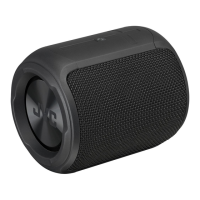
Cleaning the Unit
Ensure the unit is fully removed the cables from the unit before cleaning.
• To clean the unit, wipe the case with a slightly moist, lint-free cloth.
• Do not use any cleaning uids containing alcohol, ammonia or
abrasives.
• Do not spray aerosol at or near the unit.
Hints and Tips
If a problem does occur, it may often be due to something very minor.
The following table contains various tips. If you require additional
assistance,
• for UK, please call our UK Call Centre on 0344 561 1234.
• for Ireland, please call our Ireland Call Center on 1 890 818 575.
Problem Solution
No power. • The battery may be exhausted. Connect
the USB cable and plug into a USB port of a
computer which is turned on.
• Ensure that the unit is switched on.
The unit does not
respond when
pressing any
buttons.
• The unit may freeze up during use. Switch the
unit o and then on again to reset the unit.
• Connect the unit with a USB charging cable,
and then the other end to a charging device to
charge and reset the unit.
• Press and hold the
ON/OFF button for
about 8 seconds to reset the unit.
SP-AD105-B_IB_Final200716V1.indd 17 17/7/2020 1:58 PM


 To Next Page